Fans with a specific games wishlist
If there are particular adventures you want to play, first check whether they’re available on the platform you’re considering. Valve provides different compatibility ratings for Steam Deck.


First, check whether the adventures you want to play are available on the console you’re considering. Then find out how you can connect your headphones. PlayStation, Xbox and Switch 2 are suited to playing on a TV, while Switch 2 and Steam Deck OLED also let you play without one. Spatial audio depends on the connection, settings and, in some cases, the game – it doesn’t mean every console will sound the same with every headset.
If there are particular adventures you want to play, first check whether they’re available on the platform you’re considering. Valve provides different compatibility ratings for Steam Deck.
If you mainly play at home, consider how your existing headset connects and which audio settings are available on the console. Sony and Microsoft both describe configurable headphone audio features.
If you’d also like to play without a TV, the handheld mode, screen and availability of the games you want are all important. Nintendo Switch 2 supports TV, tabletop and handheld modes; on Steam Deck, whether you can play individual PC games depends on their compatibility.
| Buying priority | What to check before buying | Who it matters most to |
|---|---|---|
| Availability of the games you want | Check each title and the right edition for the specific system. For Steam Deck, also check its compatibility rating. | If there are particular story-driven adventures on my wishlist, I check they’re available on the platform first. Around 29% of consumers put game selection first. |
| Headphones and spatial audio | Check how your headset connects and which audio settings are available; compare spatial audio with stereo if needed. | If you want to use your existing headset, make sure it connects properly and that the settings are easy to understand. Around 23% of consumers prioritise their headphone needs. |
| Picture on your TV | Compare the supported game modes with your TV; distinguish between TV output and handheld resolution. | If the picture on my TV matters most, I check the game, screen and supported mode together. Around 18% of consumers prioritise TV picture quality. |
| Playing without a TV | Check the game modes, screen and compatibility of the titles you want to play. | If you want to play adventures in different places, check whether you can use the console without a TV. Around 18% of consumers prioritise being able to play in different locations. |
| Discs and digital purchases | Check whether the exact model has a disc drive and supports the discs you already own. | If I want to use my existing discs or choose to buy games digitally, I check which version has a disc drive before deciding. Around 12% of consumers prioritise how they buy games and potential future costs. |
Whether a console has a disc drive depends on the specific version. The PS5 Digital Edition and PS5 Pro are described as having no disc drive; the Xbox Series X compared by Microsoft has one, while the Series S does not.
Before you decide, check the exact model and what’s included against the discs you own.
With a digital version, check whether the games you want are available to download, as you won’t be able to use your existing discs.
The stated picture options come with conditions: PS5 Pro enhancements depend on the game, and Nintendo’s 4K claim for Switch 2 applies to TV output under the right conditions, not its built-in display.
Check the supported game mode and screen requirements for the specific titles you want to play.
Manufacturers describe different connections and configurable audio formats. On Xbox, certain formats may also come with additional app requirements.
Check how your headset connects and which settings you need before choosing any extra accessories.
Valve also labels games as “Playable”, “Unsupported” or “Unknown”. Games marked “Playable” may need some adjustments.
Check the ratings for your most important games before buying the device.
Worth considering if the games you want are available on PlayStation and you’d like to choose between a disc and digital version.
An option for compatible Xbox games, with different disc and digital versions, plus configurable headset formats.
Switch 2 could be right for you if you want to play compatible games on a TV, in tabletop mode or on the go.
Steam Deck OLED is a portable option if you want to play compatible PC games and can check their compatibility beforehand.
This selection includes a PS5 Digital Edition with a TV, as well as Nintendo Switch and Switch 2 options. Check that each adventure you want to play is available for the exact console model.
 No image available
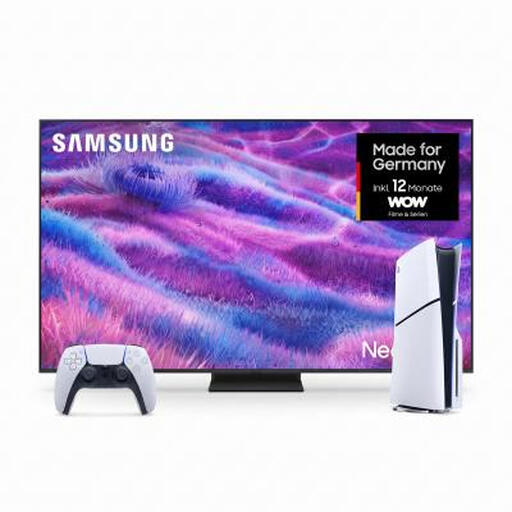
This bundle is a good fit if you’re looking for a PS5 Slim for digital PlayStation games, together with a TV.
It includes an 85-inch 4K TV and a PS5 Slim Digital Edition with 825 GB of storage; the console has no disc drive.
 No image available
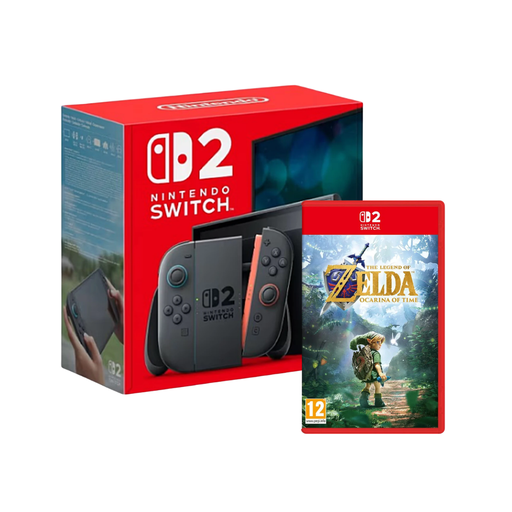
This bundle is an option if you’re looking for an adventure to play with a Switch 2 and want to switch between different places.
Nintendo Switch 2 supports TV, tabletop and handheld modes. For headphones, Nintendo lists a 3.5 mm jack and an adjustable virtual surround sound feature; compatibility isn’t guaranteed for every headphone product.
 No image available
If you want to play compatible adventures on a TV and without one, Switch 2 offers several play modes.
Nintendo lists TV, tabletop and handheld modes, as well as a 3.5 mm headphone jack. 4K output is available for supported games on a compatible display in TV mode, not on the built-in display.
 No image available
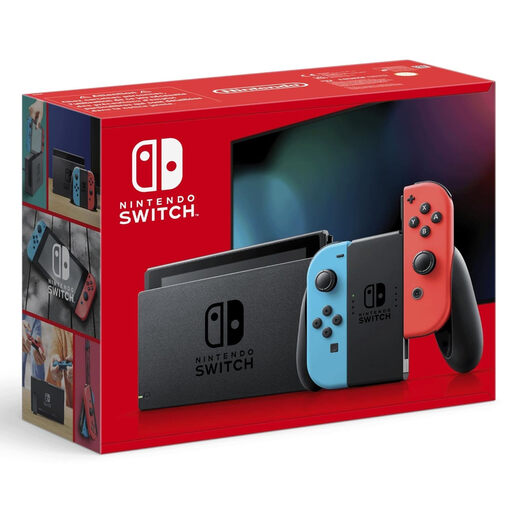
This Nintendo Switch version is an option if you want to play compatible adventures on a TV and on the go.
Before buying, check that the games you want are available for this exact console model and that its headphone connection works with your headset.
 No image available
An option if you want to play PS5 adventures on your TV and buy them digitally.
The Digital Edition has no disc drive. Sony describes 3D audio for configured analogue or USB stereo headphones; check the connection and audio settings for your headset.
No, availability depends on the title and platform. Before buying, check every game that matters to you and, for Steam Deck, also check Valve’s compatibility rating.
Not necessarily: Sony describes PS5 3D audio for configured analogue or USB stereo headphones, while Microsoft explains how to use Windows Sonic with connected stereo headsets. The right connection, settings and game are what matter.
Nintendo lists the “Virtual Surround Sound (Headphones)” option under HOME Menu → System Settings → Audio. You can also lower the maximum headphone volume there.
As a general precaution, the World Health Organization recommends keeping your device volume at no more than 60% of the maximum and taking regular breaks from listening. This is general hearing advice, not a feature or certification of any console.
No. Goods bought by consumers from a business seller in the EU are generally covered by a statutory guarantee of at least two years from receipt; this is separate from any voluntary manufacturer’s warranty. If there’s a fault, the seller is generally the person to contact.