Players with a particular game in mind
First, check that your favourite adventure is available for the platform and in the version you want. PlayStation and Nintendo each offer games for their respective platforms.


Start by thinking about the adventures you actually want to play. PS5, Xbox Series X|S and Nintendo Switch 2 differ in their games and how you can play them. For 4K and other display modes, the game itself and your TV need to be compatible too; Nintendo says Switch 2 supports up to 60 fps in 4K. If you want to use discs, check the exact console version and what’s included.
First, check that your favourite adventure is available for the platform and in the version you want. PlayStation and Nintendo each offer games for their respective platforms.
If you want detailed visuals or smooth gameplay on the big screen, your console, game and TV all need to work together. Nintendo notes that Switch 2’s 4K output depends on the game and TV supporting it.
If you want to play games you already own on disc, check the exact drive specifications. PlayStation and Microsoft also offer console versions without a built-in disc drive.
Start by checking the games you want and which platforms they’re available on. Then compare the display modes with your TV, and finally check the drive and portable play options for the exact model.
| What matters when buying | What to check | Who it matters most to |
|---|---|---|
| Adventures you want to play | Check the platform and game version, and whether they’re compatible with your existing game library. | If a particular story-driven game matters to me, I want to know whether that exact version is available before buying a console. Around 33% of consumers put access to a game they want first. |
| How games look on your TV | Check that the display modes supported by the specific game match your TV’s capabilities. | If resolution or smooth gameplay on the big screen matters to me, I check the game and TV alongside the console. Around 27% of consumers base their choice primarily on how games look on TV. |
| Discs or digital games | Check the full model name and whether it has a built-in disc drive. | If I want to keep playing games I own on disc, or choose physical games in future, the right disc drive is essential. For around 20% of consumers, playing games on disc is a priority. |
| Playing on the TV and on the go | Check whether the console offers a handheld mode as well as TV mode, and whether the games you want are available in both. | If I want to use the same console with or without a TV, being able to switch between play modes matters to me. Around 20% of consumers prioritise this flexibility. |
The display modes you can actually use also depend on the game and your TV. Nintendo says Switch 2 supports up to 60 fps when outputting in 4K.
Check the details for the specific game and your TV’s capabilities, rather than relying on terms such as 4K or 120 fps in the console specifications alone.
Both console families include versions without a built-in disc drive. You can’t use your existing game discs directly with these models.
Before deciding, compare the full model name and what’s included with the discs in your collection.
With an unsuitable digital-only model, you’d need to buy additional compatible hardware before you could use your existing game discs.
Nintendo Switch Lite doesn’t support TV mode, so it won’t meet your needs if you want to play on a big-screen TV.
If playing on a TV matters to you, check specifically that the Switch model you choose offers TV mode.
PS5 models for playing PlayStation games on your TV; the PS5 Pro is a separate option for enhanced graphics in supported games.
Xbox Series X and Series S for playing Xbox games on your TV; resolution specifications and disc drive options vary by model.
Switch 2 for compatible adventures in TV, tabletop and handheld modes.
This selection includes PS5 consoles for compatible adventures on your TV, as well as Nintendo Switch 2 for playing in TV and handheld modes.
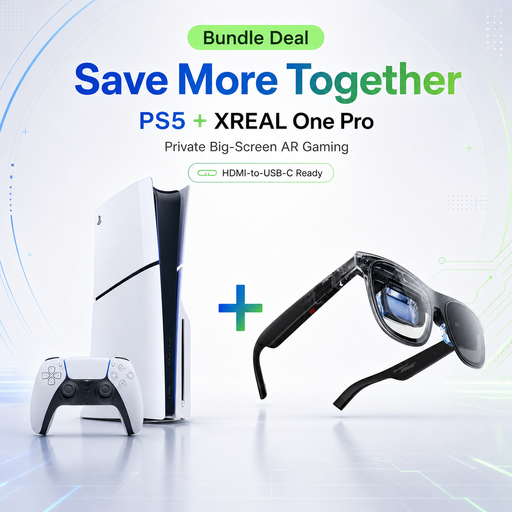 No image available
For compatible PS5 adventures on your TV, with a disc drive for playing physical games.
Disc Edition; 1 TB; bundle includes XREAL One Pro AR glasses.
 No image available
For compatible adventures on your TV, or in handheld and tabletop modes.
Nintendo says compatible games and TVs can support TV output at up to 4K; 4K output is limited to 60 fps.
Some existing Switch games may not be compatible, or may only be partially compatible.
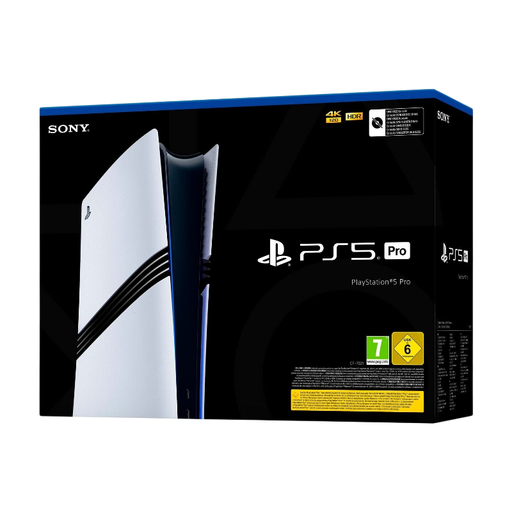 No image available
For PS5 adventures where you want to take advantage of the enhancements Sony describes for the Pro.
2 TB; no built-in disc drive. Sony says Pro enhancements are available for supported games; a disc drive is sold separately.
No. A 4K TV isn’t essential for playing games on your TV. If you want to use 4K display modes, check that both your TV and the specific game support them; Nintendo explicitly notes this requirement for Switch 2.
Nintendo says to connect the Switch 2 dock to a TV or monitor, then play in TV mode. If you have connection problems, first check the HDMI connection and the dock.
No. Nintendo Switch Lite doesn’t support TV mode.
Under the German Entertainment Software Self-Regulation body’s rules, retailers may not sell games to children or young people below the relevant age rating. So check the USK rating for the game you’re interested in; it doesn’t assess the game’s quality or educational suitability.