If you need two independently recognised displays, add a monitor that’s compatible with your existing screen and your computer’s video outputs. If you mainly want to see your editor and preview at the same time, a single ultrawide monitor may be enough. Check that both windows will fit at a readable scaling setting, and make sure you have enough desk space.
Who might need a monitor for this workflow
Designers working with a live preview
If you check your form and preview side by side, first decide whether you need two separate displays or whether two windows on one display will do. Microsoft Support explains how to arrange multiple displays in Windows.
Laptop users adding a second screen
If you want to extend your laptop display, check that its video output, readable text size and, if needed, USB-C charging meet your computer’s requirements.
Users with limited desk space
If space is at a premium, compare the footprint of a single ultrawide monitor with the space needed for your planned multi-device setup.
What to consider when choosing
First decide whether you need two physical displays or just two work windows visible at the same time. Then check the connections, readability and desk space you have available.
| Buying priority |
What to check before you buy |
Who it matters most to |
| Editor and preview |
Check that both windows fit at a readable scaling setting, and distinguish between two physical displays and two windows on one display. |
If I need to check the form and preview side by side, I need enough width for both windows to remain readable. Around 33% of consumers put having both views visible at the same time first. |
| Laptop connection |
Check that your laptop’s video output, charging requirements and the monitor’s connections are compatible. |
If I want to extend my laptop display, the monitor’s video output and, if needed, charging must work with my device. Around 27% of consumers prioritise a suitable laptop connection. |
| Ergonomic setup |
Check for height, swivel and tilt adjustment, and arrange the displays to match their actual positions on your desk. |
If I work on the form and preview for longer periods, I want to position the displays to suit my line of sight and workspace. Around 20% of consumers prioritise an adjustable setup. |
| Space and running costs |
Measure the footprint, including the stand or mount, and compare the EU energy labels of the devices you’re considering. |
If desk space is limited, the screen area needs to fit the space available. Around 20% of consumers prioritise desk space and running costs. |
Common buying mistakes
-
Confusing “two screens” with “two windows”
An ultrawide monitor can show windows side by side, but it’s still one physical display. If your workflow requires two independently recognised displays, a single ultrawide screen won’t meet that requirement.
Before you buy, decide whether you need two physical displays or simply two views on screen at the same time.
If you later find that you do need two physical displays, you may need to buy an additional screen or use a different connection setup.
-
Assuming USB-C supports video docking without checking
A USB-C port on the monitor doesn’t, by itself, mean your laptop can output video through it or charge at the power level you need.
Check the video output, charging requirements and connections against the specifications for your specific laptop and monitor model.
Depending on the connections you already have, you may need compatible cables or a separate docking solution.
-
Choosing based on pixel count alone
The scaling setting affects how much room the editor and preview actually take up at a comfortable text size. Microsoft Support explains Windows scaling and resolution settings.
Check how your two windows look at your preferred scaling setting. Microsoft normally recommends using the display’s native resolution.
Brands and model ranges to consider
Dell
The Pro Plus P2725DE is a 27-inch QHD option with a USB-C hub, suitable as an additional work screen.
- Dell lists a resolution of 2.560 × 1.440 pixels and a height-adjustable stand for this model.
- Whether the hub and screen work as you’d like with your computer depends on its connections and capabilities.
EIZO
The FlexScan EV2740X is a 27-inch 4K office monitor with USB-C docking.
- EIZO lists a resolution of 3.840 × 2.160 pixels and maximum USB-C power delivery of 94 W.
- With a 4K monitor, check that you can arrange the editor and preview comfortably at your preferred text size.
BenQ
The GW2790QT is a 27-inch QHD option for connecting a laptop, with an adjustable stand.
- BenQ lists 65 W USB-C power delivery, daisy chaining and a pivot function for this model.
- Support for a multi-screen setup also depends on the connected computer.
LG
The range includes a wide 21:9 screen for side-by-side windows and a taller 16:18 format for stacked views.
- LG lists the 34WR55QK-B at 3.440 × 1.440 pixels and 809 mm wide with its stand. The 28MQ780-B is listed at 2.560 × 2.880 pixels in a 16:18 format.
- Both formats are still single physical screens. LG Germany marks the 28MQ780-B as no longer available in its online shop for consumers.
Lenovo
The ThinkVision T27h-30 is a 27-inch QHD monitor with USB-C docking and a DisplayPort output.
- Lenovo lists a resolution of 2.560 × 1.440 pixels, an adjustable stand and a DisplayPort output.
- The DisplayPort output doesn’t guarantee that every laptop supports the daisy-chain setup you want.
Joybuy monitors for your editor and preview
The models below cover two ways of working: using two windows on a single ultrawide monitor, or adding an external screen alongside your laptop display.
 No image available
INNOCN E34A1R Curved Ultrawide Monitor
A good fit if you want to use your editor and preview as two windows on one wide screen.
34 inches, 3.440 × 1.440 pixels, 21:9, 1500R, PIP and PBP; HDMI and DisplayPort; height-adjustable stand.
View at Joybuy
 No image available
INNOCN 40C1U Ultrawide Monitor
Worth considering for two views on one screen if you have enough desk space for its wide body.
40 inches, 5.120 × 2.160 pixels, 21:9, PIP and PBP; USB-C PD 65 W; height-adjustable stand.
The model is 944,1 mm wide with its stand.
View at Joybuy
 No image available
Philips 276B1 27-inch QHD Monitor
Can work as an additional external screen alongside your existing laptop display, provided the connections are compatible with your computer.
27 inches, QHD, 75 Hz, IPS, 350 cd/m²; built-in speakers.
View at Joybuy
 No image available
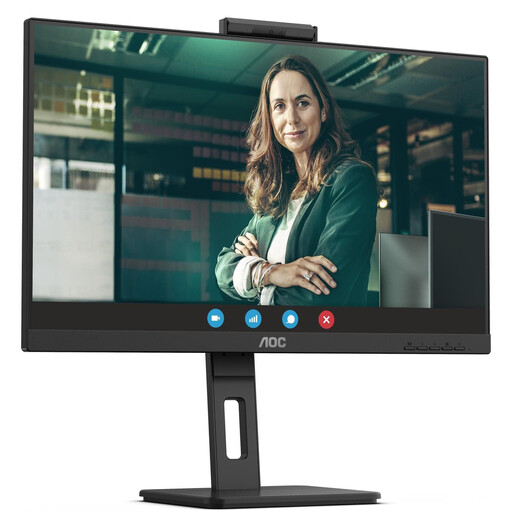
AOC Pro-Line Q27P3CW 27-inch QHD Monitor
A suitable option for a separate work view alongside your laptop screen if you’re looking for a 27-inch QHD monitor.
27 inches, QHD, 75 Hz, IPS, 350 cd/m²; built-in speakers.
View at Joybuy
 No image available
Dell Pro Plus P2725DE 27-inch QHD Monitor
A suitable option as an additional external screen if you want a separate work view alongside your laptop display.
27 inches, 2.560 × 1.440 pixels, QHD, LCD.
View at Joybuy
Frequently asked questions
Do I need to buy two monitors for my editor and preview?
No, not if two windows visible at the same time are enough: an ultrawide monitor can display them side by side. If your workflow requires two independently recognised physical displays, a single ultrawide monitor won’t do; your laptop screen plus an external monitor can also give you two displays.
How do I set up two recognised displays in Windows?
Arrange the displays in Windows’ display settings to match their actual positions, then check the scaling for each one. Microsoft Support also explains how to search for a connected display that hasn’t been recognised.
How can I check power consumption and potential running costs?
Compare the EU energy labels and product data sheets for the devices you’re considering. If you’re using two monitors, include both devices in your comparison. To work out the cost in euros, you’ll also need to consider factors such as the power consumption and how long you use your specific setup.
What are my rights if a monitor bought online in Germany is faulty or I want to return it?
For a consumer purchase, the retailer is generally responsible for your statutory rights, which normally apply for two years. Online purchases generally come with a 14-day right to cancel, although you should check the requirements and exceptions for your specific case. The German Consumer Advice Centre distinguishes these statutory rights from a manufacturer’s voluntary guarantee.
Are there legal requirements for a two-monitor workstation?
If the workstation falls under Germany’s Workplace Ordinance, its requirements for screen-based workstations and the related technical rule ASR A6 are relevant. The Federal Institute for Occupational Safety and Health explains ASR A6; simply deciding to buy a monitor for personal use does not create an obligation for your employer. For a specific workplace or homeworking setup, you’ll need to check whether the rules apply.


