First, choose a controller that works with your console or PC and supports the inputs required by the specific arena game. On Switch, using one Joy-Con per player depends on whether the game supports that setup. A wired controller may suit a fixed gaming spot, while wireless gives you more freedom to move around. Check the connection method, available ports and any game-specific features.
Which controller is right for you?
Gaming sessions with different players
When several people are playing, what matters is how many players the specific game supports at once. Nintendo notes that a single Joy-Con can be used horizontally as a controller, provided the game supports this way of playing.
PC gamers at a fixed setup
At a desk or near your dock, consider whether a cable will reach your gaming spot or whether wireless better suits your seating position. Microsoft lists Windows compatibility for the Xbox Wireless Controller; for the Ultimate 2C Wireless, 8BitDo specifies a USB receiver or cable on Windows.
Players with a specific console
First, check support for your PS5, Xbox or Switch 2. Sony notes that DualSense features on PC may be limited depending on the game and connection type. For other models, platform compatibility alone does not guarantee that every input you want to use will work.
What should you look for when buying?
First check that the platform and game are compatible. Then count the player slots you actually need, and see whether wired or wireless suits your bedroom setup.
| Buying priority |
What to check |
Who is this important to? |
| Platform and game |
Support for your console or operating system, and the inputs required by the specific game. |
If I want to play the arena game on a device I already own, I check both together. Around 30 % of consumers prioritise platform and game compatibility when choosing. |
| Player slots |
Player count and controller setup in multiplayer mode; on Switch, check whether single Joy-Con play is supported. |
If friends are joining in, I want to know how many people the game actually supports at once. Around 23 % of consumers focus first on additional player slots. |
| Wired, wireless and seating |
Cable length and reach to your gaming spot, or the specified wireless connection method and a suitable port. |
If I want to move between seats in the bedroom, the connection needs to work with my setup. Around 23 % of consumers prioritise space and connection requirements. |
| Inputs and extra features |
Whether the game supports the features you need and which connection is required to use them. |
If a game requires specific buttons or features, I want to be able to use them. Around 12 % of consumers prioritise game inputs and extra features. |
| Charging and upkeep |
The charging or battery setup, and whether using a cable is practical for your gaming spot. |
If I don’t want to charge a flat wireless controller before a match, ongoing upkeep matters to me. Around 12 % of consumers focus first on charging and upkeep. |
Common buying mistakes
-
Assuming similar model names mean the same compatibility
Different versions in the same product range may be designed for different platforms. For example, 8BitDo distinguishes between the Ultimate 2C Wireless model for Windows and Android, and the Bluetooth version for Switch.
Compare the full model name and platform details for the exact version with your device and game.
-
Confusing connectable controllers with playable slots
The number of controllers you can connect does not, on its own, tell you how many people a specific game supports at once. The type of controller and game mode may also make a difference.
Check the player count and recommended controller setup in the arena game's details.
If you don’t have enough compatible controllers for everyone, you may need additional or different input devices.
-
Choosing wireless and extra features without checking connection requirements
Connectivity and supported features vary by model and game. Sony says that haptic feedback on PC requires a compatible game and a USB connection.
Before buying, check that your device, game and preferred connection method all work together.
Key brands at a glance
Nintendo
Joy-Con are an option for Switch gaming sessions when the specific game supports single Joy-Con controls.
- Nintendo describes using a single Joy-Con horizontally as a controller.
- The game mode, controller type and features affect how many people can actually play. Original Switch Joy-Con can only be paired wirelessly with Switch 2.
Microsoft Xbox
The Xbox Wireless Controller is an option for Xbox consoles and Windows PCs.
- Microsoft lists Bluetooth, a hybrid D-pad and button mapping for this model.
- Check separately whether your local multiplayer PC game supports the inputs you want to use.
8BitDo
The Ultimate 2C range includes different versions for different platforms.
- For the Ultimate 2C Wireless, 8BitDo specifies a 2.4 GHz receiver or cable on Windows; the Bluetooth version is listed for Switch.
- Using the Bluetooth version with Switch 2 requires a firmware update, according to the manufacturer. Manufacturer claims about responsiveness are not the same as an independent comparison test.
PowerA
The Advantage Wired Controller is aimed at players using a docked Switch 2 who prefer a wired controller.
- PowerA lists two mappable extra buttons and compatibility with Switch 2, Switch and Switch OLED.
- According to the manufacturer, the model does not support motion controls, HD Rumble, IR or amiibo NFC, and is not intended for games that use Joy-Con exclusively.
PlayStation
DualSense is relevant for PS5 and compatible games on supported Windows PCs.
- Sony describes USB and Bluetooth connections.
- On PC, specific features depend on the game and connection type; Sony says haptic feedback requires USB.
Controllers for different gaming setups
This selection includes controllers for Switch, PC, Xbox and PS4, depending on the model, with a choice of wired and wireless connections. Before buying, check that the specific model works with your device and game.
 No image available
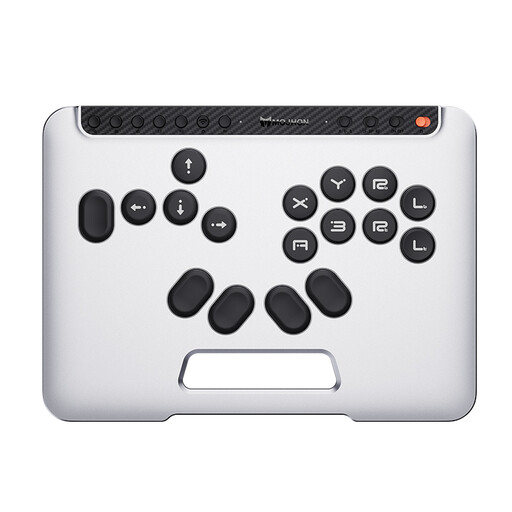
BIGBIG WON Fight Master Leverless Controller
This model may suit an arena game with all-button controls, provided the game and platform support these inputs.
Platforms: Switch 2, Switch, PC, iOS and Android. Connection: Bluetooth, 2.4 GHz or wired; mechanical hot-swappable switches.
View at Joybuy
 No image available
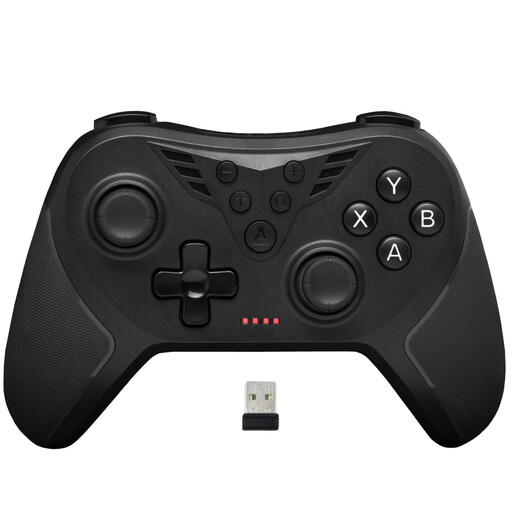
The G-Lab K-PAD-HELIUM-WL
For PC gamers looking for a wireless controller with extra rear buttons, provided the specific game supports controller inputs.
Connection: 2.4 GHz via USB receiver. The product name specifies two rear buttons.
View at Joybuy
 No image available
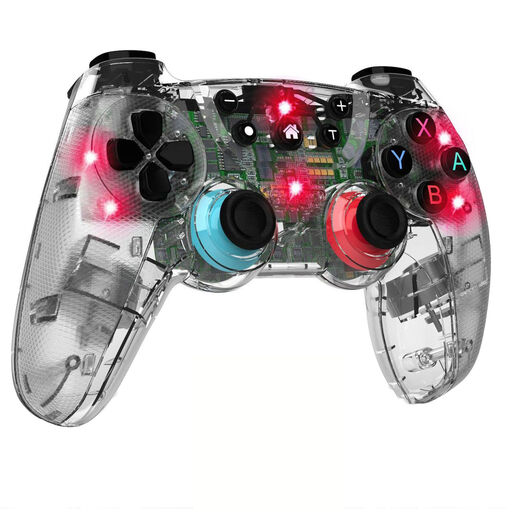
NAXSIR T4-14707098 wireless gamepad for Switch
For a Switch setup without a controller cable, if the game and required inputs are compatible with this gamepad.
Connection: Bluetooth. The product name lists vibration feedback and seven-colour LED lighting.
View at Joybuy
 No image available
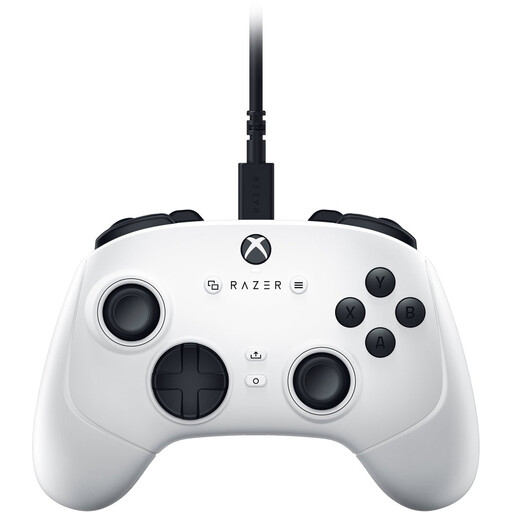
Razer Wolverine V3 Tournament Edition White
For Xbox or PC players who prefer a wired USB controller and can reach a USB port from their gaming spot.
Platforms: Xbox Series S/X and PC. Connection: USB-C cable; the product name lists four rear buttons and six mappable buttons.
View at Joybuy
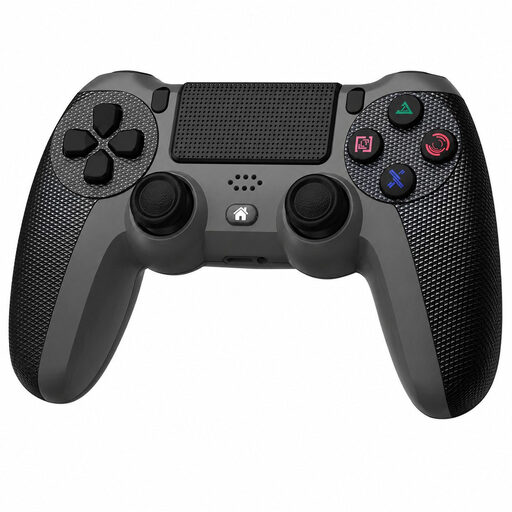 No image available
Wireless DualShock controller for PS4 and PC
For PS4 or PC gaming setups without a controller cable, provided the specific game supports this model.
The product name lists PS4 and PC as compatible platforms, along with wireless operation.
View at Joybuy
Frequently asked questions
Can each person use a single Joy-Con in a Switch game?
Only if the software supports this way of playing. Check the multiplayer mode for the specific game; Nintendo describes both using Joy-Con together and using them separately.
What should I know about a wired Switch 2 controller?
According to the manufacturer, the Switch 2 must be docked to use the PowerA Advantage Wired. Check that the USB port and cable reach your gaming spot.
Do DualSense haptics and a headset work on PC over Bluetooth?
Not in every case: Sony requires a compatible game and a USB connection for haptic feedback on PC. A wired PC connection is also required to connect a headset.


