Who is this guide for?

Football with friends on one screen

If you want to play together on the same device, check how many players the specific game supports and which controllers it works with. Electronic Arts describes local play in Kick-Off mode for EA SPORTS FC 27. Nintendo notes that whether you can use a single Joy-Con depends on the multiplayer options in each game.

PC players with saved content

If you play on PC and also want to use saved content or other local files, check file support separately from controller recognition. Your operating system, connection and the support offered by the game or programme determine whether you can use the controller.

Players with an existing console

If you already own an Xbox, PS5 or Switch 2, choose a controller that’s specifically designed for that platform. Similar button layouts don’t guarantee compatibility with another console.

What should you look for when buying?

Wired for Windows PC or Xbox

A good fit if: you want a gamepad that’s explicitly compatible and doesn’t need a controller battery, and you don’t mind a cable near your gaming area.

Worth considering: The cable limits how far you can sit from the screen and needs to be routed safely. GameSir lists Windows 10/11, Xbox Series X|S and Xbox One as compatible with the G7 HE, which comes with a 3 m USB-C cable.

Wireless for Windows PC or Xbox

A good fit if: you want more freedom to move when playing on a shared screen or switch between a Windows PC and Xbox.

Worth considering: Check the connection and power requirements for the specific model. Platform support alone doesn’t guarantee that every game will recognise it. Microsoft lists Xbox consoles, Windows PCs and Bluetooth support for the Xbox Wireless Controller.

PS5 and compatible PC games

A good fit if: you’re looking for a controller for your PS5 or want to use it with a compatible PC game.

Worth considering: On PC, extra features depend on the game and, in some cases, the connection. PlayStation specifies a USB connection for haptic feedback. PS5 compatibility doesn’t mean the controller will work with Xbox or Nintendo consoles.

Nintendo Switch 2

A good fit if: you want to use an additional full-size gamepad with your Switch 2, rather than relying on a single Joy-Con where supported.

Worth considering: Nintendo says whether one Joy-Con per player is enough depends on the game. Extra buttons aren’t automatically necessary for a simple game of football.

Windows PC with a wireless receiver

A good fit if: you prefer a wireless receiver to Bluetooth on your Windows PC. 8BitDo says the Ultimate 2 Wireless comes with a receiver in its charging dock.

Worth considering: Ultimate models differ. Check the full model name and the game’s requirements rather than assuming that details for one version apply to the whole range.

What you’re looking for What to check before buying Who should pay particular attention
Platform compatibility Check the full model name and the platforms it explicitly supports, then check that the game itself supports the controller. If I play on my existing Xbox, PS5, Switch 2 or PC, the controller needs to be compatible with that device. Around 33% of consumers are likely to consider platform compatibility their top priority.
A second player on the same device Check the local player limit and controller assignments in the specific game. For Joy-Con, make sure the game supports using a single Joy-Con per player. For football on a shared screen, both players need to be able to use the supported controls. Around 27% of consumers are likely to prioritise an extra controller for local multiplayer.
What you mean by saved files Work out whether you mean in-game content, save files or separate media. Check file support in the game or media player, and controller support separately. If I want to use my own saved content, I first need to know whether the game or programme supports it. Around 20% of consumers are likely to put access to local content first.
Wired or wireless, and power supply Compare connection types and, for wired models, cable length. For wireless models, check the power requirements of the specific version. When playing on a shared screen, seating distance, cable routing and power requirements can all make a difference. Around 20% of consumers are likely to prioritise a connection that suits their gaming set-up.

Common misconceptions

  • “Local play” means support for any files

    A mode for playing together on the same device doesn’t confirm that you can play videos or import your own files into a game. Electronic Arts describes local Kick-Off matches in EA SPORTS FC 27; that doesn’t mean the game supports files in general.

    Be specific about which files you want to use and check that the game or media player supports them before choosing a controller.

    Depending on the feature you need, you may also require suitable software.

  • A similar button layout is enough to guarantee compatibility

    The manufacturers list different platform support for the models covered here. So even if a controller has familiar buttons, it may not work with the device you want to use it with.

    Check the full model name and supported platforms against the controller requirements of your game.

    You may need another controller if your chosen model doesn’t work with your device.

  • Every player needs another full-size Switch gamepad

    Nintendo says whether you can use existing Joy-Con individually depends on the multiplayer options in the software.

    Check the controller assignments for the specific game before deciding how many full-size gamepads you need.

    Buying an extra controller too soon could be unnecessary for the way you want to play.

  • Wireless technology or Hall Effect guarantees an advantage in-game

    Technical features are described for specific products and conditions; that doesn’t prove they’ll give you an advantage in the football game you play.

    Choose based on your platform, seating position, connection and the features you need, rather than one technical term.

Key brands at a glance

Xbox / Microsoft

Xbox controllers are a wireless option for Xbox consoles and Windows PCs.

  • Microsoft lists Bluetooth and support for Xbox consoles and Windows PCs.
  • This doesn’t confirm support for every football game or compatibility with PS5 or Switch 2.

PlayStation / Sony

The DualSense is designed for PS5 and compatible Windows PC games, using USB or Bluetooth.

  • PlayStation explains how to set it up on a PC.
  • Extra features depend in part on the game. PlayStation specifies USB for haptic feedback on PC.

Nintendo

The Switch 2 Pro Controller is an option for Switch 2 players considering an additional full-size gamepad.

  • Nintendo lists customisable GL and GR buttons and a USB charging cable included in the box.
  • Whether your existing Joy-Con are enough to play individually depends on support in the game.

GameSir

The G7 HE is a wired option for Windows 10/11 and supported Xbox consoles.

  • GameSir lists Hall Effect sticks, a detachable 3 m cable and no need for a controller battery.
  • Manufacturer claims about extra durability don’t prove how long an individual unit will last.

8BitDo

Ultimate models are potential wireless options for PC. Check the full model name when choosing.

  • 8BitDo says the Ultimate 2 Wireless has a wireless receiver in its charging dock.
  • Details about XInput mode for the Ultimate 2.4g don’t automatically apply to every Ultimate model.

Controllers at Joybuy

This selection includes wireless and wired controllers for Xbox and Windows PC, PS5, and Nintendo Switch 2. Before buying, check that the specific platform and game you want to use are supported.

Microsoft Xbox Wireless Controller, Pulse Red

Microsoft Xbox Wireless Controller, Pulse Red

A wireless option for Xbox One, Xbox Series X|S or Windows PC. Check that the specific game supports it too.

Xbox Wireless and Bluetooth; Share button and 3.5 mm headset jack. Requires two AA batteries.

View at Joybuy

BEITONG PanGu Modular Wireless Gaming Controller

BEITONG PanGu Modular Wireless Gaming Controller

An option for PC or Nintendo Switch and Switch 2. Check that the connection and your game are compatible.

The product title lists interchangeable joysticks, buttons, D-pads and vibration modules. Supported platforms include PC, Nintendo Switch, Switch 2, Steam and Android. The description lists wired, wireless and Bluetooth connections.

View at Joybuy
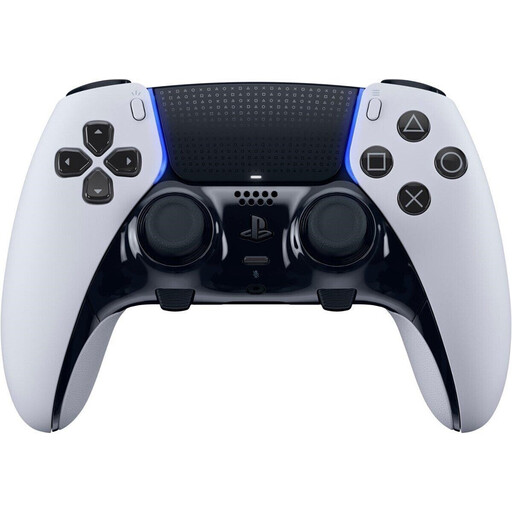
PlayStation DualSense Edge Wireless Controller in Black and White

PlayStation DualSense Edge Wireless Controller, Black/White

A wireless option for PS5 players who want to customise their controller inputs.

The product description lists assignable back buttons, adjustable stick sensitivity and trigger stops.

View at Joybuy
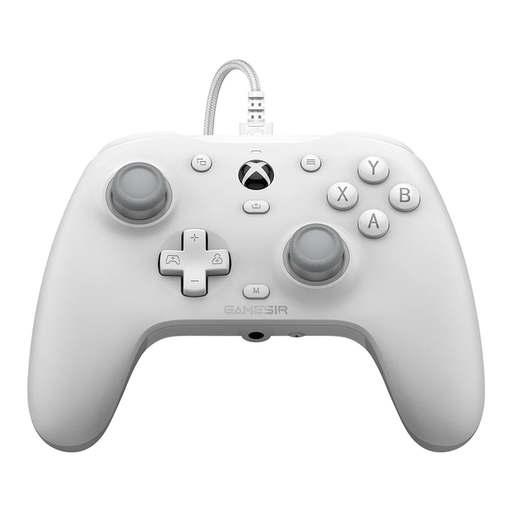
GameSir G7 HE Wired Controller, White

GameSir G7 HE Wired Controller, White

A wired option for Xbox Series X|S, Xbox One and Windows 10/11. Make sure the cable works with your gaming set-up.

The product title lists Hall Effect sticks and a 3 m USB-C cable.

View at Joybuy

Nintendo Switch 2 Pro Controller

Nintendo Switch 2 Pro Controller

An extra gamepad for Switch 2. Whether your existing Joy-Con are enough for the match you want to play depends on the specific game.

The description lists customisable GL and GR buttons, motion controls, HD Rumble 2 and a wireless connection.

View at Joybuy

Frequently asked questions

Is a second controller enough for a two-player football game?

Only if the specific game on your platform supports the local multiplayer mode you want and both input devices. Electronic Arts describes couch co-op in Kick-Off mode in EA SPORTS FC 27; that doesn’t guarantee support in other games.

Can a gamepad play local video or audio files?

A gamepad is an input device; it doesn’t play files by itself. Whether you can open files or add them to a football game depends on the game, media player and device. Local multiplayer support doesn’t confirm that these file features are available.

How do I set up a DualSense on a Windows PC?

PlayStation explains how to connect by USB or Bluetooth with supported versions of Windows and compatible games. Available extra features depend on the game. PlayStation specifies USB for haptic feedback on PC.

Do I need to buy another full-size controller for a Switch game?

Not necessarily. Nintendo says you can use individual Joy-Con, but the ways you can hold them in multiplayer depend on the software. So check the specific game first.

What are my rights in Germany if a product is faulty or I want to return it?

For faulty goods, the seller is generally responsible for your statutory rights relating to defects. These are separate from a voluntary guarantee. For online purchases, consumers generally have a 14-day right to cancel from the date they receive the goods, although exceptions and individual circumstances apply. The Verbraucherzentrale explains these rights.