Considerate gamers
If you play while someone else is resting in the same room, check how you’ll play the audio and which feedback settings you can adjust before choosing a controller.


For puzzle games in a shared bedroom, first choose a controller that works with your console or PC and the specific game. Then consider how you’ll play the game audio and whether vibration or the controller speaker can be adjusted. Wireless models avoid a cable by your seat, but depending on the model, they may need a receiver as well as charging or batteries.
If you play while someone else is resting in the same room, check how you’ll play the audio and which feedback settings you can adjust before choosing a controller.
If you already own a PS5, Xbox or Switch, check that the controller is right for your console generation and that the specific puzzle game supports controller input.
If you want to play without a cable by your seat, check that your PC has a suitable port for the required wireless receiver.
In a shared bedroom, audio output and adjustable feedback matter alongside game compatibility. None of these features, on its own, guarantees quiet button presses.
| Buying priority | What to check | Who is it important to? |
|---|---|---|
| Compatibility | Check the console generation or operating system, connection type and whether the specific game supports the controller. | If I’m looking for a controller for a particular platform, I check the generation, connection and game support first. Around 36% of consumers put compatibility with their platform and game first. |
| Audio and vibration | Check audio output, adjustable vibration and the controller speaker; don’t assume it will be silent. | If someone is sleeping next to me, I want to choose how the game audio plays and adjust the feedback. Around 29% of consumers prioritise managing audio and vibration. |
| Puzzle game controls | Check that the directional pad and required buttons match the controls used in the specific game. | For a puzzle game, I check that the directional pad and required buttons match its controls, rather than paying for extra features I may not need. Around 21% of consumers prioritise puzzle game controls. |
| Connection and power | Allow for any required receiver, suitable ports and the charging or battery setup. | If I want to play without a cable by my seat, I plan for the receiver and power supply so no cable runs through a shared area. Around 14% of consumers prioritise connectivity and power where they play. |
Nintendo says the Nintendo Switch 2 Pro Controller is designed exclusively for Switch 2. The documented compatibility of the older Switch Pro Controller with Switch 2 does not automatically work the other way round.
Before ordering, compare the full model name with your console generation.
For the Ultimate 2C Wireless on Windows, 8BitDo specifies 2.4 GHz or a wired connection; Bluetooth is listed for Android.
Check the connection options for your platform and the ports available on your device.
Settings and ports describe features, but they don’t tell you how loud the buttons, vibration or gaming device will be in a bedroom.
Check the audio setup and adjustable feedback in advance. Don’t take product features as a guarantee of silent operation.
The DualSense range is an option for PS5 players who want to adjust feedback and the controller speaker through the console settings.
Nintendo has separate Pro Controllers for the original Switch and Switch 2. Choosing the right generation is essential.
The Ultimate 2C Wireless is an option for Windows and Android, with different connection methods depending on the platform.
The Xbox Wireless Controller is specified for the Xbox consoles and Windows PCs listed by Microsoft.
This selection includes controllers for Switch 2, older Switch models, PS5, Xbox consoles and Windows PCs. For each model, check the console generation and whether it supports your specific puzzle game.
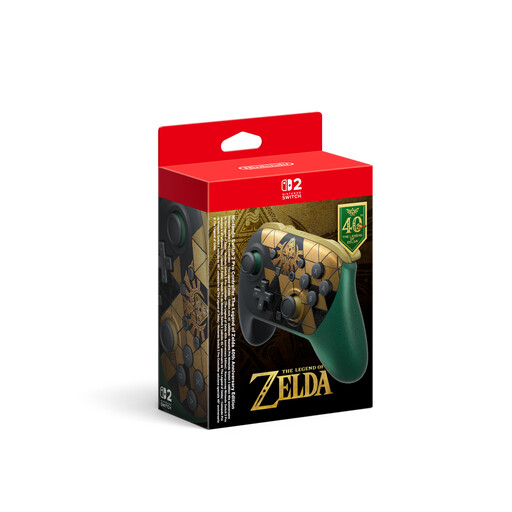 No image available
For Switch 2, if you want to plug headphones straight into the controller. Nintendo lists a 3.5 mm headphone jack for the Switch 2 Pro Controller and states that it is designed exclusively for Switch 2.
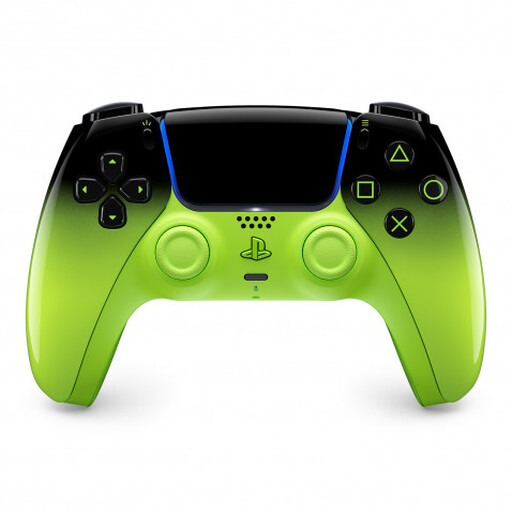 No image available
For PS5 players who want to adjust feedback. PlayStation documents adjustable vibration and trigger intensity, as well as controller speaker volume, for DualSense on PS5. This doesn’t indicate how noisy it will be in your room.
 No image available
For the original Switch or a wireless connection to Switch 2, if you prefer a separate plus-shaped directional pad. Nintendo confirms that the older Switch Pro Controller is compatible with Switch 2 wirelessly and lists an approximate battery life of 40 hours for this model.
 No image available
For gaming on a compatible Xbox console or Windows PC. Microsoft lists Bluetooth, button mapping and a hybrid directional pad; check the power supply and audio connection for the exact version.
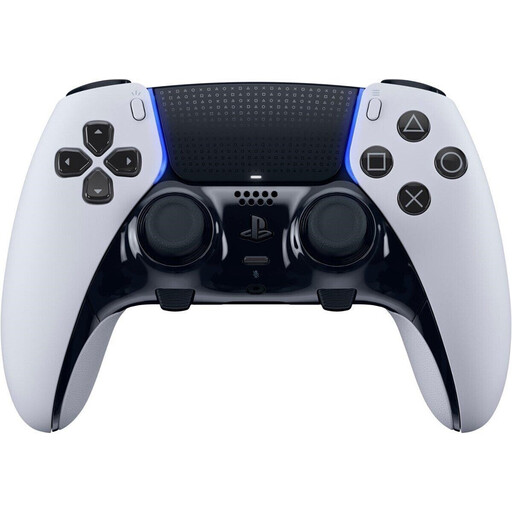 No image available
If you’re specifically looking for a DualSense Edge, check that the exact version is right for your platform and the controls used in your puzzle game.
Yes. On PS5, go to “Settings > Accessories > Controller (General)” to adjust controller speaker volume, vibration intensity and trigger effect intensity. PlayStation documents these settings, but they don’t measure how audible the controls will be in your particular room.
No. According to 8BitDo, the Ultimate 2C Wireless connects to Windows using the included 2.4 GHz USB-A receiver or a cable; the manufacturer lists Bluetooth for Android. Also check whether your puzzle game supports controller input.
No. Nintendo states that the Switch 2 Pro Controller can only be used with Switch 2. In the other direction, Nintendo says the older Switch Pro Controller is compatible with Switch 2 wirelessly.
According to Verbraucherzentrale, consumers generally have a 14-day right to cancel online purchases; the deadline depends on the contract or when the goods are received. The Bundesnetzagentur says that electrical and electronic equipment must have the correct CE marking to be offered for sale in Germany. The CE mark doesn’t indicate how loud a controller is or whether it supports a particular game.
Set up a charging spot away from the shared area. Nintendo lists a USB-C charging cable as included with the older Switch Pro Controller, along with an estimated battery life of around 40 hours. According to 8BitDo, the Ultimate 2C Wireless comes with a USB-A receiver and a USB cable.