Players with a dedicated console
If you mainly play on PS5, Xbox or Switch 2, first check compatibility with your console and the specific RPG. Comfort and extra features come afterwards.


First, choose a controller supported by your console or PC and the specific version of the game. Then decide whether a compatible wireless connection or a cable works best for where you sit. Special haptic features depend on the game, while comfort and power supply can matter during longer sessions.
If you mainly play on PS5, Xbox or Switch 2, first check compatibility with your console and the specific RPG. Comfort and extra features come afterwards.
If your PC streams the picture to a large screen, make sure the specified connection suits where you sit. The PC version of the game must also support controller input.
For longer RPG sessions, grip comfort, button placement and power supply can matter more than extra features. Haptic feedback should also suit the game and the connection you choose.
Decide what matters most to you before comparing connection types, power supplies or extra buttons.
| Priority | What to check | Who it matters to |
|---|---|---|
| Platform and game | Console generation or operating system, as well as controller support in the specific version of the game. | I want to be sure the controller works with my device and chosen RPG. Around 36% of consumers put platform and game compatibility first when making this choice. |
| Connection to your seat | Check the wireless mode specified for your platform, any USB ports you need, or whether the cable will reach your seat. | I want to play from the sofa without a cable that is too short restricting where I sit, or a wireless connection that is incompatible with my device. Around 29% of consumers prioritise the connection from their seat. |
| Handling and power supply | Consider the feel in your hands, as well as the exact model’s battery type, rechargeable battery and charging options, if applicable. | For long RPG sessions, a comfortable grip and suitable power supply matter more to me than extra features. Around 21% of consumers put handling and power supply first. |
| Haptics and extra inputs | Check whether the specific game supports haptics or adaptive triggers; for extra buttons, check platform compatibility. | If I want to use specific in-game effects or extra inputs, they need to be supported by the game and connection. Around 14% of consumers prioritise these effects and inputs when making this choice. |
A wireless connection doesn’t guarantee that every feature will be available: according to Xbox Support, controller audio isn’t supported over Bluetooth on Windows. For DualSense haptics on PC, PlayStation requires a USB connection and a supported game.
Check that the feature you want works with the connection you’ll actually use where you sit.
Depending on your setup, you may need a suitable adapter or have to run a USB cable to your seat.
According to Nintendo, the Switch 2 Pro Controller is only compatible with Switch 2. For the 8BitDo Ultimate 2C Wireless, the manufacturer specifies Bluetooth for Android and a 2.4 GHz receiver or wired connection for Windows.
Check the full model name, intended platform and specified connection mode, rather than relying on the brand or product family alone.
The cable also needs to reach all the way between your device and where you sit. PowerA specifies a detachable 3-m USB cable for the Enhanced Wired model; this doesn’t apply to every model.
Measure the cable route you plan to use and check that the cable can reach your seating area without getting in the way.
The Xbox Wireless Controller is an option for Xbox consoles and Windows PCs. The right connection and features depend on your platform.
DualSense is designed for PS5 players and PC players whose games support the controller features they want to use.
The Ultimate 2C Wireless is specified for Windows with a 2.4 GHz receiver or cable, and for Android with Bluetooth.
The wired G7 SE is specified for Xbox Series X|S, Xbox One and Windows.
The Switch 2 Pro Controller is worth considering if you play on Nintendo Switch 2.
The Enhanced Wired model reviewed here is a wired option for Xbox Series X|S, Xbox One and Windows.
The models below include wireless options for Windows PC and Switch 2, as well as wireless and wired controllers for Xbox and Windows. Check that each model supports the specific version of your game.
 No image available
A wireless option for a Windows PC connected to your TV, if a 2.4 GHz USB receiver suits your setup.
Windows 10/11 and PlayStation 3 are listed as compatible platforms, along with two programmable rear buttons and adjustable vibration. The stated battery life is 8–10 hours; compatibility with other platforms hasn’t been confirmed.
 No image available
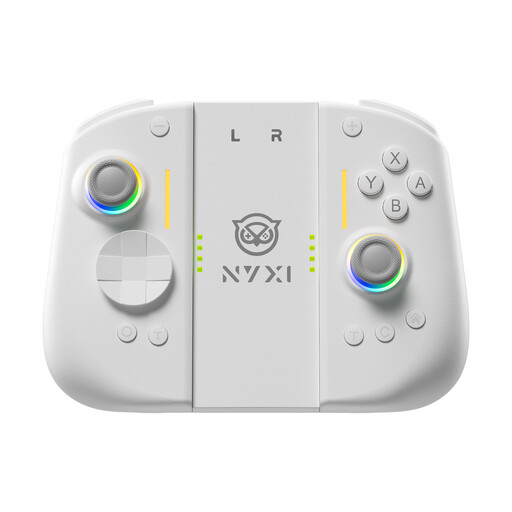
A wireless option for Switch 2 if you’re looking for extra inputs and adjustable vibration intensity.
Features include a 9-axis gyroscope, Hall Effect joysticks, mechanical buttons and two rear buttons. The product name identifies this model as being for Switch 2.
 No image available
A wireless option for Xbox One, Xbox Series X|S and PC, if the connection specified for your device suits where you sit.
Bluetooth and Xbox Wireless are listed as wireless connection options. It uses two AA batteries, which are said to provide up to 40 hours of play time. According to Xbox Support, controller audio isn’t supported over Bluetooth on Windows.
 No image available
A wired option for a fixed seating position, provided the cable can reach from your device to the sofa.
Xbox Series X|S, Xbox One and Windows 10/11 are listed, along with Hall Effect joysticks and a 3 m USB-C cable. With a wired connection, where you sit depends on how far the cable can actually reach.
 No image available
An option for RPGs on Switch 2 if you’re looking for a controller with extra mappable inputs.
Features include assignable GL and GR buttons, HD Rumble 2, motion controls and a headphone jack. Switch 2 is listed as the compatible platform.
Not necessarily if you want to use every feature. Check which controllers the specific game supports and whether features such as DualSense effects are available. Steam offers filters for Xbox, DualShock and DualSense controllers.
Sony lists USB-C or Bluetooth as connection options. To pair over Bluetooth for the first time, make sure the controller is switched off, then hold down the Create and PS buttons until the light bar flashes. Next, select the controller from your Bluetooth device list. According to Sony, haptic feedback on PC requires a USB connection and game support.
For consumer purchases from a trader in the EU, you have at least two years of legal protection if goods are faulty; Your Europe explains this minimum period. The right to cancel an online purchase that qualifies for cancellation is separate and usually lasts 14 days from delivery. Exceptions and possible return costs may apply.