
Lieferung heute & morgen

Qualitätsgarantie

Willkommens-Angebote freischalten: KOSTENLOSE Lieferung | Bis zu 80 % RABATT | Kostenlose 30-Tage-JoyPlus-Testphase
App herunterladen
A convertible laptop promises to combine the format of a notebook with the flexibility of a tablet. However, the market is flooded with devices whose marketing promises often suggest more than the technology delivers in everyday use. Before you make a purchasing decision, it's crucial to understand the most common pitfalls that can lead to a frustrating user experience.
To make an informed decision, you should focus on objective technical specifications that determine a device's longevity and real-world usability.
The most critical component of a convertible laptop is its hinge. It must be robust enough to withstand thousands of folding cycles without losing stability. Look for chassis materials like aluminium, which offer greater torsional rigidity and durability compared to pure plastic. A lightweight laptop or an Ultrabook with a metal chassis is often an indicator of higher overall build quality. Check if the hinge holds the display steady in all modes (Laptop, Tent, Stand, Tablet).
A touchscreen notebook lives and dies by its display quality. While an OLED display generally offers superior contrast and deeper blacks, the details are what count:
Modern processors from Intel (Core Ultra) and AMD (Ryzen AI) integrate an NPU (Neural Processing Unit). This is specialised to execute AI-based tasks energy-efficiently. Performance is measured in TOPS (Trillions of Operations Per Second). A high TOPS value is relevant if you plan to regularly use features like real-time captions, advanced background effects in video conferences (Windows Studio Effects), or local AI applications. For standard office work and web browsing, extremely high NPU performance is currently of secondary importance.
Here are some models tailored to specific user profiles that successfully avoid the pitfalls mentioned.
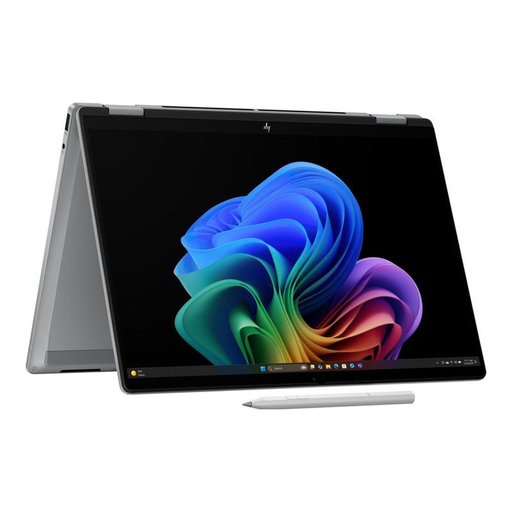
Why This Fits Their Persona: Ideal for designers, photographers, and video editors who demand the highest standards of visual fidelity. The high-resolution, fluid OLED display enables precise colour correction and an immersive content editing experience. The powerful AI performance accelerates creative workflows in supported software.
Avoids the display trap with a specified 3K OLED panel at 120 Hz. The AI performance is clearly quantified at 50 TOPS, offering a tangible benefit. The aluminium chassis indicates a durable hinge construction.
Brilliant, colour-accurate 3K OLED display; high AI computing power from the AMD Ryzen AI processor.
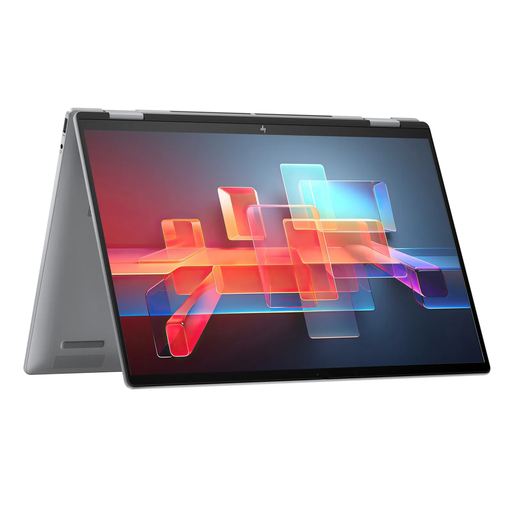
Why This Fits Their Persona: A versatile Business Laptop for users who need a large screen for productive multitasking but also value the flexibility for presentations (tent mode) or note-taking (tablet mode). Modern connectivity and security features like the IR camera are designed for professional use.
The established ENVY series is known for reliable build quality, which minimises concerns about an unstable hinge. The Intel Core Ultra processor delivers concrete AI benefits for video conferencing. The display specifications (WUXGA, 300 nits, 100% sRGB) are clearly defined.
Large 16-inch touchscreen for high productivity; versatile 2-in-1 functionality for flexible work styles.
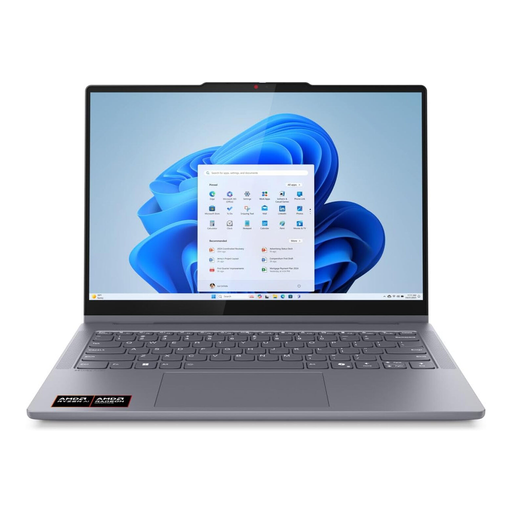
Why This Fits Their Persona: A balanced choice for students and prosumers looking for a modern device for productivity, entertainment, and light creative tasks. The OLED display and AI processor offer future-proof technology in a portable 14-inch form factor.
Offers premium features like an OLED display and a powerful AI processor at a more accessible price point, preventing you from overpaying for high-end specs you won't use. The build quality of the IdeaPad 5 series is considered reliable for daily use.
A balanced overall package of an OLED display, strong AI performance, and good portability.
We have compiled a complete, up-to-date list of products that fully meet these strict selection criteria and rigorous safety standards.
Battery life varies significantly depending on the model, display brightness, and usage intensity. Manufacturer claims, often based on low-load tests like local video playback, can range from 10 to over 20 hours. With mixed usage involving web browsing, office applications, and video conferencing, a realistic runtime of 7 to 12 hours is a good benchmark for most current models.
For creative professionals who depend on accurate colour representation and high contrast, an OLED Laptop is often a worthwhile investment. The brilliant colours and deep blacks also significantly enhance the media consumption experience. For purely office work, where text and spreadsheets are the main focus, the advantages are less pronounced, and a high-quality IPS display can be a perfectly adequate and more cost-effective alternative.
Yes, all modern convertible laptops have ports for driving external monitors. This is typically done via an HDMI port or, even more versatile, via USB-C with DisplayPort functionality (often as part of Thunderbolt 4 or USB4). This allows you to easily set up a multi-monitor workstation. For maximum on-the-go flexibility, a portable monitor can also be a useful addition, often powered and receiving a video signal through a single USB-C cable.