4K cooking video editors
If you edit larger amounts of 4K footage, consider your editing software, memory, graphics and drives together. For Premiere on Windows, Adobe recommends 32 GB RAM or more for 4K and above.


Choose a laptop based on your editing software, recording format and project size. For Premiere on Windows, Adobe recommends 16 GB RAM for HD footage and 32 GB or more for 4K and above. Separately recorded audio mainly calls for a reliable workflow for synchronising and managing files; if you have lots of footage, SSD capacity and the right ports matter too. These Adobe recommendations apply to the Premiere workflow described and are not minimum requirements for every cooking video.
If you edit larger amounts of 4K footage, consider your editing software, memory, graphics and drives together. For Premiere on Windows, Adobe recommends 32 GB RAM or more for 4K and above.
If you record video and audio separately, you need a reliable way to match and synchronise the files. Adobe documents synchronisation features for separately recorded clips.
If you transfer and edit footage in different locations, make sure the ports and workflow suit your cards and drives. Adobe also describes proxy files as working copies that can be used with high-resolution footage.
First, decide which editing software and recording format you’ll use. Then compare the exact device configuration and check that its ports, storage and screen space suit your filming and editing routine.
A good fit if: you regularly edit in Premiere on Windows and want to choose a configuration to suit HD or 4K footage. Adobe recommends 16 GB RAM for HD and 32 GB or more for 4K and above.
The trade-off: The right amount of RAM and graphics power won’t replace the need for enough space for your original footage and working files, or a check of the display and ports.
A good fit if: your editing software runs on macOS and SDXC, HDMI and Thunderbolt suit your equipment. Apple lists these ports for the 14-inch model with M5 Pro or M5 Max.
The trade-off: Chips, storage and supported video formats vary by model. Adobe’s Windows recommendations are not equivalent thresholds for Mac models.
A good fit if: you often review or edit footage on the go and prefer a smaller device with suitable ports. Premiere can create lower-resolution proxy files for editing compatible video footage.
The trade-off: Proxies are additional files. Plan where to store them and check whether your video footage is suitable for this workflow.
| Buying criterion | What to look for | Who is it important to? |
|---|---|---|
| Editing to suit your format | Check your editing software, resolution and codec; compare the RAM, graphics and drives in the specific configuration. | If I edit 4K footage in Premiere, I choose a specification to suit the recording format. Around 33% of consumers say smooth editing suited to their format is their top priority. |
| Synchronising audio | Check that your editing software supports the synchronisation method you need, and decide how you’ll organise video and recorder files. | If the video and audio were recorded separately, I want to be able to match and synchronise both files reliably. Around 25% of consumers put audio synchronisation first. |
| Space for project files | Consider the SSD capacity of the model on offer and the space you’ll need for original footage, projects and, where relevant, proxies. | If I manage lots of footage and working files, I need a suitable storage plan. Around 25% of consumers say file storage is their top buying priority. |
| Working on the go | Check that card readers, ports for drives and monitors, and screen size suit your equipment and working style. | If I transfer and edit footage in different locations, suitable connections and a practical workspace matter. Around 17% of consumers put working on the go first. |
Adobe distinguishes between HD footage and 4K or above. Applying the 4K recommendation to every project could lead you to choose a configuration that doesn’t suit the footage you actually use.
Choose your specification based on your recording format and editing software.
As well as your original footage, you may have audio files, project files and, in a proxy workflow, additional files. The storage you need also depends on how you manage your working files.
Plan separate space for original footage, audio, projects and, where relevant, proxies.
Configurations can vary within a model family. A product family name alone won’t tell you the RAM, graphics, SSD and ports included with a specific device.
Compare the full model or product number and the details for the version on offer.
The ProArt P16 range includes 16-inch models designed for creators.
MacBook Pro may suit an editing workflow on macOS.
HP offers more compact OMEN Transcend configurations for Windows.
The Swift X 14 AI range includes more compact creator models.
The Yoga Pro 9i Gen 10 Aura Edition, product number 83L0007XGE, is a larger Windows configuration.
The following Joybuy models offer different Windows configurations for HD and more demanding editing projects. The right choice depends on your recording format, storage needs and the specification of each model.
 No image available
The listed specification is designed for larger Premiere projects on Windows; Adobe recommends 32 GB RAM or more for 4K and above.
Intel Core Ultra 9 285HX, Windows 11 Pro, 64 GB RAM, 2 TB NVMe SSD and RTX PRO 4000 Blackwell with 16 GB graphics memory. The 16-inch IPS display has a resolution of 3840 × 2400 pixels.
 No image available
This configuration may suit HD editing in Premiere; for 4K and above, its listed memory is below Adobe’s recommendation of 32 GB or more.
16-inch QHD display, AMD Ryzen 9 8940HX, 24 GB RAM, 1-TB SSD, GeForce RTX 5070 and Windows 11 Home.
 No image available
Its 16 GB RAM matches Adobe’s recommendation for HD footage in Premiere; for 4K and above, Adobe recommends 32 GB or more.
16-inch QHD display, AMD Ryzen 7 8745HX, 16 GB RAM, 1-TB SSD, GeForce RTX 5060 and Windows 11 Home.
 No image available
With 16 GB RAM, this configuration matches Adobe’s recommendation for HD footage in Premiere; for 4K and above, Adobe recommends 32 GB or more.
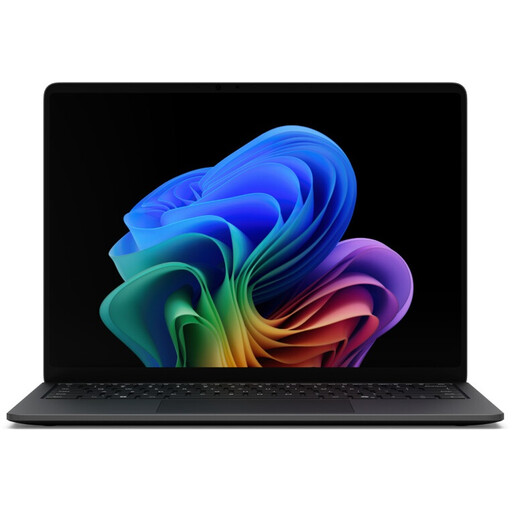
13.8-inch touchscreen with 2304 × 1536 pixels, 16 GB RAM, 512-GB SSD and Windows. Listed weight is 1.3 kg, with two USB 4.0 ports and Thunderbolt 4.
 No image available
The listed configuration has 12 GB graphics memory; for 4K and above, its RAM is below Adobe’s Premiere recommendation of 32 GB or more.
Intel Core Ultra 9 275HX, 16 GB DDR5, 1-TB SSD, GeForce RTX 5070 with 12 GB and a 16-inch QHD+ OLED display with 2560 × 1600 pixels. The listed weight is 2.20 kg.
Not just to match and synchronise the files. Adobe documents features for synchronising separately recorded clips; the rest of your hardware should suit your video format, resolution and editing workflow.
For compatible video footage, Premiere can create lower-resolution proxy files. Plan where to store them and allow for the extra space, then check whether your file type is suitable for this proxy workflow.
Check the cost of your editing software and whether you’ll need extra storage for media or proxies. Adobe notes that Premiere may involve fees or membership costs; the exact amount depends on the plan you choose.
As a consumer making a distance purchase, you generally have a 14-day right to cancel from the date you receive the goods; exceptions and possible return costs should be considered. If goods are faulty, you also have statutory rights against the seller for at least two years from receipt. The European Union’s Your Europe website explains these consumer rights; purchases made as a business are not automatically covered by them.