What to consider when buying
Start by checking your platform and game, then work out how many controllers you need. After that, consider lighting, connectivity and power.
| What you need |
What to check before buying |
Who it matters most to |
| Platform and game compatibility |
Compare the platform information for the exact model with your device, and check that the game supports the controller. Microsoft Xbox and GameSir list compatible platforms for each model. |
If I want to play on my existing PC or console, I check both device and game compatibility. Around 36% of consumers put platform and game compatibility first. |
| Two controllers for local co-op |
Check the player count, local multiplayer mode and supported controller positions for the specific game. Nintendo explains that whether you can share a pair of Joy-Con depends on the software. |
If two people are playing on one console, I want to know whether both can play with the planned controller setup. Around 29% of consumers prioritise a two-player setup. |
| Finding the buttons in the dark |
Check exactly which part lights up and whether you can adjust the lighting effects. RGB rings or an illuminated shell don’t prove that the button labels are lit. |
If I want to see the controls in low light, I look closely at the illuminated area and the available settings. Around 21% of consumers prioritise being able to find the controls in the dark. |
| Power and seating position |
Measure the cable route or check the exact model’s battery type, charging method and what’s included. Microsoft Xbox notes that the Wireless Controller needs AA batteries or a compatible rechargeable battery pack. |
If several people are sitting together, I plan for cable reach or charging at every seat. Around 14% of consumers prioritise power and seating arrangements. |
Controllers at Joybuy
The models below include wireless controllers for PC or Switch 2, PS5 and Xbox options, a pair of Joy-Con that can be shared, and a wired Xbox controller. For each game, check that it supports your chosen platform and controls.
 No image available
BIGBIG WON Rainbow 3 Wireless Controller
Worth considering if you’re looking for a wireless controller for PC or Switch 2 with customisable lighting effects.
The product title lists 14 customisable RGB lights and a 6-axis gyroscope. Check the exact platform and connection support for your device.
View at Joybuy
 No image available
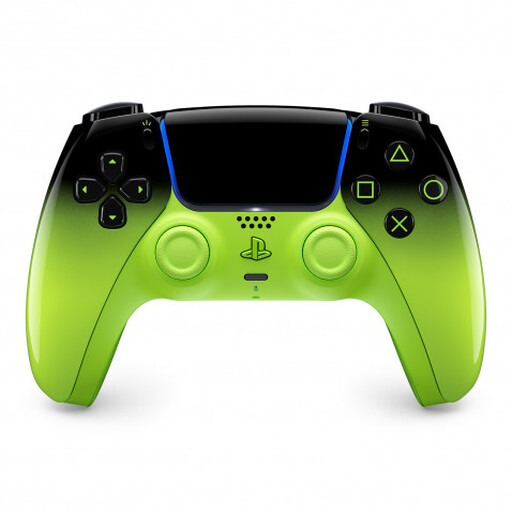
PlayStation DualSense Wireless Controller V3, Remix Green Edition
A platform-specific option for local co-op games on PS5, provided the specific game supports two players on the same console.
The product title lists PS5, Mac, Android, iOS and PC. Check the connection and compatibility with your device and game.
View at Joybuy
 No image available
Microsoft Xbox Series X/S Wireless Controller, Pulse Red
A wireless option to consider if you use an Xbox or a supported Windows PC.
The model details list Xbox One, Xbox Series X/S and PC, as well as Bluetooth. The product description says that two AA batteries are included; the controller won’t charge rechargeable AA batteries itself.
View at Joybuy
 No image available
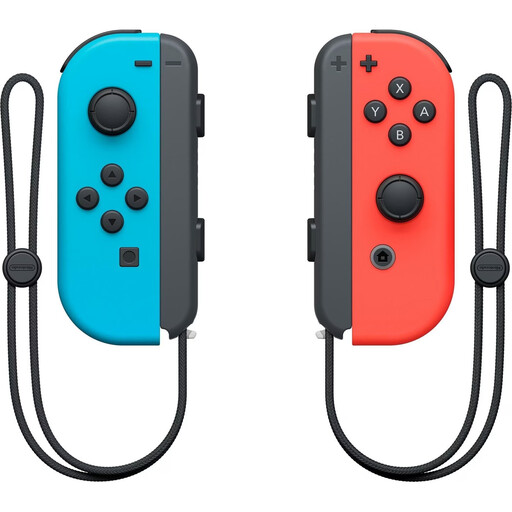
Nintendo Switch pair of Joy-Con, Neon Red/Neon Blue
This pair may work for two players if the specific Switch game supports using individual Joy-Con as controllers.
The product description says the two Joy-Con can be used separately. Nintendo notes that the controller position supported in a game depends on the software.
View at Joybuy
 No image available
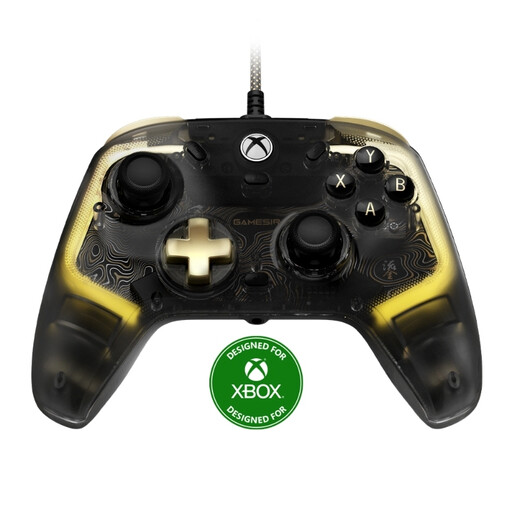
GameSir Kaleid Flux Enhanced Wired Controller
A wired option for Xbox or Windows 10/11 if you want RGB lighting and the cable will reach your seat.
GameSir lists a detachable 3-m USB-C cable. The RGB lighting doesn’t confirm that individual button labels are illuminated.
View at Joybuy
Frequently asked questions
Is one pair of Joy-Con enough for two people playing on Switch?
Only if the specific game supports individual Joy-Con and the relevant controller position. Nintendo notes that the supported position depends on the game software.
How do I set up individual Joy-Con for a supported Switch game?
According to Nintendo, open ‘Controllers’ from the HOME Menu, then select ‘Change Grip/Order’. To use a Joy-Con horizontally on its own, press SL and SR on that controller. Check which controller positions the game supports first.
Can I charge rechargeable AA batteries in the Xbox Wireless Controller?
No. Microsoft Xbox notes that rechargeable AA batteries need to be charged outside the controller using a suitable charging method. A compatible rechargeable controller battery pack is a separate power option.
Who can help if a product develops a fault after purchase in Germany?
When you buy from a business seller, your statutory consumer rights apply against the seller. According to the European Union, goods bought in the EU are covered by a minimum two-year legal guarantee from the date you receive them. This is separate from any additional manufacturer’s warranty.
Is CE marking required on every controller?
No. According to the European Union, CE marking is required only if the specific product is covered by EU rules that require it. Products sold in the EU must comply with the product safety rules that apply to them. CE marking doesn’t confirm that a controller is compatible with a game or easy to use in the dark.


