
Lieferung heute & morgen

Qualitätsgarantie

Willkommens-Angebote freischalten: KOSTENLOSE Lieferung | Bis zu 80 % RABATT | Kostenlose 30-Tage-JoyPlus-Testphase
App herunterladen
A tidy and functional workspace is the foundation for productivity and focus, whether you're working from home or gaming. However, space is often limited and demands are high: your monitor, PC, keyboard, documents, and charging accessories all compete for every inch. A corner desk can be the solution, making optimal use of unused room corners to create a generous work surface.
This article serves as a guide. We'll introduce various models and explain which features are most relevant to your needs—from a professional computer desk for a home office to an immersive corner gaming desk setup.
The decision for the right model depends on your individual needs and the available space. The following points will help you make an informed choice.
Measure the intended area precisely before making a decision. Consider not only the width and depth of the desk but also its height, especially if it will be placed under a sloped ceiling or a window. An L-shaped desk with storage often features two sides of different lengths, allowing for flexible adaptation to your room. This L-shape is ideal for logically separating work and computer areas and facilitating multitasking.
Modern desks are often multifunctional command centres. A desk with power outlets and USB ports significantly reduces cable clutter, as laptops, smartphones, and other devices can be charged directly at your workspace. For an atmospheric ambiance, especially with an L-shaped gaming desk, a desk with LED lighting is a great choice. This can often be controlled via an app and adjusted to the mood or in-game action.
To keep your work surface clear, thoughtful storage is crucial. An office desk with drawers and shelves provides space for documents, office supplies, and personal items. Open shelves are well-suited for binders, books, or displaying decorative objects, while closed drawers ensure a particularly tidy appearance. Consider which items you need within easy reach to choose the right combination of open and closed compartments.
Here is a selection of models that are well-suited for different use cases due to their specific features and configurations.
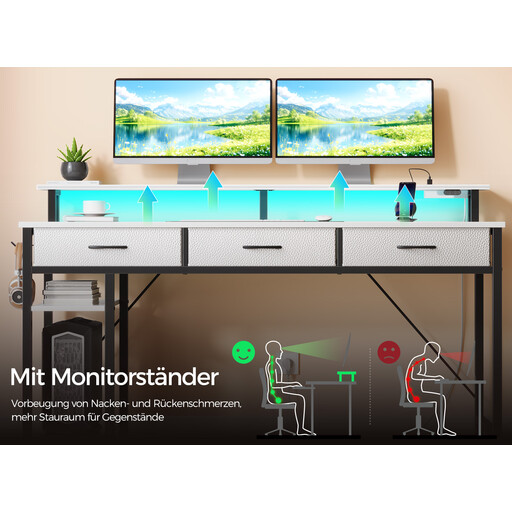
Why it stands out: This model is an all-in-one solution for tech-savvy users. The combination of an integrated power strip, customisable RGB lighting, and versatile storage makes it a central hub for work and leisure.
Advantages:
Who is it for? Ideal for gamers and home office users who want a fully equipped, modern command centre and value integrated technology and a clean aesthetic.
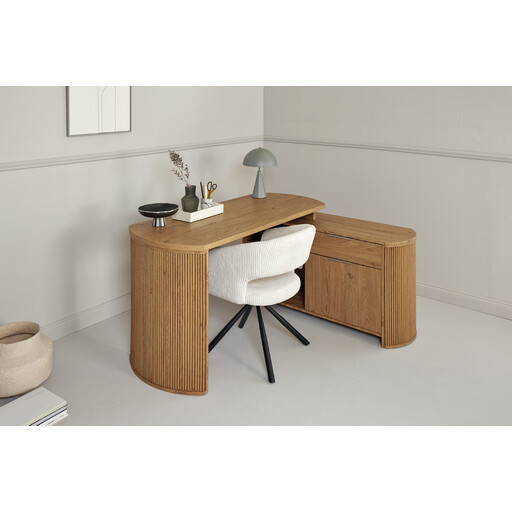
Why it stands out: This desk from Jahnke combines a classic, high-quality design with practical functionality. The Montana Oak-effect surface with a 3D print gives it a realistic wood appearance, while the reversible assembly of the side unit offers flexibility in room layout.
Advantages:
Who is it for? Perfect for users seeking a prestigious and durable office desk with drawers and shelves for their home office, who prefer timeless aesthetics over tech gimmicks.
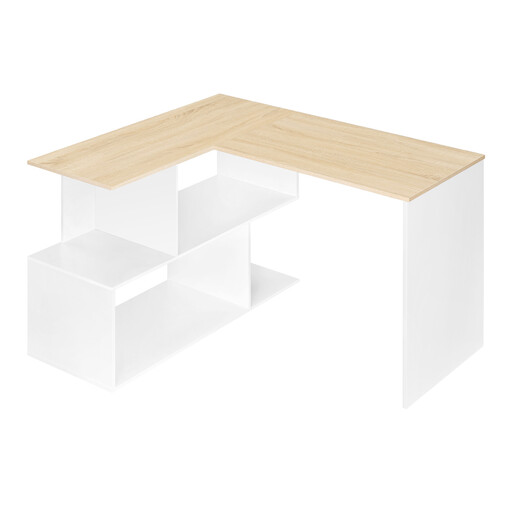
Why it stands out: This model from Woltu is designed for maximum space efficiency in compact environments. Its minimalist design in white and light oak blends seamlessly into modern interior styles, while the open shelves provide quick access to essential items.
Advantages:
Who is it for? An excellent choice for students, apprentices, or those new to working from home who need a space-saving, functional, and cost-effective solution with a modern look for a small room or work corner.
Haven't found the right model for you yet? Every workspace is unique and requires a custom solution. If you'd like to explore more designs, sizes, or feature combinations, you're sure to find the right model in our wider selection.
? Discover more office corner desks here
1. How much space do you need for a corner desk? This largely depends on the model. Compact L-shaped desks like the Woltu model require a footprint of about 120 x 100 cm. Larger models can take up 150 x 120 cm or more. Measure your corner carefully and plan for an additional 60–80 cm of space for your chair and room to move.
2. Are corner desks suitable for gaming? Yes, absolutely. An L-shaped gaming desk is very popular among gamers as it provides enough space for multiple monitors, a large mouse mat, as well as a PC tower and consoles. Models with integrated LED lighting and power outlets are specifically tailored to gamers' needs, creating an immersive and organised gaming environment.
3. What's the best way to organise cables on an L-shaped desk? Make use of the desk's built-in features. Models with integrated power outlets and USB ports are a great start. Additional cable grommets in the desktop allow you to route monitor cables directly downwards. Use cable ties, cable sleeves, or self-adhesive cable clips under the desktop to bundle and hide the cables.