
Lieferung heute & morgen

Qualitätsgarantie

Willkommens-Angebote freischalten: KOSTENLOSE Lieferung | Bis zu 80 % RABATT | Kostenlose 30-Tage-JoyPlus-Testphase
App herunterladen
A corner gaming desk is often the centrepiece of any setup. It must not only provide space for monitors and peripherals but also ensure stability during intense gaming sessions and simplify cable management. However, the market is flooded with models whose advertised features often fail to deliver in practice. Many buyers invest in a desk that proves to be unstable, impractical, or cluttered after just a few months. This guide highlights the crucial features that distinguish a functional desk from an unsuitable one.
Before deciding on a model, it's helpful to be aware of three common problems that can severely limit the utility of a gaming desk:
To make an informed decision, you should focus on three essential aspects. These determine whether a computer desk for gamers or a home office corner desk will serve its purpose in the long run.
The longevity and stability of a desk depend directly on its construction. Pay attention to the following points:
Modern desks often offer more than just a work surface. A factual assessment of the additional functions is crucial here:
A well-designed workspace promotes healthy posture and efficient use of space.
Here are some models tailored to specific needs that avoid the common pitfalls mentioned.
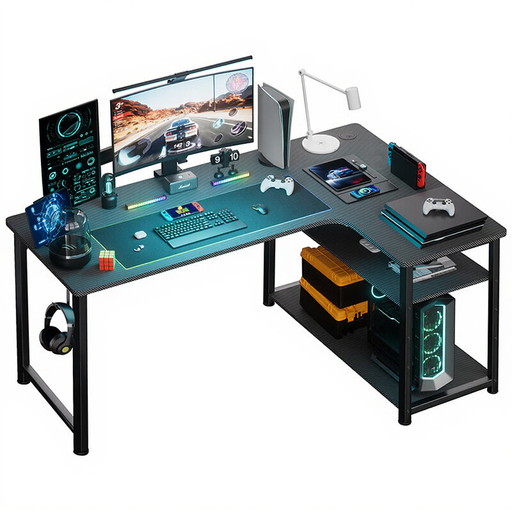
Why This Fits Their Persona: This model is ideal for users who need a functional workspace by day and a solid base for occasional gaming by night. The design is understated and professional, yet it offers key technical integrations.
It forgoes flashy LED strips and focuses on useful features. The integrated power supply with USB ports and an outlet is conveniently placed and reduces cable chaos without appearing cluttered.
The combination of an L-shape, integrated power, and an adjustable shelf provides a balanced mix of workspace and organisation in a compact footprint.
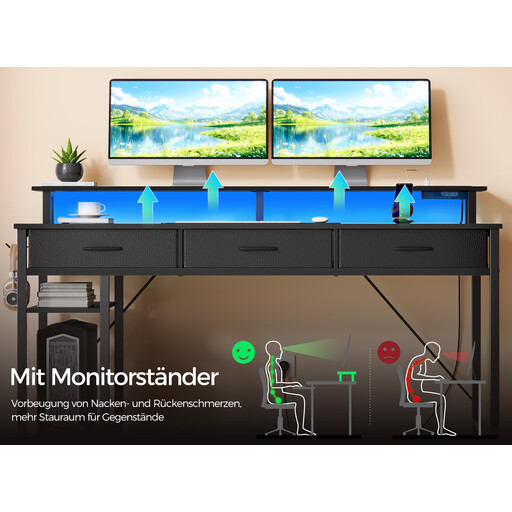
Why This Fits Their Persona: For streamers and intensive gamers who need a fully-equipped "command centre." This desk integrates all the necessary features to create a tidy and atmospheric setup for long sessions.
The LED lighting is app-controlled and offers over 60,000 colours, going far beyond a simple, glaring light strip. The monitor shelf is a genuine ergonomic benefit, not just a design element.
The combination of a monitor shelf, integrated power, app-controlled LEDs, and storage (drawers and shelves) offers a comprehensive solution that leaves little to be desired.
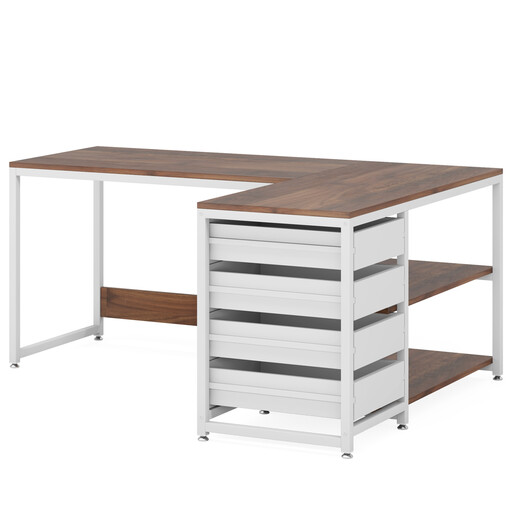
Why This Fits Their Persona: Perfect for home office users or students who need maximum storage and a clean, organised workspace. The focus here is clearly on functionality and organisation, not gaming aesthetics.
This model deliberately avoids technical gimmicks and focuses on a solid construction and a well-thought-out storage concept. It doesn't promise gaming features but delivers a practical work solution.
Four drawers and two open shelves offer an exceptional amount of storage. The reversible design allows for flexible adaptation to left or right corners, maximising space utilisation.
We have compiled a complete, real-time list of products that fully satisfy these strict selection criteria and UK safety regulations.
1. How much weight can a corner gaming desk support? The load capacity varies greatly depending on the model and construction. Basic models often only support 40-50 kg on the main surface. Higher-quality desks with a reinforced steel frame can support 80 kg or more. Always check the manufacturer's specifications, especially if you plan to place multiple heavy monitors or a large PC case on the desk.
2. Are integrated power outlets on a desk safe? Integrated power supplies from reputable manufacturers are generally designed and safe for use with low-power devices like monitors, laptops, and chargers. However, you should avoid connecting high-power-draw appliances (e.g., space heaters) to prevent overheating. Look for certification marks like CE.
3. Can an L-shaped desk be assembled in a mirrored configuration? Many modern L-shaped desks are "reversible," meaning you can decide during assembly whether the long side is on the left or the right. This is an important feature for a flexible room layout. This information is usually found in the product description. If this flexibility is important to you, look specifically for terms like "reversible" or "mirrored assembly."