
Lieferung heute & morgen

Qualitätsgarantie

Willkommens-Angebote freischalten: KOSTENLOSE Lieferung | Bis zu 80 % RABATT | Kostenlose 30-Tage-JoyPlus-Testphase
App herunterladen
Choosing a PC case has evolved from a purely functional decision to a central aspect of system aesthetics. Panoramic glass cases, in particular, which offer an unobstructed view of the components, have become immensely popular. However, the market is flooded with models that, while visually appealing, can lead to practical problems. Before making a purchase, it's crucial to understand common pitfalls to avoid a bad investment.
A common issue is the mismatch between design and cooling performance. Many cases with large glass panels severely restrict airflow, which can lead to higher component temperatures and potential performance degradation (thermal throttling). A second pitfall is a lack of future-proofing. A case bought today should also be compatible with tomorrow's technology trends, such as motherboards with rear-facing connectors. Finally, consider the hidden costs: a seemingly budget-friendly case with no or low-quality fans often requires expensive upgrades to ensure adequate cooling.
To avoid these issues, you should base your selection on objective technical parameters. Three criteria are particularly important here.
Support for motherboard form factors like ATX or E-ATX is a basic requirement. However, compatibility with new motherboard technologies is crucial for a modern and clean build. A case for reverse-connection motherboards (e.g., ASUS BTF or MSI Project Zero compatible) moves the power, fan, and data connectors to the back of the motherboard tray. This allows for extremely clean cable management in the main chamber, putting the components entirely in focus. Also, check the maximum supported graphics card length and CPU cooler height to ensure your high-end hardware fits without issue.
A panoramic glass PC case must be designed to allow for efficient airflow despite its glass panels. Pay attention to the number and size of potential fan and radiator mounts. A good mid-tower ATX case should offer flexible mounting options on the side, top, and bottom. Models that already come equipped with high-quality fans, like a PC case with 3 ARGB fans, offer clear added value and save on additional costs. Mesh panels in strategic locations are an indicator of a well-thought-out cooling concept.
The so-called aquarium-style PC case thrives on its clean aesthetics. The quality of the tempered glass and the stability of the steel frame are crucial here. Tool-free removal of the side panels is also important for building and maintaining the system. A thoughtful design is also evident in details like integrated cable routing channels, a separate power supply shroud, and easily accessible dust filters, which make cleaning much easier.
Based on these criteria, we've compiled a selection of cases suitable for different needs and budgets.
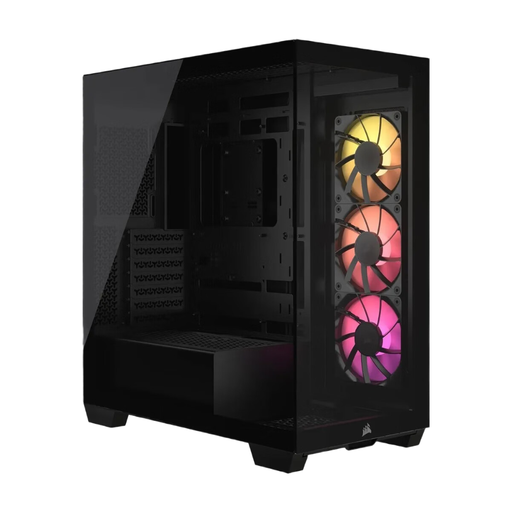
Why This Fits Their Persona: Ideal for users who want a flawless show PC with no visible cables. The combination of panoramic glass and support for reverse-connection motherboards allows for an extremely clean hardware presentation.
It combines panoramic aesthetics with a well-designed cooling concept (up to 10 fans) and is future-proofed with BTF/Project Zero compatibility. The three included ARGB fans prevent hidden costs.
Compatibility with reverse-connection motherboards for the ultimate clean cable management. Tool-free removable glass panels simplify the building process.
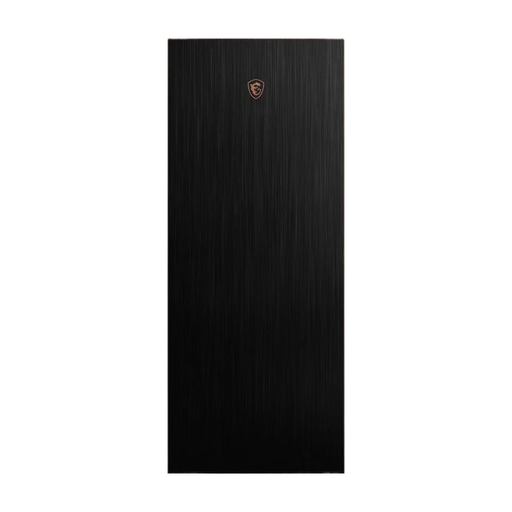
Why This Fits Their Persona: For system builders who need maximum performance and space for oversized components (E-ATX, large radiators) and prefer a classic, robust design over a pure show case.
This case prioritises airflow with large, pre-installed 200mm fans and a thoughtful internal layout. It doesn't sacrifice cooling performance for a sealed glass design.
Full-tower format offers extreme space for custom water cooling loops and the largest graphics cards. The extractable radiator mounting bracket greatly simplifies installation.
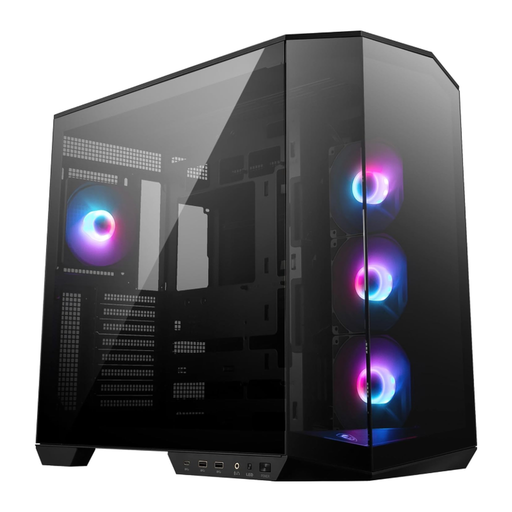
Why This Fits Their Persona: Perfect for users who want modern features like back-connect support and good out-of-the-box cooling performance without breaking the budget on extra fans or accessories.
With four pre-installed ARGB fans and back-connect compatibility, this case offers a comprehensive package that avoids hidden upgrade costs and supports future-proof technologies.
The dual-chamber design separates the PSU and drives from the main heat-generating components, resulting in a cleaner interior and improved thermal performance.
We've compiled a complete, real-time updated list of products that fully meet these strict selection criteria.
Is the Corsair 3500X ARGB compatible with motherboards like ASUS BTF or MSI Project Zero? Yes, the Corsair 3500X ARGB was specifically designed to be compatible with reverse-connection motherboards like the ASUS BTF series and MSI Project Zero. The cutouts on the motherboard tray are positioned to allow access to the rear-facing connectors on these motherboards, enabling extremely clean cable management.
How many fans can I install in the Corsair 3500X ARGB, and are any included? The case supports a total of up to ten 120mm fans, or alternatively, a combination of 120mm and 140mm fans. It comes with three Corsair RS120 ARGB PWM fans already included, which are pre-installed on the side and provide a solid foundation for your system's airflow and lighting.
Do I need special tools to install components in the 3500X case? No, special tools are not required for many steps of the installation process. The tempered glass front and side panels are tool-free and removable, which greatly simplifies access to the interior. The drive cages and SSD mounts are also designed for easy, often tool-free, installation. A standard Phillips head screwdriver is needed to secure the motherboard and other components.