
Lieferung heute & morgen

Qualitätsgarantie

Willkommens-Angebote freischalten: KOSTENLOSE Lieferung | Bis zu 80 % RABATT | Kostenlose 30-Tage-JoyPlus-Testphase
App herunterladen
Choosing the right PC case is crucial for a system's performance, longevity, and aesthetics. Especially with models featuring large glass panels, like the Corsair 5400X Dual Chamber Case, there are important factors to consider. Many buyers focus on looks and overlook technical pitfalls that can lead to heat issues, compatibility problems, or a messy interior. This guide will show you what matters most, helping you make an informed decision and avoid common mistakes.
Before you invest, you should be aware of the common problems that often only appear after the purchase.
To avoid the problems mentioned above, you should focus on three core technical aspects. These define the functionality and value of a modern case.
A dual-chamber PC case is one of the most effective solutions against heat buildup. It separates the system into two thermal zones:
This separation ensures significantly more efficient cooling and, at the same time, allows for extremely clean cable management, as the unsightly parts of the build remain hidden.
Measurements are essential. Before buying, you must compare the case's specifications with the dimensions of your planned components. Pay attention to three critical values:
A good mid-tower case for a custom build offers generous clearances to easily accommodate future upgrades.
A clean interior isn't an accident; it's the result of good planning and thoughtful case design. Systems like the Corsair iCUE LINK case revolutionise cable management. Instead of running separate power and RGB cables for each fan, iCUE LINK technology connects multiple components with a single, standardised cable. This drastically reduces the number of cables, simplifies installation, and optimises airflow. Such an ecosystem is particularly valuable for a black RGB PC case, where a flawless look is paramount.
Here are some recommendations tailored to different requirements and budgets, taking the above criteria into account.
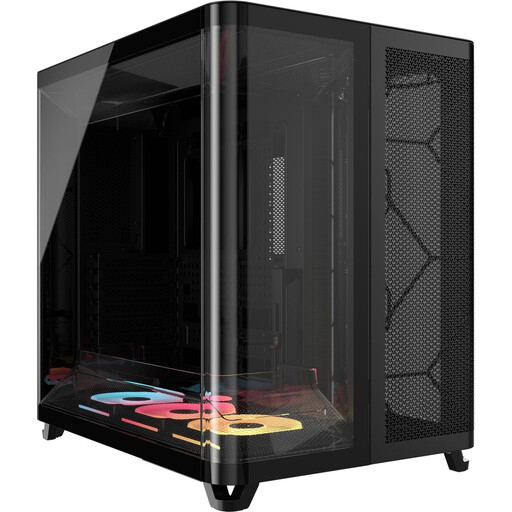
Why it's a match: This case is designed for users who refuse to compromise on aesthetics and cooling performance. The pillarless panoramic view and the thermal efficiency of the dual-chamber architecture are ideal for showcasing and cooling high-end hardware optimally.
The dual-chamber design solves the heat buildup problem common in showpiece-only cases. The integration of iCUE LINK drastically simplifies cable management and ensures a flawless interior.
Thermal separation of components and seamless ecosystem integration for a clean, high-performance build.
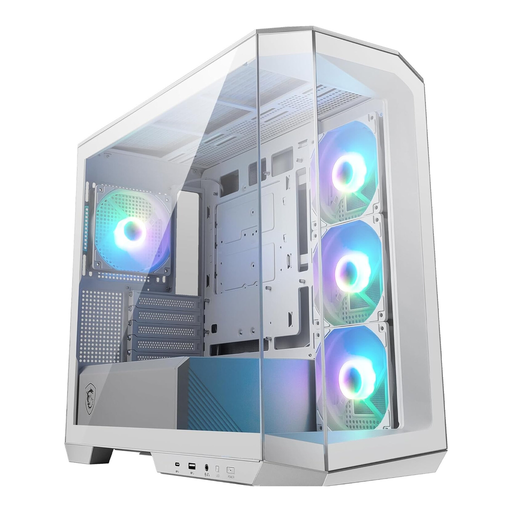
Why it's a match: For users who want a panoramic view in a smaller Micro-ATX format. It's ideal for setups with limited desk space without compromising on aesthetics.
Despite its compact size, it offers well-designed airflow with four pre-installed fans and provides 33 mm of space for cable management, which is often a problem in small cases.
Panoramic aesthetics in a space-saving mATX form factor with good out-of-the-box cooling performance and modern ports like USB-C (20Gbps).
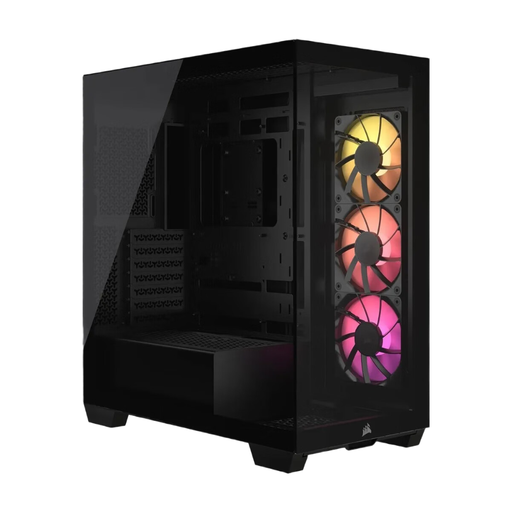
Why it's a match: This case also offers a panoramic glass front and side, plus ARGB fans, at a more accessible price point. It's a great choice for users who want a modern look but don't have the budget for a premium dual-chamber model.
It supports reverse-connection motherboards (ASUS BTF, MSI Project Zero), which enables extremely clean cable management. Additionally, despite its lower price, it offers high cooling capacity for up to ten fans.
A balance of price, panoramic aesthetics, and future-proof features like compatibility with reverse-connection motherboards.
We have compiled a complete, up-to-date list of products that fully meet these strict selection criteria.
The primary advantage is thermal separation. By housing the power supply and drives in a separate chamber, the airflow to the hottest components (CPU and GPU) is unobstructed. This leads to lower operating temperatures, potentially higher performance by avoiding thermal throttling, and a quieter system, as the fans don't have to work as hard.
Not necessarily. You can still use standard fans and components. However, the full benefit of simplified cable management is realised when using Corsair iCUE LINK-compatible components. With these, you only need a single cable per fan group for power and RGB control, which significantly simplifies the build and ensures a flawless look.
Yes. According to the manufacturer's specifications, the Corsair 5400X offers a maximum GPU length of 400 mm. Most NVIDIA RTX 4090 models are between 300 mm and 360 mm long, so they will fit into this case without issue. It is still recommended to check the exact dimensions of your specific graphics card model before purchasing.