A group of four looking for platform games
If you want four people to play on one console, check the local mode in the specific game. Nintendo documents support for up to four local players in Super Mario Bros. Wonder on Switch and Switch 2.


Start by choosing a specific platform game and deciding how many people will play locally on one console. Nintendo documents support for up to four local players in Super Mario Bros. Wonder on Switch and Switch 2, while Xbox describes It Takes Two as a game for two players. Then check each video source individually – streaming app, disc, USB file or separate HDMI device – as support for one source does not automatically mean support for another. To play film discs, the PS5 or Xbox Series X model you choose must actually have a disc drive.
If you want four people to play on one console, check the local mode in the specific game. Nintendo documents support for up to four local players in Super Mario Bros. Wonder on Switch and Switch 2.
If you want to play a platform game together as a pair and watch videos too, check the game against the apps or media formats you need. Xbox describes It Takes Two as a couch co-op game for two players; Sony and Microsoft also document video apps for their consoles.
If you want to keep playing your existing Blu-rays or DVDs, the exact console model matters. Sony and Microsoft offer models with disc drives as well as digital versions without a disc player.
A good fit if: Super Mario Bros. Wonder and local play for up to four people are your priorities.
Things to consider: The Nintendo features documented here do not confirm support for your chosen streaming services, USB videos or film discs.
A good fit if: You’re interested in a PS5 platform game such as Sackboy: A Big Adventure, as well as the documented streaming or USB media features.
Things to consider: The Digital Edition has no disc drive as standard; an optional disc drive is compatible only with certain model groups.
A good fit if: You specifically want a two-player game such as It Takes Two, along with the documented Xbox video apps or USB playback.
Things to consider: Xbox describes It Takes Two as a game for two players; there’s also a Series X version without a disc player.
First check the player count and local play mode, then each video source, and finally the connections and accessories you’ll need.
| Priority | What to check before buying | Who is this important to? |
|---|---|---|
| Local co-op mode | Check the game version, local player count and controllers required. | If we want to play together on the sofa, our specific game needs to support our group locally. Around 40% of consumers put local platform-game play first. |
| Video formats | Check the specific streaming app, disc or USB file individually. | If I want to watch videos from specific sources, support for each format matters – an app tells me nothing about disc or USB playback. Video playback is a priority for around 30% of consumers. |
| TV connections | Check for available HDMI inputs and how other devices will connect. | If I have other devices connected to the TV as well as the console, I want to know how to connect and select them. TV connections are a priority for around 20% of consumers. |
| Everything you need to play | Check the included controllers, the game you need and any accessories. | If I want to play with others, the setup should suit the number of players without leaving out any controllers or the game we need. Around 10% of consumers prioritise the total cost of a ready-to-play setup. |
Super Mario Bros. Wonder is documented as supporting up to four local players on Switch and Switch 2. Xbox describes It Takes Two specifically as a game for two players.
Before choosing a console, check the local mode, player count and controller setup for every game you want to play.
If your chosen game or player count requires extra controllers, you may need additional input devices.
Both the PS5 and Xbox Series X are available in digital versions without a disc player. A compatible disc drive can be bought separately for certain PS5 model groups.
If you want to use film or game discs, check the exact model and disc-drive specification before buying.
You may need to buy a separate disc drive for a compatible PS5 model group; discs can’t be played on a digital Xbox Series X.
An HDMI connection from the console to the TV doesn’t confirm support for any USB file or provide an HDMI input for other video devices. Sony and Microsoft document media features separately for each source.
Make a note of the specific sources and file formats you use, then check the signal path and the relevant app or playback feature for each one.
You may need an extra free TV input or a separate playback device for other sources.
Nintendo lists microSD Express as the compatible card standard for extra Switch 2 storage.
If you want to expand the storage, check the card standard and compatibility with your specific console.
Worth considering if local play and connecting to your TV are key to your choice.
Worth considering if you want to pair a PS5 platform game with the documented streaming and media features.
Worth considering for a specific two-player couch co-op game and the documented Xbox video apps or USB media features.
The selection ranges from Switch 2 consoles for playing on your TV to retro TV game consoles and a portable model. HDMI or console specifications alone don’t confirm support for the platform game you want to play or playback of your video sources; check these details for each model and game individually.
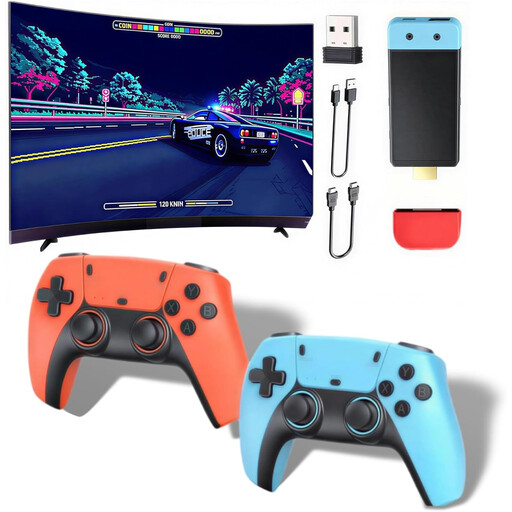 No image available
Described as a retro games console for your TV; check that the included games suit the couch co-op you’re looking for before buying.
The product title mentions 1080P/720P HDMI output and two wireless controllers. The description says the controllers require 4 AAA batteries, which aren’t included.
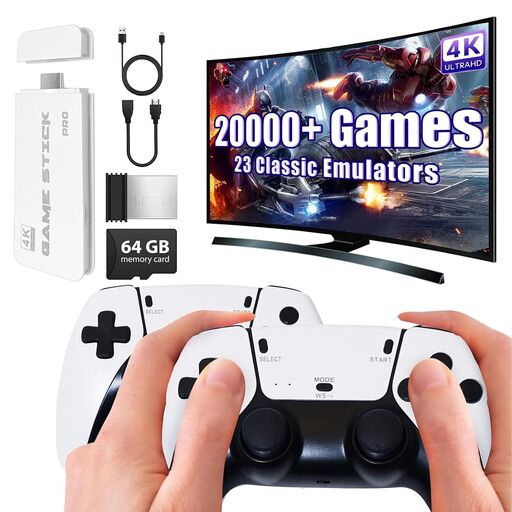 No image available
The description mentions an HDMI connection to the TV and two included wireless gamepads; check whether the pre-installed games offer the local play mode you’re looking for.
The product title mentions 4K HDMI output and two 2.4 GHz wireless gamepads.
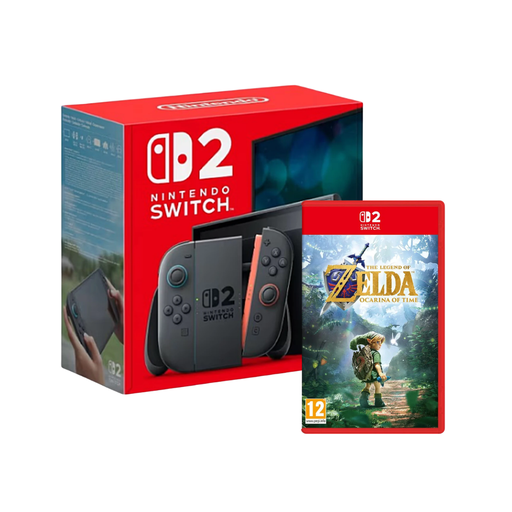 No image available
A Switch 2 console could be an option for a local Wonder gaming session: Nintendo documents support for up to four local players in Super Mario Bros. Wonder. The game in this bundle is different, so check the multiplayer mode of the game you actually want to play.
The product title describes a Switch 2 console bundle with The Legend of Zelda: Ocarina of Time.
 No image available
Nintendo documents support for up to four local players in Super Mario Bros. Wonder on Switch 2. The game isn’t mentioned in this model’s product title, so remember to factor it in separately when choosing.
The product description mentions Joy-Con 2, as well as TV, tabletop and handheld modes with a dock and HDMI connection.
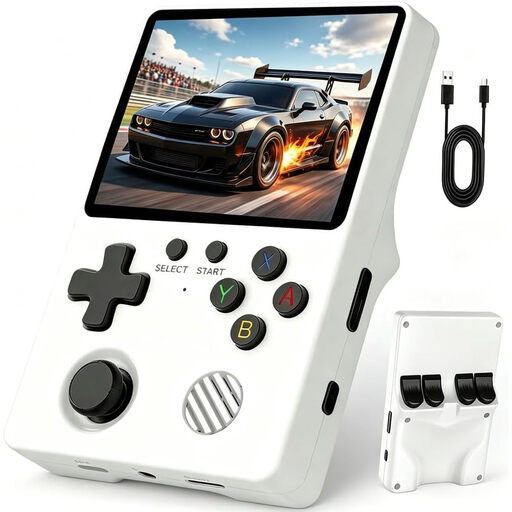 No image available
Described as a portable model. If you want to play on your TV, check before buying that it has a suitable TV connection for your setup.
The description mentions Linux, a 3.5-inch IPS screen, 64 GB storage, a weight of 200 g and 6–8 hours of battery life. The two-player mode described requires an external controller, sold separately.
Not necessarily: Nintendo distinguishes between local and online play in Super Mario Bros. Wonder. Check the requirements for the specific game; a note about a subscription for online multiplayer doesn’t automatically mean one is needed for local play.
Connect the console to a suitable HDMI input and select the corresponding input on your TV. Nintendo documents the Switch 2 TV connection, while Sony documents the PS5 HDMI connection. Whether you need extra inputs or a switch for other devices depends on your TV and how everything is connected.
First check the game you want to play, its local mode and the controllers you’ll need. Nintendo specifies microSD Express for extra Switch 2 storage. To watch Blu-ray or DVD films on an Xbox with a disc drive, Microsoft says you’ll first need to set up the Blu-ray Player app.
According to the Federal Government’s family portal, in public, these types of physical media may only be made available to children and young people if they have been approved and labelled for their age group (§ 12 paragraph 1 of the German Youth Protection Act). Check the age rating on the specific game or film; it doesn’t tell you how many people can play locally.