Co-op group using one platform
If you already own a console or PC, check that the controller model, platform and game you want to play all work together, so your controllers suit your setup.


Choose controllers to suit the platform you already own and the player setup for the specific platform game. You only need extra input devices for the people who are actually playing. On Nintendo Switch 2, Joy-Con 2 controllers can be used individually in supported game modes, while full-size gamepads have a different button and grip layout. Also check which connection works at the seats you plan to use and how the controllers are powered.
If you already own a console or PC, check that the controller model, platform and game you want to play all work together, so your controllers suit your setup.
Plan for the people who will actually be playing. With Joy-Con used individually and with console limits, the game’s settings determine how many inputs can be used.
If you’ll be playing from different seats, check the wireless mode that works with your platform and how the controller is powered. That way, you can also avoid running cables through the viewing area.
First, check compatibility with your platform and the specific game. Then count the people who’ll actually be playing and plan the connection and power supply for the seats you’ll be using.
| What matters | What to check before buying | Who it matters most to |
|---|---|---|
| Platform and game compatibility | Check the full model name and console generation against the game’s controller support. Nintendo notes that the Joy-Con grip positions available depend on the game. | If I want to avoid buying the wrong controller, I’ll check that it works with my platform and platform game. Around 36% of consumers say compatibility is their top concern. |
| Enough usable inputs | Check the number of players and the controller setup required by the game, rather than simply counting paired devices. PlayStation Support says up to four controllers can be connected to a PS5. | If several people are playing, I need enough inputs for the players, not the spectators. Around 29% of consumers put the number of inputs they can actually use first. |
| Connection where you’re sitting | Check the wireless mode or connection specified for your platform and model. For Windows, the manufacturer lists 2.4 GHz wireless with a USB-A receiver or a wired connection for the 8BitDo Ultimate 2C Wireless. | If we’re playing from different seats on the sofa, I want a suitable connection without an inconvenient cable getting in the way. Around 21% of consumers say flexible seating is their top priority. |
| Power and ease of use | Check the battery or rechargeable battery setup, included charging accessories and the buttons you need. Sony says the documented DualSense version does not include a USB cable. | If we need several controllers ready for a gaming session, I’ll look for a suitable grip and button layout, as well as the right power supply. Around 14% of consumers cite this as their main concern. |
Whether individual Joy-Con work as separate inputs depends on the multiplayer mode and controller setup for the specific game.
Before buying an extra pair, check the player limit and which grip positions the game allows.
8BitDo lists different platforms and connection types for the Ultimate 2C Wireless and Ultimate 2C Bluetooth. A similar model name doesn’t mean they’re approved for the same platforms.
Check the full model name and the specified wireless or wired mode against your device.
The number of usable inputs may be limited by the console, controller type and software. Even if several devices can be connected, that doesn’t tell you how many people can play the platform game at the same time.
Plan around the player limit and controller setup for the specific game.
A cable running between the sofa and screen can get in the way. The DualSense version documented by Sony also doesn’t include a USB cable.
Check in advance which cables or batteries you’ll need and whether they’re suitable for your controller and planned connection.
Joy-Con 2 and the Switch 2 Pro Controller are options for Nintendo Switch 2.
The DualSense is an option for PS5 sessions; Sony also lists pairing with certain other devices.
The Xbox Wireless Controller is designed for compatible Xbox consoles and Windows PCs.
The Ultimate 2C models vary by version in their platform compatibility and connection options.
GameSir describes the Super Nova as a multi-platform controller for PC and Switch.
The product options below include Joy-Con 2 for Nintendo Switch 2, as well as controllers whose product details list Switch 2, PS4/Pro, Windows PC or Xbox. The key things to check are still support for your specific game and the right connection.
 No image available
For supported Switch 2 games where Joy-Con can be used separately as inputs.
The set includes one left and one right Joy-Con 2, plus two wrist straps. Using them individually depends on the game’s controller setup.
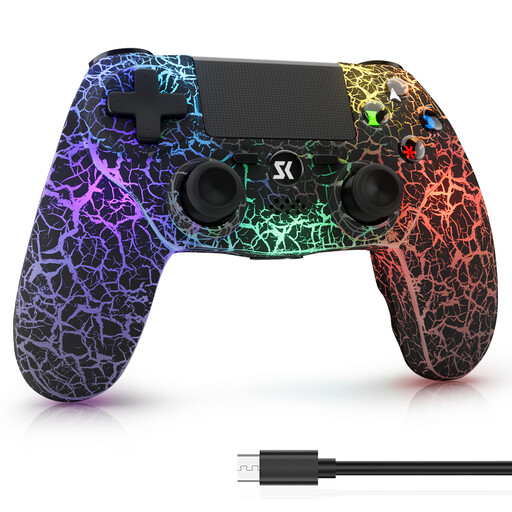 No image available
An option if the product details match your PS4/Pro or Windows PC platform.
The product title lists wireless use, RGB lighting, dual vibration and 6-axis motion control. Check that it’s supported by your specific game.
 No image available
An option for PC gamers looking for a wireless controller with extra rear buttons.
The product title lists Hall effect sticks, Hall effect triggers, two programmable rear buttons, RGB lighting, a 1,000-mAh battery and USB-C. PC is listed as the platform.
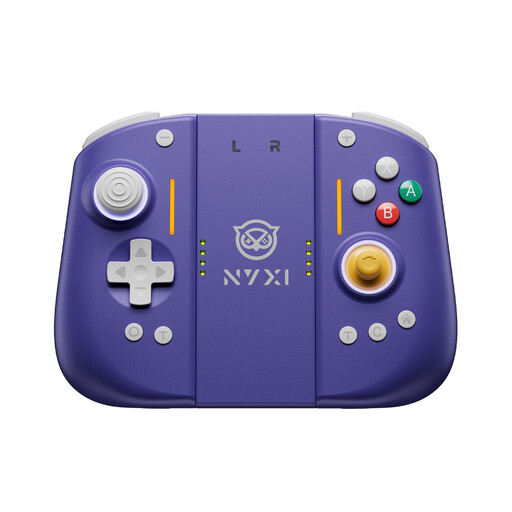 No image available
An option for Switch 2 players looking for a wireless controller with extra rear buttons.
The product title lists Hall effect sticks, mechanical buttons, two rear buttons, adjustable vibration and a 9-axis gyroscope.
 No image available
An option for compatible Xbox consoles and PCs if you prefer a full-size gamepad.
The product title lists Xbox One, Xbox Series X/S and PC as platforms. The product description lists Bluetooth, textured grips and battery life of up to 40 hours.
Not always. Nintendo says separate Joy-Con inputs are available in compatible local multiplayer modes, but the grip positions allowed depend on the software. Check the controller setup for your specific game.
The number you can use depends on the controller type, features and software. According to Nintendo Support, when a Bluetooth audio device is connected, you can use a maximum of two wireless controllers. Disconnect the audio device if you need another wireless input.
For the 8BitDo Ultimate 2C Wireless, the manufacturer lists a 2.4 GHz USB-A receiver or a wired connection for Windows. To connect the Ultimate 2C Bluetooth to a Switch by cable, 8BitDo requires the “Pro Controller Wired Communication” setting to be enabled. These details don’t necessarily apply to other models.
First, check whether any charging or connection cable you need is included; the DualSense version documented by Sony does not include one. In information published on 13 August 2026, the Verbraucherzentrale described a general 14-day right to cancel online purchases, subject to statutory exceptions. Your statutory rights against the seller and a voluntary manufacturer’s warranty are separate.
No. The German Environment Agency advises disposing of old electrical equipment separately. If possible, remove batteries that can be taken out before disposal and recycle them separately at a battery collection point. Don’t try to force out built-in rechargeable batteries.