First, choose a controller that’s compatible with your console or PC. Then check how many players the specific game supports and which control options it offers. For compatible Switch games, a pair of Joy-Con can provide two separate play positions; a full gamepad gives each person a complete controller. On PS5, Xbox and PC, you’ll also need to make sure the connection and power supply suit your set-up – going wireless alone doesn’t guarantee a couch co-op mode.
Which controllers suit different players?
Switch co-op session
If you want to play on a Switch or Switch 2 with the controllers you already have or some extra ones, check the game’s control options. Nintendo says that, in supported games, each Joy-Con can be held horizontally and used as a separate controller.
Two-player console gaming
For local multiplayer on PS5 or Xbox, you could add another controller that’s compatible with your console. Sony explains how to pair additional DualSense controllers wirelessly with PS5, while the Xbox Wireless Controller is designed for Xbox consoles.
PC gaming in the living room
If you’re planning to use several gamepads with a Windows PC connected to your TV, check the available connection options for each device. Xbox says you can connect to a PC via USB, Bluetooth or Xbox Wireless, either with built-in support or an adapter, depending on the PC.
What should you look for when buying?
Start by checking that the platform and game are compatible, count the player positions you actually need, then decide on the connection, grip and power supply.
| Consideration |
What to look for when buying |
Who it matters most to |
| Platform and game |
Check the console and exact controller version match; look at the game’s control options. |
If I first need to make sure the controller, console and game work together, compatibility is my priority. Around 28% of consumers base their choice mainly on this. |
| Player positions |
Check how many players the game supports and its control options; count the controllers you already have. |
For a session with several people, I want to know whether a pair of controllers really provides two separate inputs. Around 22% of consumers place particular importance on having extra independent player positions. |
| Wireless set-up |
Check how to connect to your console or PC; don’t assume any cables or adapters you need will be included. |
If your sofa and gaming device are positioned so that a cable would get in the way, the connection is important. Around 22% of consumers place particular importance on a set-up without controller cables. |
| Grip and directional pad |
Compare a separate Joy-Con with a full gamepad; check the grip and how easy the directional pad is to reach. |
If I’m changing direction frequently, I want a controller that feels comfortable and easy to use in my hands. Around 17% of consumers prioritise ease of handling. |
| Power supply |
Check whether each controller needs batteries or charging; if you’re using several devices, plan for the whole set-up. |
If I want several controllers ready for a gaming session, I need to know whether I’ll need batteries or a way to charge them. Around 11% of consumers focus on power supply and ongoing upkeep. |
Common misconceptions
-
‘Switch-compatible’ applies to every console generation
The label alone doesn’t tell you whether a controller will work with your Switch or Switch 2. Nintendo says Joy-Con 2 are not designed for the original Switch.
Before buying, check the exact controller version, console generation and game requirements.
-
A controller set automatically gives you two player positions
According to Nintendo, whether two individual Joy-Con can be used as separate controllers depends on the software and the control options it supports.
First check the control options for the specific platform game, then count the devices you already have and how many more you need.
-
You don’t need to plan for power or connections with wireless controllers
The Xbox Wireless Controller needs two AA batteries. You may also need an adapter to use Xbox Wireless with a PC if the PC doesn’t have built-in support.
Decide how each player position will connect, then check which batteries, rechargeable batteries or adapters you’ll need for your set-up.
A guide to the brands
Nintendo
Joy-Con and Pro Controller for Nintendo Switch and Switch 2; worth considering if your game supports separate Joy-Con as individual controllers.
- Nintendo explains how compatible Joy-Con and Joy-Con 2 can be used separately.
- Joy-Con 2 are not designed for the original Switch. A Pro Controller isn’t a substitute for two independently used individual controllers.
Xbox
The Xbox Wireless Controller is designed for Xbox consoles and Windows PCs.
- Microsoft lists Bluetooth, Xbox Wireless and, for Windows, USB as connection options.
- The right connection method depends on your PC; the controller needs two AA batteries.
PlayStation
The DualSense is an option for local multiplayer on PS5.
- Sony explains how to pair additional DualSense controllers wirelessly with PS5.
- On PC, use depends on the game or application being compatible; that doesn’t mean every PC game supports it.
PowerA
The Enhanced Wireless Controller Rechargeable is a full gamepad for Switch; the manufacturer also lists support for Switch 2.
- PowerA lists a built-in rechargeable battery and Bluetooth for this model.
- According to the manufacturer, this model doesn’t include HD Rumble, IR or amiibo NFC; the C Button isn’t available on Switch 2.
8BitDo
The Pro 2 is an option for buyers who want to switch between supported Switch and Windows environments, according to the manufacturer.
- For the current Pro 2 version, 8BitDo lists a mode switch and Hall Effect joysticks.
- Switch 2 support may require a firmware update; details for the Pro 2 don’t automatically apply to similarly named Ultimate variants.
Controllers at Joybuy
This selection includes wireless controllers for Switch, Switch 2, PS5 and Xbox. The key thing is whether the specific game supports the number of players and control options you want.
 No image available
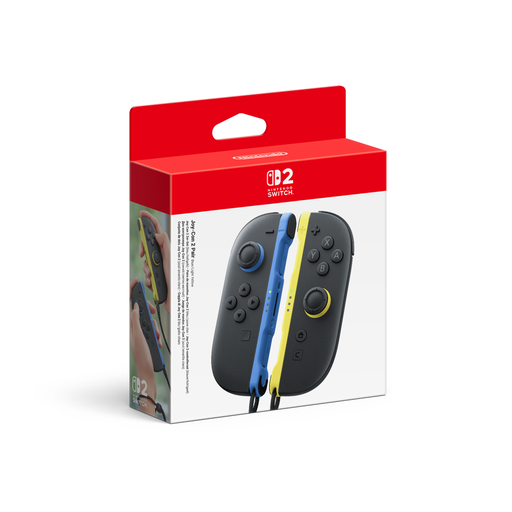
Nintendo Switch 2 Joy-Con 2 set, blue/light yellow
For Switch 2 games that support separate Joy-Con; the set includes one left and one right controller.
Using them separately depends on the game’s control options. Joy-Con 2 are not designed for the original Switch.
Joybuy
 No image available
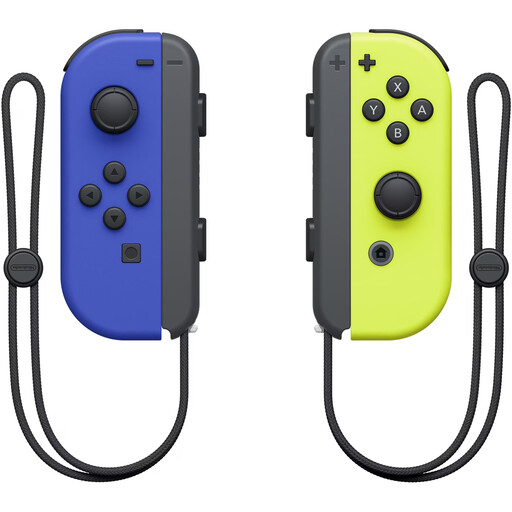
Nintendo Switch Joy-Con pair, neon blue/neon yellow
For Switch games that support individual Joy-Con held horizontally as separate controllers.
The product description lists Bluetooth, built-in rechargeable batteries and a directional pad. Using the pair as two controllers depends on the game.
Joybuy
 No image available
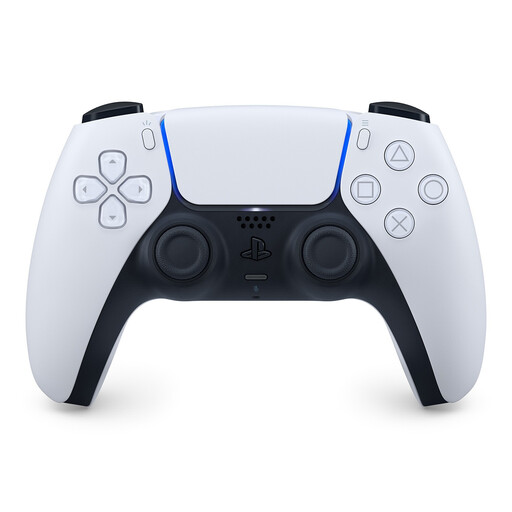
PlayStation DualSense wireless controller, white
For adding another controller to local PS5 gaming sessions.
The product description lists Bluetooth, USB and a directional pad. For PC games, support depends on the game or application.
Joybuy
 No image available
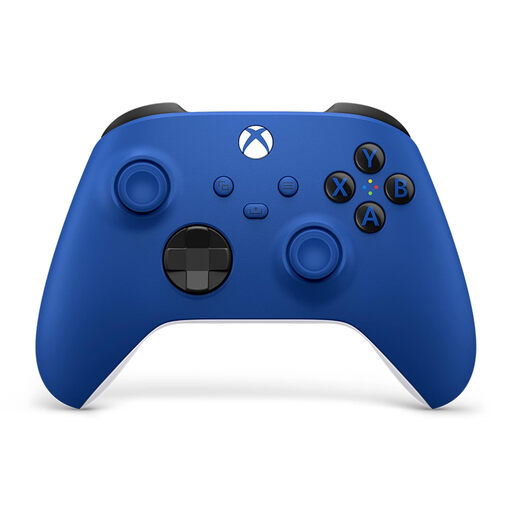
Microsoft Xbox Wireless Controller, Shock Blue
For Xbox consoles or a compatible Windows PC; the product information lists Xbox One, Xbox Series X/S and PC.
The description lists a hybrid D-pad, Bluetooth and Xbox Wireless. The controller needs two AA batteries, which the product description says are included; the right PC connection method depends on your device.
Joybuy
 No image available
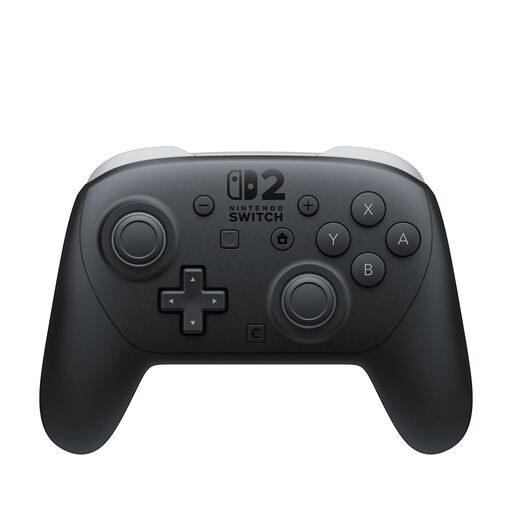
Nintendo Switch 2 Pro Controller
For Switch 2 sessions where each player wants a full gamepad rather than separate Joy-Con.
The product description lists Bluetooth, wireless transmission and a headphone socket.
Joybuy
Frequently asked questions
Can a pair of Joy-Con control two players?
Yes, if the specific Switch game supports each Joy-Con being held horizontally and used as its own controller. Joy-Con 2 work this way with supported Switch 2 games; Nintendo says they won’t work with the original Switch.
How do I set up a second DualSense on PS5?
Sony explains that you can pair it wirelessly via Settings, Accessories, General and Bluetooth Accessories. Press and hold the Create and PS buttons on the second controller at the same time, then select it using the controller that’s already connected.
Does an Xbox Wireless Controller need to be connected to a Windows PC with a cable?
No. Xbox Support says you can use USB, Bluetooth or Xbox Wireless, either with built-in support or an adapter, depending on your PC. Check the right connection method for each gamepad you plan to use.
How should I dispose of old controllers and batteries in Germany?
Electrical waste must be collected separately, and used batteries must not go in household waste. The German Environment Agency recommends using collection points for batteries and rechargeable batteries. Remove them before handing in an old device if you can do so easily.
Are a manufacturer’s guarantee and statutory consumer rights the same thing?
No. According to the Verbraucherzentrale, statutory consumer rights cover faulty goods, while a guarantee is a voluntary promise with its own terms. If there’s a fault, you should first request a remedy, such as a repair or replacement.


