Switch co-op sessions
You want to find out whether your existing Joy-Con are enough for two players, or whether the specific game requires an extra full gamepad.


Choose an extra controller based on your console or PC, then check whether the specific platform game supports the number and type of inputs you need. Nintendo says that a single Joy-Con 2 can be used as a controller on Switch 2 in compatible games. A full gamepad is a sensible choice if the game requires one or you prefer that style of control. A controller won’t solve reflections from windows, so consider your screen and the light in the room separately.
You want to find out whether your existing Joy-Con are enough for two players, or whether the specific game requires an extra full gamepad.
You need another input device that works with your system and game, and has a connection that reaches your seat.
You want to enjoy gaming in daylight and tell the difference between reflections on the screen and issues with controller handling.
First, check whether the specific game on your system supports the number and type of controllers you need. If you’re dealing with reflections from a window, the screen itself is the place to start—not the gamepad.
| Consideration | What to check before buying | Who is it most relevant to? |
|---|---|---|
| System and game compatibility | Check the console or operating system, the specific game title and supported controllers. For the 8BitDo Ultimate 2 Bluetooth, check the firmware required for Switch 2. | If you’re looking for an extra controller for a particular device and game, stated compatibility matters most. Around 33% of consumers have this as their main concern. |
| Enough inputs for everyone | Count the players and controllers you already have, and check whether the game supports the controller setup you want. Nintendo confirms that a single Joy-Con 2 can be used horizontally in compatible games on Switch 2. | If you want to play as a pair, each person needs a suitable input for the specific game. Around 27% of consumers prioritise having separate inputs for additional players. |
| Connection from the sofa | Check your seating distance, the actual cable length and the connection type. GameSir lists a 3 m USB-C cable for the G7 HE. | If you’re not sitting near your device, the connection needs to reach the sofa or be compatible with your system. Around 20% of consumers have this as their main connection requirement. |
| Buttons and handling | Check the D-pad and action buttons for the specific platform game. Nintendo lists mappable GL/GR buttons on the Switch 2 Pro Controller, while Microsoft lists a hybrid D-pad on the Xbox model mentioned here. | If directional and jump inputs are your priority, you’ll want a button layout that suits you. Around 13% of consumers have handling as their main concern. |
| Gaming in daylight | Work out whether reflections are making the game hard to see or whether you’re having trouble with the controls. If it’s reflections, check the screen position and the light in the room. | If your main aim is to avoid reflections on the display, you need a screen solution rather than a gamepad. Around 7% of consumers have visibility as their main concern. |
The product information for the steering wheel attachment mentioned here says that Joy-Con 2 are not included, so the accessory alone won’t provide an extra gaming input.
Before buying, check what’s included and count how many actual controller inputs you’ll need for the game.
You’ll need to already have a compatible Joy-Con 2 or budget for one separately.
The Switch 2 compatibility information after a firmware update applies to the Ultimate 2 Bluetooth Controller. It doesn’t automatically apply to a model with a different name.
Check the full model name, supported platform and required firmware.
Sony says that haptic feedback on PC requires a compatible game and a USB connection.
Only count on special features if they’re supported by the specific game and the connection method you choose.
Consumer advice distinguishes your statutory rights from a voluntary guarantee: they are separate entitlements.
Keep the details of the seller, what’s included and the guarantee terms. If something is faulty, you can check your statutory rights with the seller.
Joy-Con 2 and the Switch 2 Pro Controller offer different input options for Switch 2.
The Xbox Wireless Controller is an option for supported Xbox consoles and Windows PCs.
The DualSense is an extra controller for PS5 and an input option for compatible PC games.
According to the manufacturer, the Ultimate 2 Bluetooth is compatible with Switch, Switch 2 after a firmware update, and Windows.
The G7 HE is a wired option for supported Xbox systems and Windows.
This selection includes extra controllers for Switch 2, PS5 and compatible PC games, as well as Xbox and Windows. Before buying, check that your specific game and system support the controller you’re considering.
 No image available
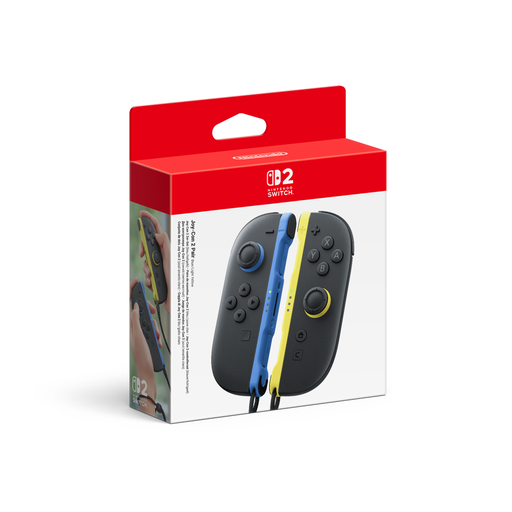
This set gives you two Joy-Con 2 for local multiplayer in compatible games on Nintendo Switch 2.
Includes one left and one right controller. Using each one individually depends on support in the specific game.
 No image available
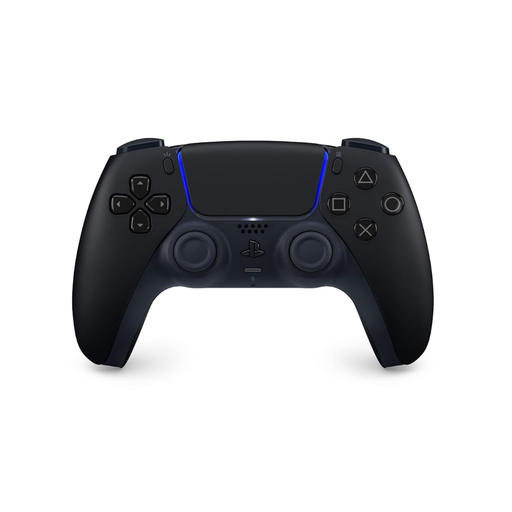
An extra input for PS5 or compatible PC games, provided the game supports the controller.
Sony says haptic feedback on PC requires a compatible game and a USB connection. If you want to use this connection, check whether a USB cable is included.
 No image available
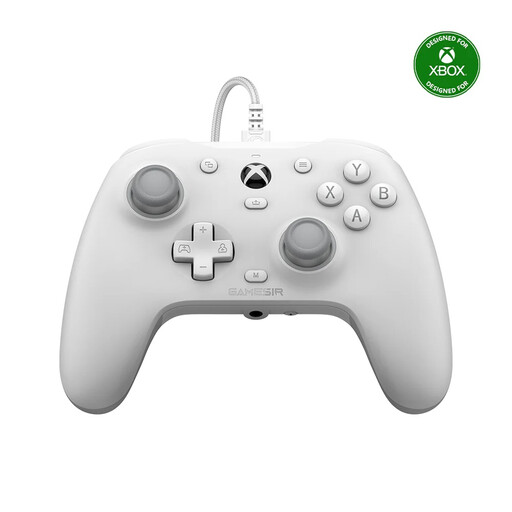
For supported Xbox systems and Windows. The wired connection is only suitable if the cable reaches your seat.
GameSir lists a detachable 3 m USB-C cable and Hall Effect sticks.
 No image available
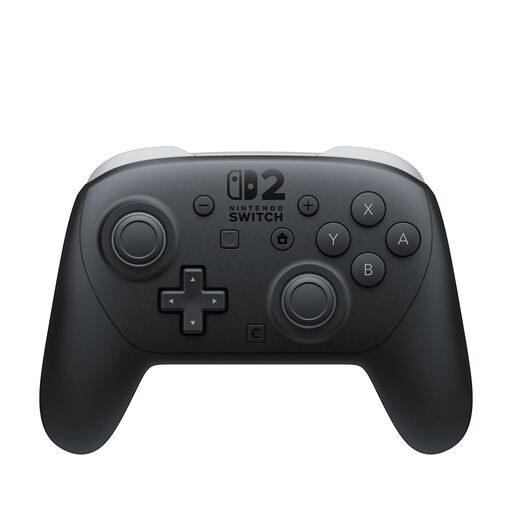
A full gamepad for Switch 2 if the game requires this type of controller or you prefer it.
Nintendo lists mappable GL and GR buttons and a USB charging cable in the box.
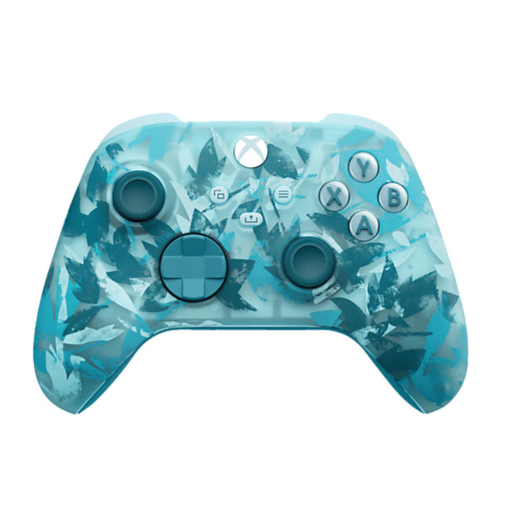 No image available
A wireless extra input for the Xbox systems listed in the product name and for PC.
Before buying, check which connection methods are available on your PC and supported by the specific game.
No, not for every game. Nintendo says that each Joy-Con 2 can be used horizontally as a single controller if the specific game supports this setup. Check before buying another gamepad.
No. Nintendo designed Joy-Con 2 for use with Nintendo Switch 2. Check which console generation you have before planning to use them as an extra input.
It depends on the controller and your PC’s specifications. Microsoft lists USB, Bluetooth or the Xbox Wireless Adapter for Windows as possible connection methods for the Xbox Wireless Controller. Sony describes USB or Bluetooth connections for using the DualSense with a PC. Also check which connection methods the specific game supports.
Not to deal with reflections on the screen: Samsung describes these as reflections on the display. Consider the screen position and the light in the room separately from your choice of controller.
According to Sony, haptic feedback on PC only works with a compatible game and a USB connection. Also check whether the cable you need is included.