What should you look for when buying?
Nintendo Switch or Switch 2
A good fit if: You want to play Super Mario Bros. Wonder together on the TV with up to four people. Nintendo confirms local play on both consoles.
Worth noting: The Switch 2 Edition of Wonder requires a Switch 2; Switch Lite doesn’t support TV Mode. Check compatibility for other Switch games.
PlayStation 5
A good fit if: Sackboy: A Big Adventure is the local 3D platform game you want to play, with two to four people.
Worth noting: You’ll need to budget for extra DualSense controllers if more people are joining in. A PS5 Digital Edition without a disc drive can’t read your existing PS4 game disc.
Xbox Series X or Series S
A good fit if: Your games of choice include Rayman Legends for up to four players or Unravel Two for two local players.
Worth noting: Series S is digital-only. Check the exact Series X model, as versions are available with and without a disc drive.
Start by checking the game, local play mode and player count, then look at controllers and the games you already own. For side seats, also assess the TV from the actual seating positions.
| Consideration |
What to look for when buying |
Who it matters most to |
| Local games and player count |
Check the platform, local co-op mode and player count for the specific game version. Nintendo, PlayStation and Xbox/Microsoft list different local player counts depending on the title. |
If we want to play as a group of four, we want to be sure our game supports local play on one console. Around 36% of consumers put compatible games and player count first. |
| Picture quality from side seats |
Check the existing TV from the actual seating position and, if needed, look up the viewing angle for that specific TV model. RTINGS explains that viewing angle affects how quickly a picture loses accuracy when viewed from the side. |
If you’re sitting to the side, you want to be able to see the game clearly from your seat. Around 29% of consumers prioritise picture quality from the side. |
| Controllers for everyone |
Compare what’s included with the game’s controller requirements and the number of players. Nintendo and PlayStation list different controller requirements for local play, depending on the game. |
If we’re playing together, we want to know whether there’s a suitable way for everyone to play. Around 21% of consumers pay particular attention to controller requirements. |
| Existing games and disc drive |
Check your games, including their format and version, against the console model you’re considering. With Switch 2, you should also check the compatibility of individual Switch games you already own. |
If you want to keep using your existing games collection, you’ll need to consider disc and digital versions, as well as any compatibility limitations. Around 14% of consumers put the games they already own first. |
Joybuy products for gaming on your TV
This selection includes TV consoles and Nintendo Switch models. For retro gaming consoles, check each game you’re interested in to make sure it supports local co-op and the number of players you need.
 No image available
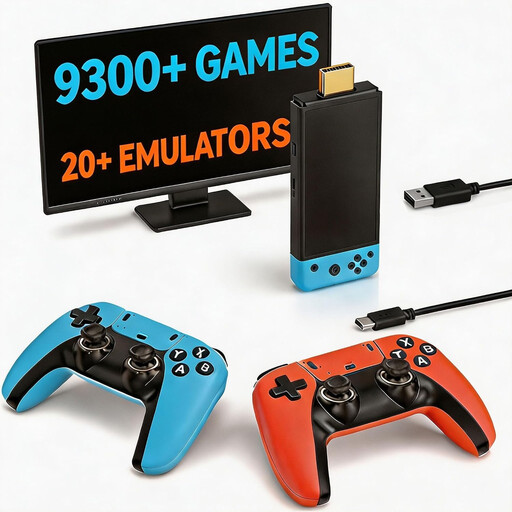
Retro gaming console with 9,300+ classic games
It’s listed with HDMI output for connecting to a TV and two controllers. Check whether the specific games you want to play support local two-player mode.
View at Joybuy
 No image available
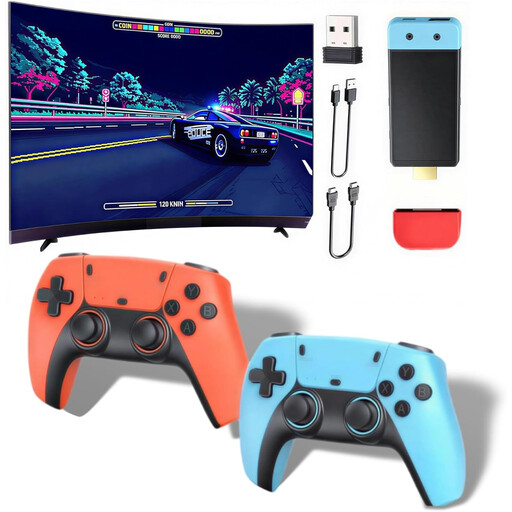
Retro gaming console with 20,000+ games
The product description lists two wireless controllers and support for up to four players. Check which games offer local co-op and how the controllers work with them.
HDMI output; the controllers require four AAA batteries, which the description says are not included.
View at Joybuy
 No image available
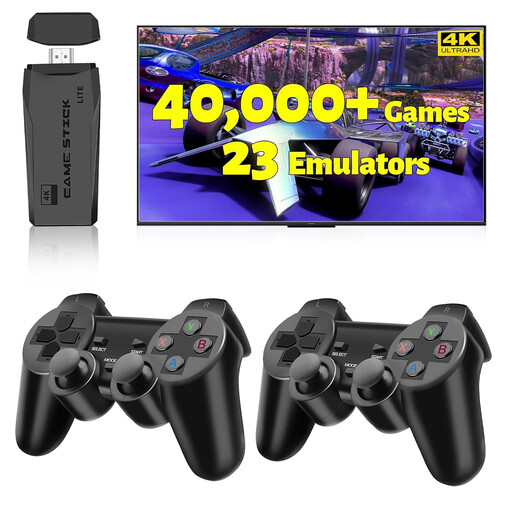
2027 Retro Gaming Console Pro, 4K HDMI Game Stick
This HDMI game stick is designed to connect to a TV, and the product name lists two wireless controllers. Before buying, check that the included games support the local co-op mode you want.
The product name mentions 4K; this doesn’t confirm that any particular game supports local multiplayer.
View at Joybuy
 No image available
Nintendo Switch OLED White
To play Wonder together on a TV, you’ll need TV Mode. Nintendo confirms that the game supports local play for up to four people on one Switch console.
The product description lists an HDMI connection on the dock and detachable controllers. Check which controllers you’ll need for your group and chosen game.
View at Joybuy
 No image available
Nintendo Switch 2, EU version
Switch 2 is a good option for playing Wonder on your TV: Nintendo confirms local play for up to four people. The Switch 2 Edition of the game requires this console.
The product description lists TV output via the dock and two Joy-Con 2 controllers included. You’ll need extra compatible controllers for a four-player game of Wonder.
View at Joybuy
Frequently asked questions
Will a different console improve the picture from side seats on the sofa?
Not automatically. When you’re playing on a TV, the picture from the side depends on the TV’s viewing angle and position. RTINGS explains that viewing angle indicates how quickly a picture loses accuracy when viewed from the side, so check your TV from the actual seats you’ll be using.
Are the included Switch 2 controllers enough for four people playing Wonder?
No, not for four players with the two Joy-Con 2 controllers in the standard bundle described here. Nintendo lets each Wonder player use one Joy-Con 2 and supports up to four local players, so you’ll need extra compatible controllers for a group of four.
Can I use my Sackboy disc with any PS5 model?
No. Sony says you can’t use the PS4 game disc described here with a PS5 Digital Edition that doesn’t have a disc drive. Sony sells a separate disc drive for certain PS5 Digital Edition Slim models, so check the exact model group.
Do we automatically need an online subscription to play locally?
Not just to play Super Mario Bros. Wonder locally. Nintendo specifically lists additional requirements for online play; check the requirements for the relevant game and mode when playing other titles.
What should I check before playing on the TV?
Check that the console and its dock support TV Mode, then test the TV from the seats you plan to use. Nintendo says Switch Lite doesn’t support TV Mode; Switch 2 connects to the TV via its dock.


