First, check the local player limit and the controller types supported by the platformer you have in mind: connecting more controllers doesn’t automatically mean more players can join in. Nintendo confirms that a Joy-Con 2 can be used horizontally as a single controller in supported games. If you want a full gamepad for each player, or you’re playing on PS5, Xbox or PC, make sure you choose a controller with the right platform compatibility, connection and power options for your game.
Who’s playing in a big couch co-op session?
A Switch session with spare player slots
You’d like to share your existing Joy-Con with guests or add more controllers. What matters is the local game mode, whether the game allows a single Joy-Con per player, and which Switch generation you have. Nintendo says Joy-Con 2 can be used horizontally as a single controller in supported games.
A group who want their own gamepads
You’d like everyone to have a full controller, with the platform, game mode, connection and power supply all working together. Nintendo, PowerA, Sony and Xbox Support outline different controller and connection options for their respective systems.
A PC session with a mix of controllers
You play on a Windows PC and want to connect several input devices. Microsoft lists USB, Xbox Wireless and Bluetooth as connection options. Performance may vary by device when connecting multiple Xbox controllers over Bluetooth.
What matters when using multiple controllers?
Single Joy-Con for Switch games
A good fit if: The game supports horizontal single-Joy-Con controls and there are player slots available.
Bear in mind: Joy-Con 2 aren’t compatible with the original Switch.
A full gamepad for each player
A good fit if: The game requires two Joy-Con used together, or players prefer a single, full-size gamepad.
Bear in mind: Each player uses up a separate controller slot.
Gamepads for PS5, Xbox or Windows PC
A good fit if: Your group already plays on one of these platforms and the game supports local multiplayer with enough input devices.
Bear in mind: Microsoft says performance may vary by device when using multiple Xbox controllers over Bluetooth.
For a big group, it’s not just the number of connected devices that matters. The local game mode, platform and type of controls everyone wants to use are all important.
| What you need |
What to check before buying |
Who it matters most to |
| Game and platform compatibility |
Check the console or operating system, game mode, local player limit and supported controller types. |
If I play on different systems or enjoy several games, I want to know that my controller and game mode are compatible. Around 33% of consumers base their choice primarily on compatibility. |
| Actual player slots |
Check the player limit for the local mode in the specific game, rather than the figures for online or network play. |
If everyone at the gathering is going to play at once, the game’s player limit matters more to me than the number of devices that can be connected. Around 27% of consumers prioritise having enough available player slots. |
| Controls for each player |
Check whether single Joy-Con controls are supported or whether each player needs a full gamepad. |
If not everyone wants to share a Joy-Con, I’d consider a full gamepad for each player, provided the game supports it. Around 20% of consumers put comfortable controls for each player first. |
| Connection and power |
Check the connection type, available ports, cable length, and whether batteries and charging accessories are included. |
With several controllers around the sofa, I want to know how they connect and charge, and whether the cables will reach the seats. Around 20% of consumers prioritise connection and power. |
Common misconceptions about controllers
-
Confusing the maximum number of controllers with the player limit
A console may recognise more controllers than a particular game supports in local mode. Nintendo says Super Mario Bros. Wonder supports up to four players in local mode on one Switch or Switch 2.
Before buying extra controllers, check the local player limit for the game you plan to play.
-
Assuming similar model names mean the products are compatible
8BitDo lists the Ultimate 2C Wireless for Windows and Android, while the Ultimate 2C Bluetooth version is listed for Switch. Joy-Con 2 also aren’t compatible with the original Switch.
Check the full model name, console generation and, where applicable, the required firmware or system version.
-
Overlooking the cables and charging needs of a big group
Older Joy-Con can be used wirelessly with Switch 2, but can’t be attached to or charged on the console. PowerA’s Advantage Wired is limited to Docked Mode on Switch 2.
Plan how all the controllers will connect and charge. You may need a separate charging option for older Joy-Con with Switch 2. A wired controller needs a suitable port and a setup that works for your space.
Depending on the equipment you already have, you may need to buy extra charging accessories or find another way to connect your controllers.
A guide to popular controller brands
Nintendo
Joy-Con 2 offer single or shared controls in supported games on Switch 2; the Switch 2 Pro Controller is a full gamepad.
- Nintendo confirms that Joy-Con 2 can be used horizontally as a single controller in supported games, and that older Joy-Con can be used wirelessly with Switch 2.
- Joy-Con 2 aren’t compatible with the original Switch. Older Joy-Con can’t be attached to or charged on Switch 2.
PowerA
The Advantage Wired is a wired controller for Switch 2 in Docked Mode.
- PowerA lists a detachable USB-C cable and assignable advanced gaming buttons for this model.
- According to the manufacturer, it can only be used in Docked Mode. Motion controls, HD Rumble and amiibo NFC aren’t supported.
Microsoft Xbox
Xbox Wireless Controller for compatible Xbox consoles or Windows PCs.
- Xbox Support lists USB, Xbox Wireless and Bluetooth as ways to connect to Windows.
- Xbox Support says performance may vary by device when connecting multiple controllers over Bluetooth. You’ll also need to check that the game supports the controllers.
Sony PlayStation
DualSense is a full controller for PS5 and supported PC games.
- PlayStation says up to four controllers can be used at once with a PS5. Supported PC systems can connect via Bluetooth or USB.
- The number of controllers a console supports doesn’t mean every game will support the same number of players.
8BitDo
Ultimate 2C models for different platforms: Wireless for Windows and Android, Bluetooth for Switch.
- 8BitDo lists the Ultimate 2C Bluetooth as compatible with Switch from system version 3.0.0 and Switch 2 from system version 20.1.1.
- The similarly named Wireless version is listed for Windows and Android, so you can’t assume it’s compatible with Switch based on the model name alone.
Controllers for couch co-op at Joybuy
This selection includes Joy-Con to share between players in Switch games, full Switch gamepads, and individual Xbox and PC controllers. Before buying, check that the game you have in mind supports your preferred control type and number of players.
 No image available
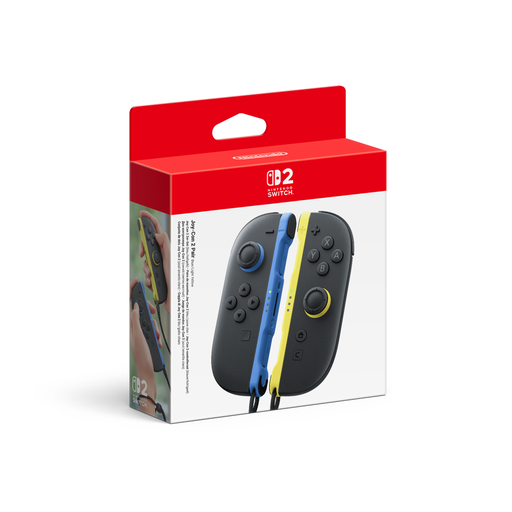
Nintendo Switch 2 Joy-Con 2 2-Piece Set, Blue/Light Yellow
For Switch 2 sessions where a supported game allows single Joy-Con controls, this pair can be shared between two players.
The set includes one left and one right Joy-Con 2, plus wrist straps. It’s listed for Nintendo Switch 2.
View at Joybuy
 No image available
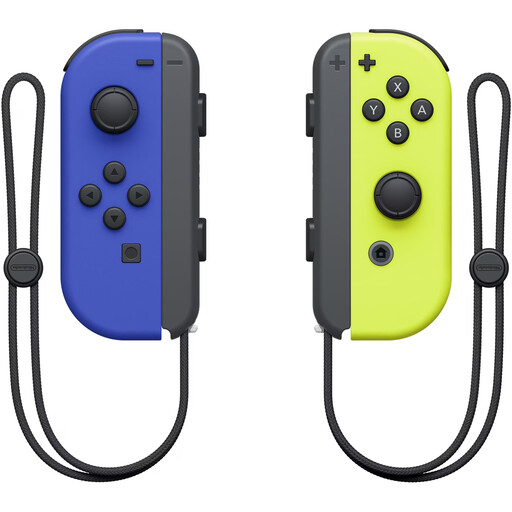
Nintendo Switch Joy-Con Pair, Neon Blue/Neon Yellow
An option for Switch sessions where the game supports using a single Joy-Con per player.
This wireless Joy-Con pair is listed for Nintendo Switch and includes two wrist straps. Whether one Joy-Con is enough for each player depends on the game mode.
View at Joybuy
 No image available
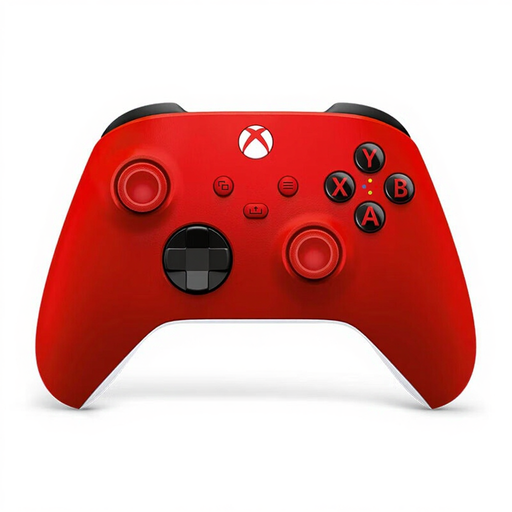
Microsoft Xbox Series X/S Wireless Controller, Pulse Red
For Xbox or Windows PC sessions where everyone uses a full gamepad, provided the game supports the required number of local players.
Xbox Wireless and Bluetooth are listed as connection options, with compatibility for Xbox and Windows PC. According to the product description, two AA batteries are included.
View at Joybuy
 No image available
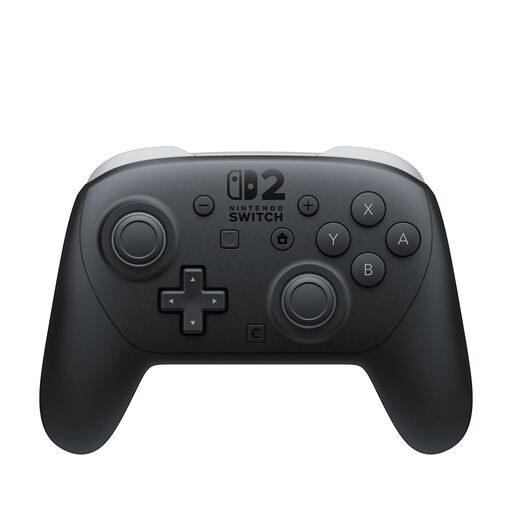
Nintendo Switch 2 Pro Controller
For Switch 2 sessions where players want a full gamepad each, and the game supports this type of controller.
This controller is listed for Switch 2. The product description says it features Bluetooth, a rechargeable battery and customisable GL and GR buttons.
View at Joybuy
 No image available
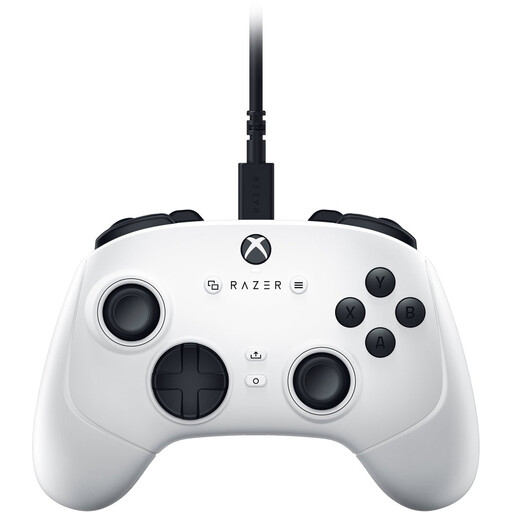
Razer Wolverine V3 Tournament Edition White
For Xbox or PC sessions where you want to use a full gamepad with a wired connection.
Windows and Xbox compatibility, plus a detachable 3-m USB-C cable, are listed. This controller is wired.
View at Joybuy
Frequently asked questions about controllers for couch co-op
Are eight connected controllers enough for eight players in a platformer?
Not necessarily. Nintendo says up to eight controllers can be synchronised wirelessly with Switch 2, depending on the controller type and features used. In local mode, Super Mario Bros. Wonder supports up to four players on one Switch or Switch 2.
How can I use a single Joy-Con 2 for another player?
You can do this if the game supports single Joy-Con controls: hold the Joy-Con 2 horizontally. For Super Mario Bros. Wonder, Nintendo says to press the SL and SR buttons to register it.
Can I use older Joy-Con with Switch 2 and charge them on the console?
Nintendo says older Joy-Con can be used wirelessly with Switch 2, but they can’t be attached to or charged on the console. To charge them, you’ll need a Nintendo Switch console or suitable charging accessories.
What should I check for connection and power when using multiple controllers?
For each model, check the supported connection type, available ports, batteries, charging cables and the charging options you already have. Nintendo lists a USB charging cable with the Switch 2 Pro Controller; older Joy-Con need a separate charging option when used with Switch 2.


