Developers using NVDA
If you’re building or testing the course registration form with NVDA, a Windows working environment is essential. NV Access describes NVDA as a screen reader for Microsoft Windows.


If you develop or test with NVDA, you’ll need a Windows environment. For VoiceOver, a Mac running macOS is the straightforward choice. Then base your decision on your specific workflow, keyboard, peripherals, ports and the specifications of each configuration. A laptop on its own won’t make development tools or a course registration form accessible.
If you’re building or testing the course registration form with NVDA, a Windows working environment is essential. NV Access describes NVDA as a screen reader for Microsoft Windows.
If you use VoiceOver on a Mac, you’ll need to work with your code, browser and registration process in that macOS environment. Apple documents VoiceOver as a built-in accessibility feature for macOS.
If you use a refreshable Braille display or other assistive peripherals, check the connection and support for your specific device. Having the right type of port alone doesn’t guarantee compatibility.
A good fit if: you need NVDA for your own development work or testing on Windows. NV Access lists NVDA as a screen reader for Windows.
Keep in mind: Testing on Windows doesn’t replace testing with VoiceOver on macOS, or vice versa.
A good fit if: you use VoiceOver as your screen reader in your Mac workflow. Apple documents VoiceOver as a built-in macOS feature.
Keep in mind: Testing with VoiceOver doesn’t replace NVDA testing. Also check that your peripherals work with the ports on the specific Mac configuration.
| What matters when buying | What to check | Who should pay particular attention |
|---|---|---|
| Screen reader and test environment | Decide which laptop operating system and screen readers you’ll use to test the process. | If I need NVDA or VoiceOver for my own work, the operating system must be right for it. Around 36% of consumers put screen reader compatibility first. |
| Code editor and browser running side by side | Check the memory and storage of the specific configuration against the programmes you use at the same time and your local projects. | When switching between code, the browser and form testing, I consider the whole workload, not just the editor. Around 29% of consumers prioritise developing with several programmes open at once. |
| Keyboard and peripherals | Check the keyboard layout, the ports you need and support for your specific Braille display. | If I mainly use a keyboard or Braille display, the input options need to suit my setup. Around 21% of consumers focus first on input and peripherals. |
| Portability and what’s included | Check the device size, ports, power adapter and any adapters you may need for the particular variant. | If I move between work locations, I want to plan for charging accessories and ports in advance. Around 14% of consumers prioritise portability and keeping costs under control. |
NVDA is designed for Windows, while VoiceOver is built into macOS. Testing with one screen reader won’t tell you how the registration process works in the other environment.
Plan for the relevant operating system and screen reader combinations your audience uses, and test the process in the appropriate environment for each one.
Microsoft recommends 1 GB of RAM for Visual Studio Code. That figure applies to the editor, not your browser, other tools or complete development workflow.
Compare the specific laptop configuration with the programmes you use at the same time. Don’t treat the editor’s requirements as a general minimum for your entire setup.
Dell doesn’t list a power adapter as included with the documented Pro 14 PC14250 configuration. This doesn’t automatically apply to other configurations or model variants.
Check the included power adapter and ports for the exact device you’re planning to buy.
Dell Pro 14 PC14250, Dell Pro 14 PC14255 and Dell Pro 14 Plus PB14250 are different model numbers. Similar names aren’t enough to assume they have the same specifications or what’s included.
Check the full model number and the key specifications for the specific variant.
The documented German ThinkPad E14 Gen 7 AMD configuration 21T0CTO1WWDE5 is a Windows option for an NVDA-focused workflow.
The 13-inch MacBook Air with M5 is a macOS option for a VoiceOver workflow.
The documented German Dell Pro 14 PC14250 configuration is another Windows option for NVDA-focused work.
The German ProBook 4 G1a 14 CB4M5EA#ABD is another documented Windows configuration.
The following Joybuy models are selected for the Windows laptop route, for development and testing workflows focused on NVDA.
 No image available
An option for an NVDA-focused Windows workflow.
Listed in the product name: Ultra 9 285H, 64 GB RAM and 1 TB SSD.
 No image available
An option for an NVDA-focused Windows workflow.
Listed in the product name: Ryzen 7 8845HS, 32 GB RAM and 1 TB SSD.
 No image available
An option for an NVDA-focused Windows workflow.
Listed in the product name: Ultra 7 255H, 32 GB RAM and 1 TB SSD.
 No image available
An option for an NVDA-focused Windows workflow.
Listed in the product name: Snapdragon X Plus, 16 GB RAM and 512 GB SSD.
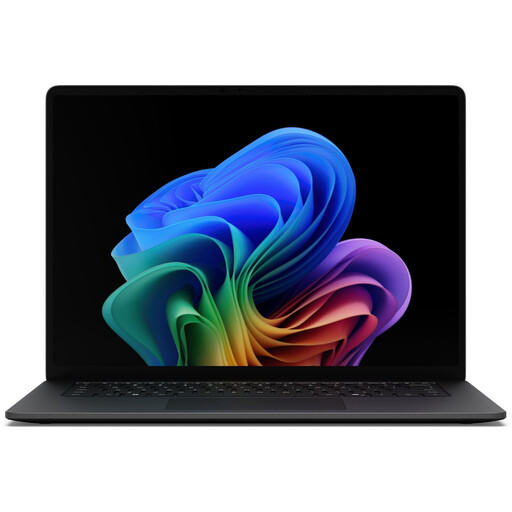 No image available
An option for an NVDA-focused Windows workflow.
Listed in the product name: Core Ultra 7, 16 GB RAM and 512 GB SSD.
No. The W3C Web Accessibility Initiative says expert human review is needed in addition to tools. So test the actual process using a keyboard and the relevant screen readers, including form fields, error messages and completion.
Google documents navigation using assistive technology, but notes that some areas work better than others. Try the panels you need for your own development workflow rather than assuming they’ll all be fully accessible.
You can’t determine this from the term “course” alone. Since 28 June 2025, the BFSG has covered certain e-commerce services for consumers; the Federal Accessibility Agency describes this in relation to an individual request to enter into a consumer contract. Whether a specific page is covered depends, among other things, on how the contract is concluded, the intended audience and the provider’s status. For covered functions, section 19 of the BFSGV sets out additional requirements, for example for identification, authentication, security and payment.
Check the power adapter, any adapters you need and the ports on the specific variant. Dell doesn’t list a power adapter for the documented PC14250 configuration; this doesn’t automatically apply to every Dell Pro 14 model.
After changing your operating system, browser or tools, retest the keyboard, screen reader and peripheral workflows that matter to you. A successful test with one combination doesn’t automatically demonstrate that another combination is accessible.