
Lieferung heute & morgen

Qualitätsgarantie

Willkommens-Angebote freischalten: KOSTENLOSE Lieferung | Bis zu 80 % RABATT | Kostenlose 30-Tage-JoyPlus-Testphase
App herunterladen
Modern processors from Intel and AMD offer impressive computing power, but they also generate significant heat. Without an adequate CPU cooler, this can lead to thermal throttling, where the CPU reduces its clock speed to prevent overheating. This results in performance degradation, especially during demanding tasks like gaming, video editing, or overclocking.
This article serves as a technical guide to help you select a suitable cooler. We will highlight the key technical differences between a CPU air cooler and an AIO liquid cooler and present a selection of models tailored to specific use cases.
The decision for a cooler should be based on technical parameters and compatibility checks. Three factors are of central importance.
The most critical prerequisite is mechanical compatibility. The cooler must be designed for your motherboard's socket. Current platforms like coolers for Intel LGA1700 (and the upcoming LGA1851) or coolers for AMD AM5 require specific mounting systems. Always check the manufacturer's specifications. Dimensions are equally crucial:
A cooler's performance is often indirectly determined by its size, the number of heatpipes (for air coolers), or the radiator surface area (for AIOs). A high-performance cooler can dissipate more heat (measured in TDP – Thermal Design Power) and keeps CPU temperatures low even under load. At the same time, the noise level is an important factor. A quiet CPU cooler is distinguished by high-quality, PWM-controlled fans that dynamically adjust their speed based on the CPU temperature.
Both technologies have specific pros and cons that make them suitable for different systems.
Based on technical specifications and features, we have compiled a selection of coolers for various needs.
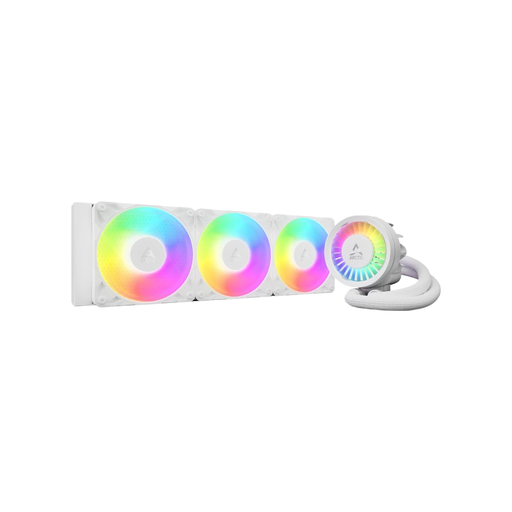
Why It Stands Out The ARCTIC Liquid Freezer III in its 360mm version is a high-performance AIO liquid cooler designed for demanding systems. A standout feature is the integrated VRM fan, which actively cools the motherboard's voltage regulators, contributing to overall system stability. The offset mounting system for AMD CPUs and the special contact frame for Intel sockets are engineered to optimise contact pressure and improve heat transfer. The cable management is integrated into the tubing, so only a single connector needs to be attached to the motherboard.
Pros
Who Is This Model For? This model is aimed at PC enthusiasts and overclockers who require maximum cooling performance for high-end CPUs. It is ideal for users with a windowed case who value a clean aesthetic with A-RGB lighting.
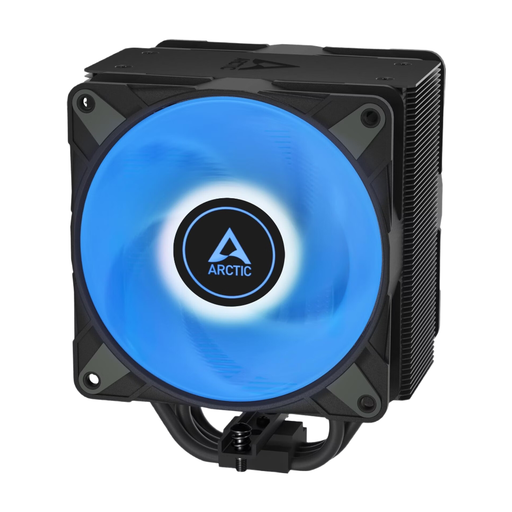
Why It Stands Out The ARCTIC Freezer 36 is a single-tower CPU air cooler designed for efficiency and easy installation. It uses four offset copper heatpipes that directly absorb heat from the CPU and transfer it to the aluminium heatsink. Two pressure-optimised 120mm P-fans in a push-pull configuration ensure effective heat dissipation. An innovative click system for the fans simplifies installation and maintenance.
Pros
Who Is This Model For? The Freezer 36 is an excellent choice for users looking for a reliable and high-performance air cooler with customisable A-RGB lighting. It is well-suited for gaming PCs and workstations where a good balance of cooling performance, noise level, and price is a priority.
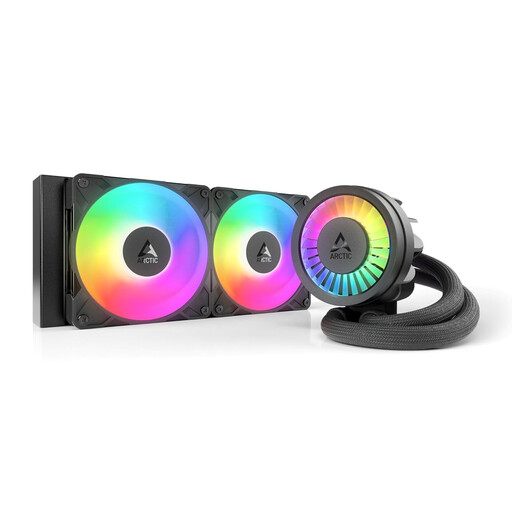
Why It Stands Out This 240mm AIO offers many of the advanced features of the larger 360mm model in a more compact form factor. It also includes the PWM-controlled VRM fan, offset mounting for AMD AM5, and the contact frame for Intel CPUs. The 240mm radiator, equipped with two 120mm P12 fans, delivers strong cooling performance sufficient for most high-end processors in gaming and productivity workloads.
Pros
Who Is This Model For? This model is ideal for users whose cases don't have space for a 360mm radiator but who still want the benefits of a high-performance AIO liquid cooler. It's a fitting solution for compact gaming builds and workstations with powerful CPUs.
The models presented here cover common use cases. However, if you are looking for different designs, specific brands, or other coolers with visual customisation options, you can find a wider selection of cooling solutions in our category.
? Discover more RGB PC Coolers on Joybuy.de
No. AIO liquid coolers are closed-loop, maintenance-free systems. The coolant is designed to last for the entire lifespan of the product and does not need to be refilled or changed.
No. Compatibility depends on the CPU socket (e.g., Intel LGA1700, AMD AM5) and the physical dimensions. Before purchasing, always check the cooler's specification list and the information from your motherboard and case manufacturer to ensure the cooler fits and does not interfere with RAM modules or other components.
Not necessarily. A cooler's price is influenced by many factors, including cooling performance, materials used (e.g., copper vs. aluminium), fan noise levels, additional features like RGB lighting, and the brand name. A well-designed mid-range air cooler can provide perfectly adequate cooling performance for many systems. The choice should primarily be based on your CPU's TDP and your individual usage profile.