
Lieferung heute & morgen

Qualitätsgarantie

Willkommens-Angebote freischalten: KOSTENLOSE Lieferung | Bis zu 80 % RABATT | Kostenlose 30-Tage-JoyPlus-Testphase
App herunterladen
Choosing the right CPU cooler is crucial for the performance and longevity of your PC. But the market is filled with marketing promises that often confuse more than they help. As your Joybuy Product Recommendation Officer, I'm here to help you separate the important facts from exaggerated advertising claims and make an informed decision for your system.
Before we dive into the technical details, let's look at two common pitfalls that often lead to disappointment and unnecessary expense.
To avoid a bad buy, focus on three verifiable criteria. These form the foundation for a stable and quiet system.
The first fundamental decision concerns the cooling technology. Both systems have specific advantages and disadvantages.
Physical compatibility is non-negotiable. Be sure to check the following three points before buying:
The fans are the heart of any active PC cooling system. Look for these features:
Here are some recommendations tailored to specific user needs that take the aforementioned pitfalls into account.
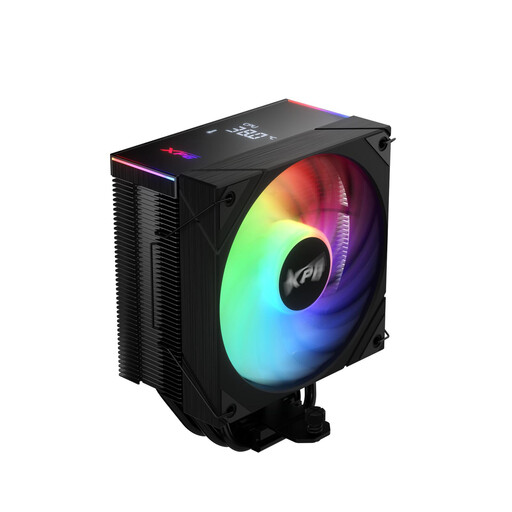
Why This Fits Their Persona: Ideal for users seeking reliable and straightforward cooling with a touch of modern aesthetics. This air cooler offers solid performance for gaming and everyday applications without breaking the bank.
It bypasses the compatibility trap with its standard tower size and broad support for current Intel and AMD sockets, making installation in most mid-tower cases hassle-free.
Offers a 220W TDP cooling capacity and a digital status panel for real-time monitoring of CPU data—a feature rarely found in this price range.
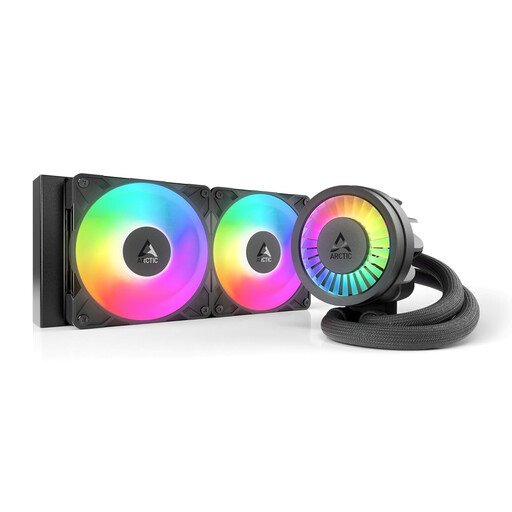
Why This Fits Their Persona: Perfect for gamers and enthusiasts who need strong cooling performance for demanding games and overclocking, while also valuing a clean, personalised look with ARGB lighting.
This model avoids the trap of exaggerated TDP values through concrete, verifiable design features like a dedicated VRM fan and a special contact frame for Intel CPUs, which enhance real-world cooling performance.
Integrated cable management for an extremely clean installation and a native offset mounting that optimally positions the cooling block over the CPU hotspot.
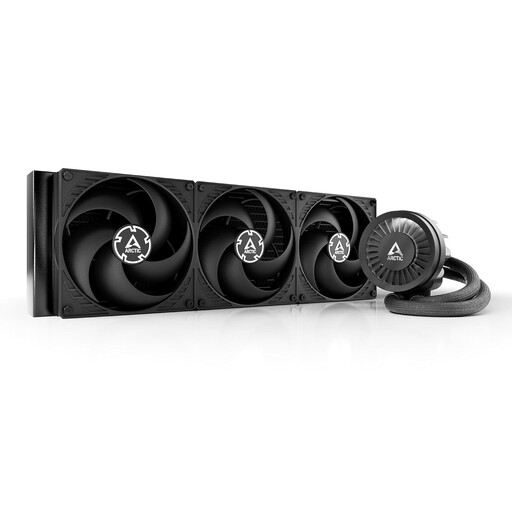
Why This Fits Their Persona: Designed for users who need the absolute maximum cooling performance for high-end CPUs and ambitious overclocking. The enormous surface area of the 420mm radiator provides thermal headroom for the most demanding processors.
Instead of relying on vague TDP figures, this cooler delivers an objectively measurable feature: a massive 420mm radiator surface area. This is an unmistakable indicator of high, real-world cooling capacity.
Maximum cooling performance thanks to three 140mm fans and a large radiator. It retains the series' user-friendly features, like the VRM fan and simple cable management.
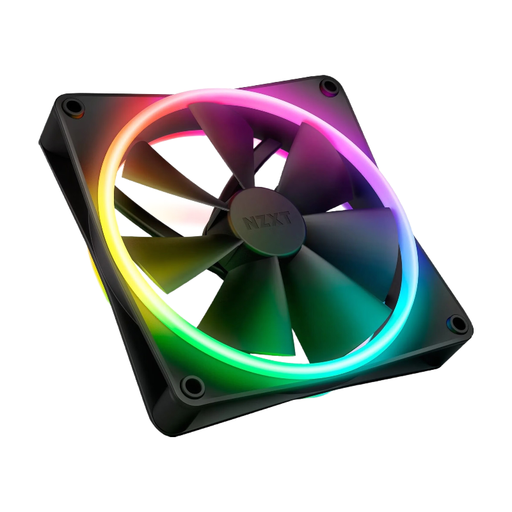
Why This Fits Their Persona: This case fan is designed for users who prioritise aesthetics. The dual-sided RGB lighting creates an impressive light show from any angle, whether the fan is mounted as an intake or exhaust.
It avoids the trade-off between noise and looks. The Fluid Dynamic Bearing and balanced fan blade design ensure quiet operation, so aesthetics don't come at the expense of silence.
20 individually addressable LEDs on both sides of the fan for maximum visual customisation. PWM control allows for dynamic speed adjustment.
We have compiled a complete, real-time updated list of products that fully meet these strict selection criteria and relevant safety standards.
1. How often should you change the thermal paste on a CPU cooler? There's no one-size-fits-all answer, as it depends on the quality of the paste and the intensity of PC usage. As a general guideline, it's recommended to replace the thermal paste every 2 to 4 years, or if you notice a significant increase in idle CPU temperatures.
2. Does every CPU cooler fit on every motherboard? No. Compatibility depends on the CPU socket. Modern motherboards use sockets like Intel LGA 1700/1851 or AMD AM5. Always ensure that the mounting hardware for your specific socket is included with the cooler. Additionally, large coolers can interfere with other components on the motherboard, such as RAM or VRM heatsinks.
3. Is an AIO liquid cooler louder than an air cooler? Not necessarily. An AIO's noise level is generated by both the radiator fans and the pump. High-quality AIOs with quiet pumps and PWM-controlled fans can be quieter than many air coolers under low to medium loads. At full load, however, the noise can be comparable or even higher, depending on the fan speed. An air cooler has the advantage of eliminating the pump as a source of noise.