
Lieferung heute & morgen

Qualitätsgarantie

Willkommens-Angebote freischalten: KOSTENLOSE Lieferung | Bis zu 80 % RABATT | Kostenlose 30-Tage-JoyPlus-Testphase
App herunterladen
Choosing the right CPU cooler is crucial for the stability and performance of any PC. Yet, the market is filled with marketing promises that often create more confusion than clarity. Many users invest in solutions that are either oversized, incompatible, or unexpectedly loud under load. This guide will help you separate technical facts from advertising and make an informed decision.
A common pitfall is trusting vague compatibility claims. A cooler might be listed for a socket type like AM5 or LGA1700, but that doesn't guarantee it will physically fit into your system. Tall RAM modules or bulky heatsinks on the motherboard can make installation impossible. Another problem is the often optimistic TDP (Thermal Design Power) ratings. A cooler rated by the manufacturer for a 180-watt TDP CPU may hit its limits under real, sustained load, forcing the CPU to throttle.
To avoid a bad purchase, you should focus on three objective criteria instead of marketing slogans. These parameters determine the actual performance, compatibility, and noise level.
The most fundamental choice is between air and liquid cooling. Both technologies have specific advantages and disadvantages.
PC Air Coolers: This traditional solution uses copper heatpipes to transfer heat from the CPU to an aluminium heatsink, where it is dissipated by one or more fans.
AIO (All-in-One) Liquid Cooling: A closed-loop system where a liquid transports heat from the CPU contact plate to a radiator. Fans mounted on the radiator then cool the liquid.
Physical compatibility is non-negotiable. Check three dimensions before you buy:
A quiet CPU cooler isn't one that's inaudible at idle, but one that maintains a moderate noise profile even under load. Look for fans with PWM (Pulse Width Modulation) control. These 4-pin fans allow the motherboard to dynamically adjust the fan speed based on the CPU temperature. High-quality fan bearings, such as Fluid Dynamic Bearings, also contribute to quieter operation and a longer lifespan.
Based on these objective criteria, we have identified several models that represent a suitable solution for specific requirement profiles.
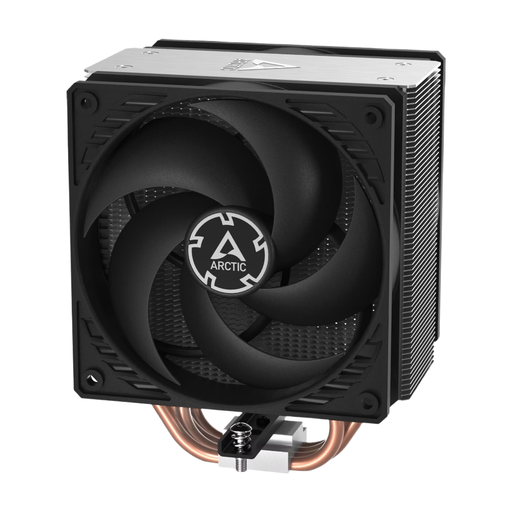
Why This Fits Their Persona: Ideal for users seeking reliable and powerful cooling without unnecessary frills. The focus is on longevity and a great price-to-performance ratio for gaming and office PCs without extreme overclocking.
It bypasses the pitfall of exaggerated TDP ratings by offering solid cooling performance for mid-range CPUs based on real-world use cases. The clear dimensions and mounting system minimise compatibility issues.
The dual ball bearing fans, designed for continuous operation ("CO"), offer high reliability. The push-pull configuration of the two 120mm fans ensures efficient airflow through the heatsink.
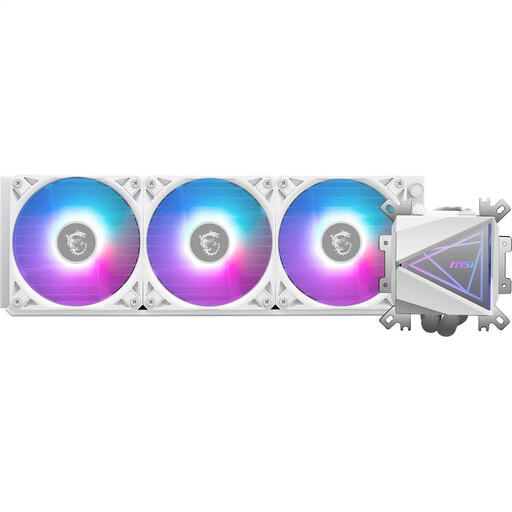
Why This Fits Their Persona: Perfect for PC builders aiming for a system with an immaculate white aesthetic and synchronised RGB lighting. This RGB CPU cooler combines high cooling performance for gaming CPUs with a striking design.
It addresses the compatibility problem with a pre-installed universal mounting bracket and a simplified "EZ Connection" cable system, which simplifies installation in clean builds and prevents cable clutter.
The "Infinity Mirror" pump head creates impressive visual effects. The enlarged copper contact surface is specially optimised for modern multi-die CPUs to ensure efficient heat absorption.
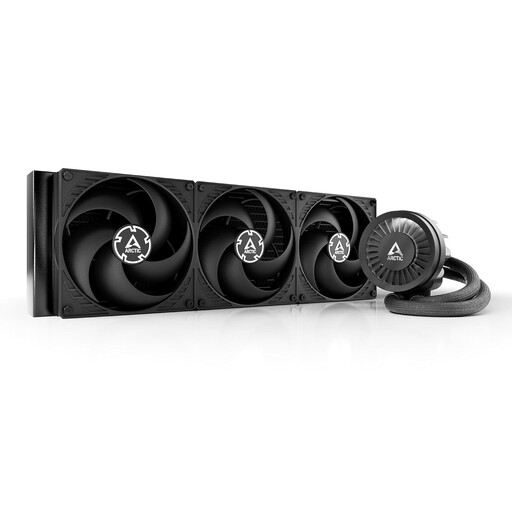
Why This Fits Their Persona: For users who need maximum cooling performance for heavy overclocking or compute-intensive workloads. Here, raw performance is the priority to keep even the most demanding CPUs at low temperatures.
It solves the "noise vs. performance" dilemma with a massive 420mm radiator surface. This allows for high heat dissipation at lower fan speeds, resulting in quieter operation under load than is possible with smaller radiators.
It offers enormous cooling capacity, providing headroom for future high-end CPUs. The integrated VRM fan also cools the motherboard's voltage regulators, which improves system stability during overclocking.
We have compiled a complete, real-time updated list of products that fully meet these strict selection criteria and German safety regulations.
"Better" depends on the use case. High-end AIOs generally offer higher peak cooling performance, which is advantageous for heavily overclocked CPUs with a high TDP. They also allow for a cleaner look around the socket. However, high-quality air coolers are extremely reliable, often quieter at low loads, and can match the performance of many mid-range AIOs at a lower price and without the risk of leaks.
When using a high-quality thermal paste, a change is typically only necessary every 3 to 5 years. An annual replacement is not needed unless you are disassembling the cooler for other reasons or notice a significant, unexplained increase in CPU temperatures.
Not necessarily. In addition to the mounting points for the fans, you must consider the total thickness of the radiator plus the fans. Check the available clearance to other components like the motherboard's VRM heatsinks or tall RAM modules. Your PC case's specifications should provide details on the maximum supported radiator thickness.