
Lieferung heute & morgen

Qualitätsgarantie

Willkommens-Angebote freischalten: KOSTENLOSE Lieferung | Bis zu 80 % RABATT | Kostenlose 30-Tage-JoyPlus-Testphase
App herunterladen
Choosing the right CPU cooler is a crucial step when building or upgrading a PC. A high-performance processor generates a significant amount of heat under load, which must be dissipated efficiently to ensure system stability and longevity. Given the vast array of models—from traditional CPU air coolers to complex AIO liquid coolers—the selection process can quickly become overwhelming.
This guide is designed to provide clarity. We will explain the key criteria you should consider when selecting a cooler and present a selection of models relevant for various use cases and requirements in 2026. Our goal is to provide you with an informed basis for your decision, so you can find the optimal cooling solution for your processor.
Before you decide on a model, a few technical aspects need to be clarified. These three points will help you narrow down your choices and avoid making a bad purchase.
The most fundamental decision concerns the type of cooling. Both systems have specific pros and cons.
PC water cooling system can offer superior cooling performance with high heat loads and often provides a cleaner aesthetic inside the case.A cooler must physically fit into your system. Therefore, be sure to check the following points:
A cooler's performance is often indicated by its TDP (Thermal Design Power), measured in watts. This value should ideally be higher than your processor's TDP to provide enough headroom for demanding tasks or overclocking.
For users looking for a quiet CPU cooler, the fan size, bearing technology, and speed range (in RPM) are important metrics. Larger fans can move the same amount of air at a lower speed as smaller fans at a high speed, which generally results in quieter operation.
Based on the criteria mentioned, we have compiled a selection of coolers that stand out for their performance, features, or design.
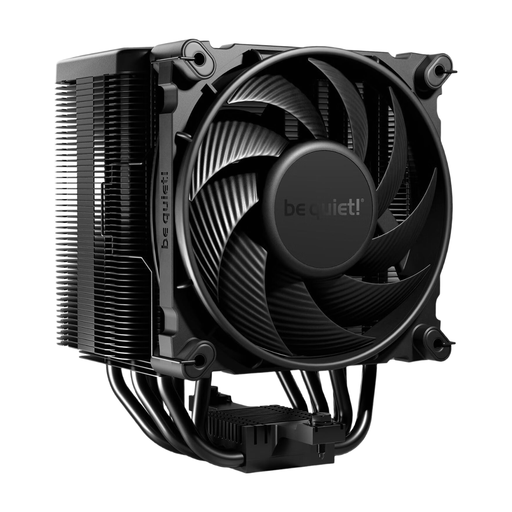
Why It Stands Out: The be quiet! Dark Rock 5 is designed for users who want to combine high cooling performance with minimal noise levels. Its asymmetrical design and cut-outs on the heatsink ensure excellent compatibility with tall RAM modules and VRM heatsinks. The included Silent Wings 4 120mm PWM fan is synonymous with near-silent operation while maintaining high static pressure.
Advantages:
Who Is It For? For users seeking a reliable and very quiet high-end air cooler for demanding systems, who prefer to avoid the complexity of liquid cooling. It is an ideal choice for silent builds and workstations.
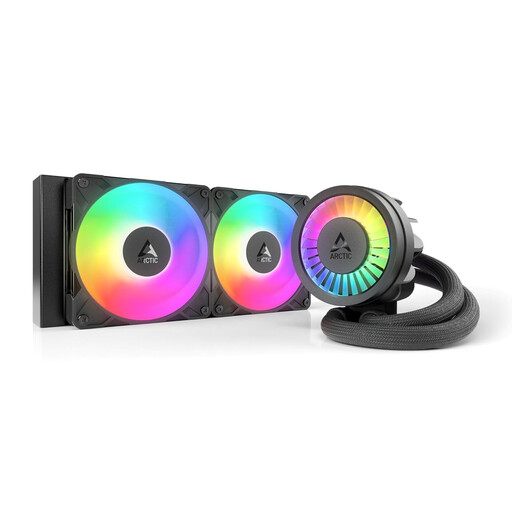
Why It Stands Out: The ARCTIC Liquid Freezer III Pro 240 is an AIO liquid cooler that impresses with thoughtful details. In addition to the powerful cooling of its 240mm radiator, it features an integrated VRM fan that provides additional cooling for the motherboard's voltage regulators, enhancing system stability. The integrated cable management and special contact frame for Intel sockets simplify installation and optimize contact pressure.
Advantages:
RGB cooler.Who Is It For? For PC enthusiasts and gamers looking for a high-performance and visually appealing liquid cooler for their CPU cooler AM5 or CPU cooler LGA 1700 setup, who can benefit from extra features like VRM cooling.
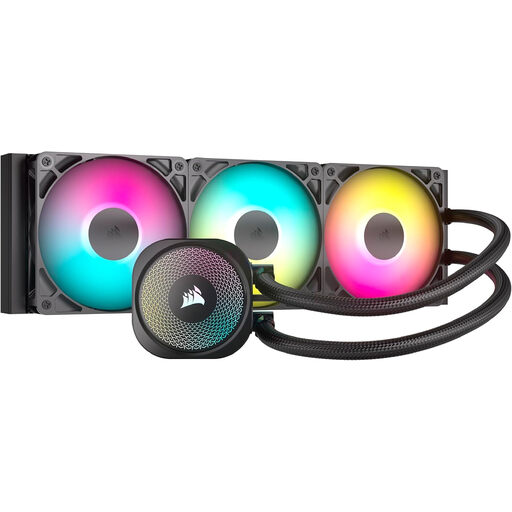
Why It Stands Out: The Corsair NAUTILUS 360 RS ARGB focuses on maximum cooling performance for high-end processors. The 360mm radiator offers a large surface area for heat dissipation, supported by three RS120 ARGB fans. A key advantage is its direct connection to the motherboard, eliminating the need for additional controllers or complex software setups to manage fans and lighting.
Advantages:
Who Is It For? For users who need absolute peak performance for overclocked or high-core-count CPUs. Ideal for enthusiasts who want to build a powerful system with a straightforward and clean RGB implementation.
The selection presented here covers common use cases, but the market for PC cooling is diverse. If you are looking for a different size, a specific design, or a simple, non-illuminated model, you can find more alternatives in our category.
? Discover our full range of black PC fans here
1. Which CPU cooler is suitable for the AM5 socket? Many modern CPU coolers are compatible with AMD's AM5 socket out of the box or offer corresponding mounting kits. All models featured in this article support the AM5 socket. However, it is always wise to check the product specifications of the respective cooler before purchasing to ensure compatibility.
2. Is a liquid cooler louder than an air cooler? There's no one-size-fits-all answer. A high-quality air cooler can be quieter at idle than an AIO liquid cooler, where the pump runs constantly. Under high load, however, an AIO's fans can often spin slower to achieve the same cooling performance, which can lead to a lower overall noise level. The perceived noise level heavily depends on the quality of the fans, the pump, and individual system settings.