
Lieferung heute & morgen

Qualitätsgarantie

Willkommens-Angebote freischalten: KOSTENLOSE Lieferung | Bis zu 80 % RABATT | Kostenlose 30-Tage-JoyPlus-Testphase
App herunterladen
A CPU cooler needs to do more than simply fit the socket. For gaming, video editing or a PC that runs continuously, you also need to consider case dimensions, heat output, noise levels and mounting quality. If you focus only on large fans, high speeds or RGB lighting, it’s easy to overlook details that really matter.
A 240 mm, 360 mm or 420 mm AIO needs enough space at the top or front of your case. The radiator, fans and memory modules also need to fit together. So the radiator length alone isn’t enough: radiator thickness, fan height and the position of the connections all matter.
“Suitable for Intel and AMD” doesn’t automatically mean that all the necessary mounting hardware is included. For current systems, check that the cooler is compatible with your specific socket, such as an LGA1851 cooler, an LGA1700 cooler, an AM5 cooler or an AM4 cooler. Some Intel platforms require a specific contact or mounting frame.
A maximum speed or a single decibel figure doesn’t tell you how the cooler performs in every situation. A quiet CPU cooler also depends on the fan curve, pump speed, case airflow and CPU load. A fan with a high maximum speed may run quietly during everyday use, but become much more noticeable under sustained load.
An air cooler for a CPU typically consists of heat pipes, aluminium fins and one or more fans. It doesn’t need a pump or a sealed liquid circuit, which makes installation simpler and reduces the number of moving parts.
An AIO liquid cooler, also known as a CPU liquid cooler, transfers heat through a cold plate, tubes and a radiator. Radiator size is an important point of comparison:
An AIO includes additional connections, a pump and a radiator. So be sure to check the installation instructions, cable routing and guidance on handling the tubes.
Before buying, check:
Don’t confuse a 5 V ARGB connector with a 12 V RGB connector. Using the wrong voltage could damage the lighting.
Copper heat pipes, aluminium fins and the right fan size all affect heat dissipation. For a gaming CPU cooler or a PC used for content creation, reliable fan control and good case airflow are also important.
For AIO models, check the pump speed, fan speed and connection to CPU_FAN or AIO_PUMP. A custom PWM fan curve can help you balance temperature and noise. Manufacturer figures for airflow, speed and noise are useful for comparison, but they don’t guarantee a particular noise level in your own PC.
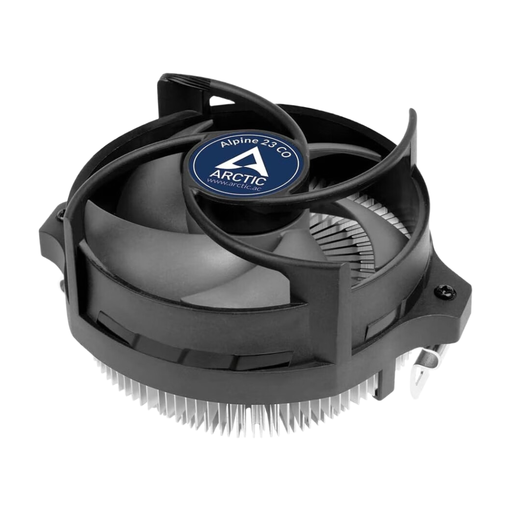
Why this product suits this profile: This compact AMD cooler is designed for AM4, AM5 and AM3(+), and uses the existing AMD retention unit. Its stated height is 65 mm.
The compatible sockets are clearly listed, and the product description says no additional backplate is needed. This makes installation more straightforward on compatible AMD systems.
90 mm fan, 4-pin PWM connector and pre-applied MX-2 thermal paste.
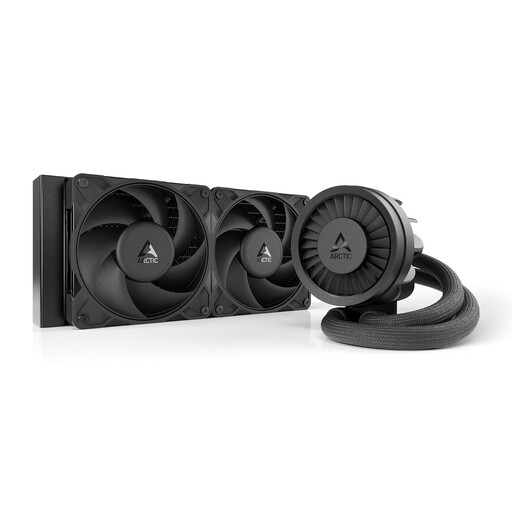
Why this product suits this profile: This 240 mm AIO combines two 120 mm fans with a PWM pump, an integrated VRM fan and support for Intel and AMD.
Compatibility with LGA1851 and LGA1700 is supported with a contact frame. Before buying, you’ll still need to check that your case supports the radiator.
Copper cold plate with micro-skived fins, integrated cable management and two S P12 PRO fans.
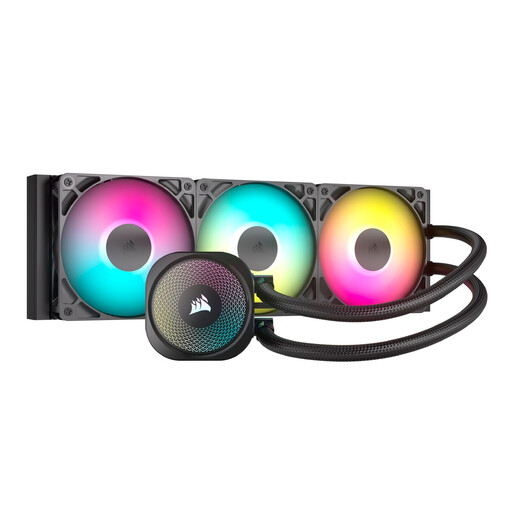
Why this product suits this profile: This 360 mm AIO is designed for high-performance desktop systems and comes with three 120 mm RS120 ARGB fans with PWM control.
The main connections are made directly to the motherboard. Even so, check the 360 mm radiator clearance, 5 V ARGB header and case airflow before buying.
Support for LGA1851, LGA1700, AM5 and AM4, plus direct ARGB control via the motherboard.
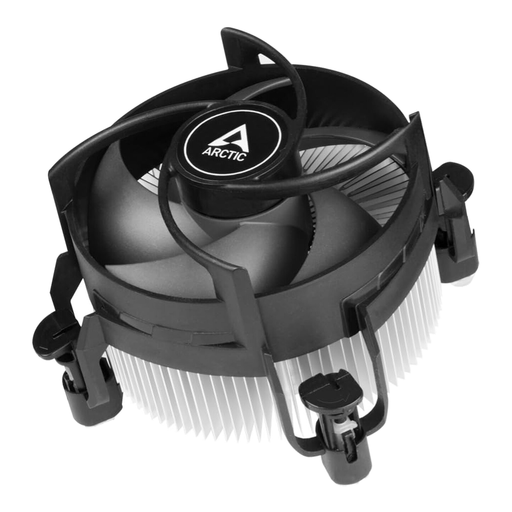
Why this product suits this profile: This top-flow cooler is designed for Intel LGA1700 and LGA1851, and is intended for continuous operation according to the product information.
Compatibility is clearly limited to Intel sockets, helping you avoid ordering the wrong cooler for an AMD system.
77 mm height, 92 mm PWM fan and pre-applied MX-4 thermal paste.
We’ve put together a complete, regularly updated list of products that meet these strict selection criteria and fully comply with the safety regulations in force in the EU.
Look for explicit support for LGA1851 or LGA1700. Some models require a specific contact frame or their own backplate. Check that the information from the motherboard and cooler manufacturers matches before you start installation.
There’s no simple answer. An AIO has a pump as well as fans, while an air cooler has no pump. The key factors are the fan profile, pump settings, case airflow and the CPU’s workload. So compare speed ranges and manufacturer figures under the same conditions.
With air coolers, the fans and dust build-up are the main things to keep an eye on. An AIO also has a pump and a sealed liquid circuit. Regularly removing dust, securing the cooler properly and avoiding kinks in the tubes all help keep it running smoothly. If you notice unusual noises, rising temperatures or visible liquid, switch off your PC and investigate the cause.