
Lieferung heute & morgen

Qualitätsgarantie

Willkommens-Angebote freischalten: KOSTENLOSE Lieferung | Bis zu 80 % RABATT | Kostenlose 30-Tage-JoyPlus-Testphase
App herunterladen
A CPU cooler needs to do more than fit the socket. Its height, radiator size, fan connections and actual heat dissipation all affect whether your PC runs reliably and quietly under load. That’s why technical details matter more than flashy lighting or broad performance claims for PC builders, gaming PC users, content creators and professionals.
The phrase “compatible with Intel and AMD” isn’t enough to make a confident choice. What matters is your processor’s exact socket and the mounting hardware included. An Intel CPU cooler for LGA1700 won’t automatically fit LGA1851. AMD buyers should distinguish between AM4 coolers and AM5 coolers, although some models support both platforms.
Before buying, check:
A 240-mm, 280-mm or 360-mm liquid cooler needs enough space in your case. The measurement mainly describes the radiator’s length; it doesn’t automatically indicate how well it will perform in your system. A 360-mm radiator may be impractical in a compact case, while a 240-mm model is easier to fit in many systems.
Before you buy, check your case manufacturer’s specifications for:
An RGB CPU cooler with a 12-volt, 4-pin connector isn’t the same as an ARGB CPU cooler with a 5-volt, 3-pin connector. These connectors must not be swapped. Using the wrong one can damage the lighting and potentially the connected hardware. If you don’t need lighting, choosing a model without LEDs can simplify cable management.
An air cooler dissipates heat through heatpipes, fins and a fan. It doesn’t need a pump or hoses, which means fewer moving parts and easier maintenance. The key things to check are the cooler’s maximum height, the number and diameter of its heatpipes, and the space available around the CPU socket.
An AIO liquid cooler consists of a pump unit, radiator, fans and a sealed liquid loop. It can free up space around the CPU socket, but you’ll need a suitable radiator mount and must install it carefully. If you hear unusual noises or see any liquid, switch off your PC and disconnect it from the mains.
Decibel ratings are only meaningful under the specific conditions in which they were measured. The noise level of a CPU cooler also depends on its fan curve, case airflow, ambient temperature and processor load. PWM connectors let your motherboard automatically regulate fan speed. A lower maximum speed can help keep noise down, while higher speeds provide extra cooling capacity under load.
Check the following:
For tower coolers, the overall height is particularly important. The ARCTIC Freezer 36, for example, is listed as 159 mm tall. Compact top-flow coolers such as the ARCTIC Alpine 17 or Alpine 23 CO may be a better fit for small Mini-ITX or µATX cases.
Thermal paste is needed between the CPU and cooler. Some models come with paste already applied, while others include a separate tube. Remove any protective film from the base before installation. Tighten the screws evenly, working diagonally.
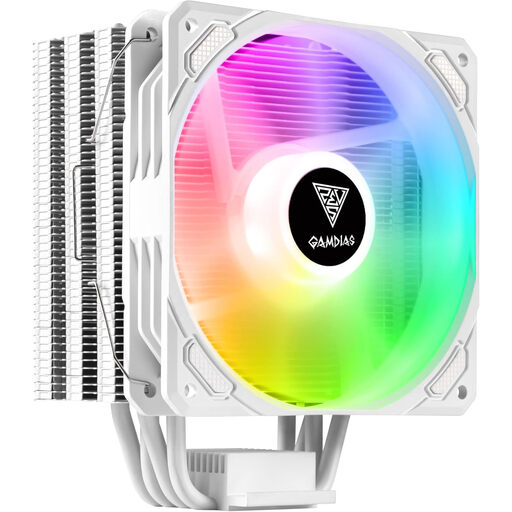
Why this product suits this user: This compact air cooler is relatively straightforward to install and features addressable lighting, making it a good choice for a budget gaming PC.
The universal bracket is designed for several AMD and Intel platforms. Even so, check the product specifications against your exact socket before buying.
Heatpipe DTC technology, a 120-mm fan and a 5-volt, 3-pin ARGB connector, according to the product description.
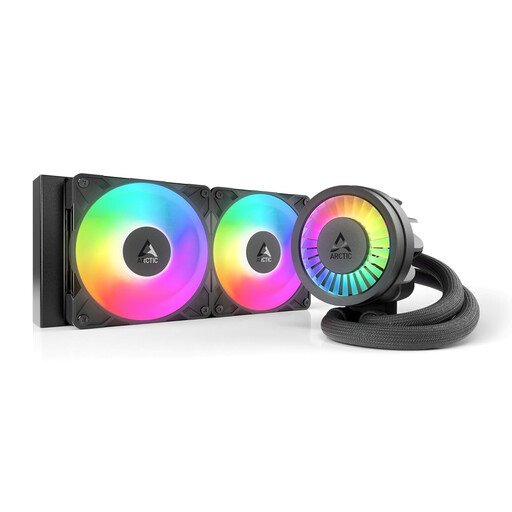
Why this product suits this user: This 240-mm AIO is designed for users looking for a neatly integrated liquid cooling system with a PWM pump and support for Intel and AMD platforms.
The product description lists a 240-mm radiator, two 120-mm fans and a PWM connector. This makes it easier to check the space required and plan the cable connections in advance.
Offset mounting, an integrated VRM fan and 5-volt, 3-pin ARGB lighting, according to the manufacturer.
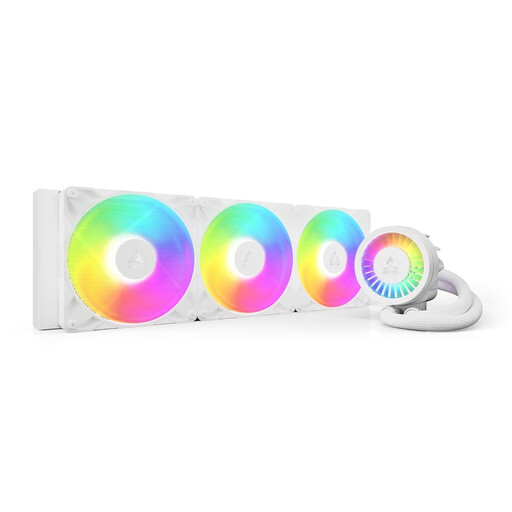
Why this product suits this user: For long rendering, compiling or computing workloads, you’ll need a sufficiently large case with a suitable mount for a 420-mm radiator.
With a listed radiator length of 458 mm and hose length of 450 mm, it’s especially important to check your case specifications rather than choosing on radiator size alone.
Three 140-mm P14 Pro A-RGB fans, a PWM-controlled pump and support for AM4, AM5, LGA1700 and LGA1851.
We’ve put together a complete, regularly updated list of products that meet these strict selection criteria and the safety regulations in force in the EU.
Depending on your processor and case, a larger air cooler or a 240-mm AIO could be a good choice for a gaming PC. Check not only socket compatibility, but also the cooler’s height or the radiator mount. If your processor is under heavy load for long periods, multiple fans and a suitable fan curve can help.
Its lifespan depends on the pump, fans, operating hours, dust levels and installation. An AIO is a sealed system, but the pump and fans are still mechanical components. Check regularly for unusual noises, rising temperatures and visible damage to the hoses.
An AIO needs extra power for its pump and usually several fans. Actual consumption depends on the model and fan speed. An air cooler generally only runs its fan. For running costs, the power ratings, fan curve and daily operating hours all make a difference.