
Lieferung heute & morgen

Qualitätsgarantie

Willkommens-Angebote freischalten: KOSTENLOSE Lieferung | Bis zu 80 % RABATT | Kostenlose 30-Tage-JoyPlus-Testphase
App herunterladen
A suitable CPU cooler affects temperature, noise levels and the long-term stability of a desktop PC. Particularly with gaming PCs, content creation workstations and high-performance processors, it is not enough to simply focus on large fans, RGB lighting or high rotational speeds. Some specifications may look convincing at first glance, but on their own they tell you little about how suitable they are for your own system.
A 360 mm AIO does not just need space for the radiator. The installation position, hose routing and clearance from RAM, motherboard and graphics card must also fit inside the case. With a 240 mm AIO, installation is often simpler, but you should still explicitly check the case clearance.
Manufacturers measure noise under different conditions. A low stated value may refer to a specific fan speed or a particular measurement method. For a quiet CPU cooler, you therefore also need to consider fan size, bearing type, PWM control and your own fan curve.
A cooler must mechanically match the processor socket. For current systems, CPU coolers for Intel LGA1851, CPU coolers for Intel LGA1700, CPU coolers for AMD AM5 and CPU coolers for AMD AM4 are particularly in demand. The description "Intel and AMD compatible" should not be taken at face value without checking the specific socket list.
Check the specifications of your motherboard and cooler before buying. Important points include:
Some models use push pins or existing AMD retention brackets, while others are screwed into place. With an AIO liquid cooler, radiator and pump connections also come into play.
A compact top-blower or small air cooler is suitable for systems with limited space and processors with moderate thermal output. A single-tower air cooler with 120 mm fans and heatpipes offers more cooling surface area, but typically requires around 159 mm of case height.
A CPU liquid cooler or AIO liquid cooler transfers heat via a closed liquid loop to the radiator. This can be beneficial under sustained high processor load. However, the pump, radiator position and correct cabling must all be taken into account. A closed-loop system must not be opened or dismantled.
A PWM CPU cooler can be controlled via a 4-pin signal depending on the processor temperature. This makes it easier to achieve a balanced operation between cooling and noise levels. With ARGB models, the connection type is also crucial: 5 V, 3-pin ARGB must not be confused with a 12 V RGB header.
ARGB is a visual feature and says nothing about cooling performance. If you are choosing an ARGB CPU cooler, you should first check the socket, dimensions, fan control and radiator compatibility.
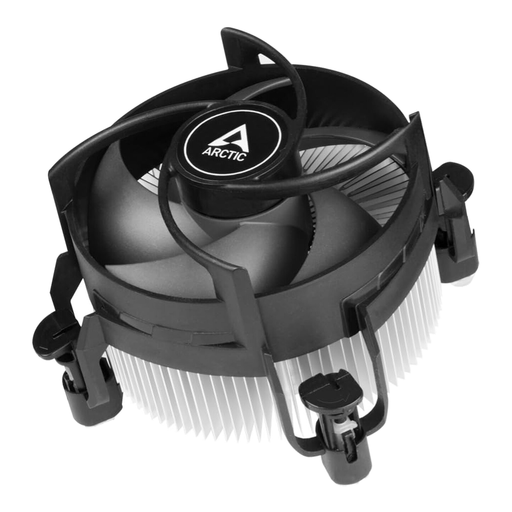
Why this product fits the profile: This compact air cooler is designed for Intel LGA1700 and LGA1851 and comes with pre-applied MX-4 thermal paste and push-pin mounting. This reduces installation effort for simple desktop and SFF systems.
The specific socket list and stated build height make compatibility checks easier. No radiator is required.
92 mm PWM fan, 77 mm stated height and pre-applied thermal paste according to product data.
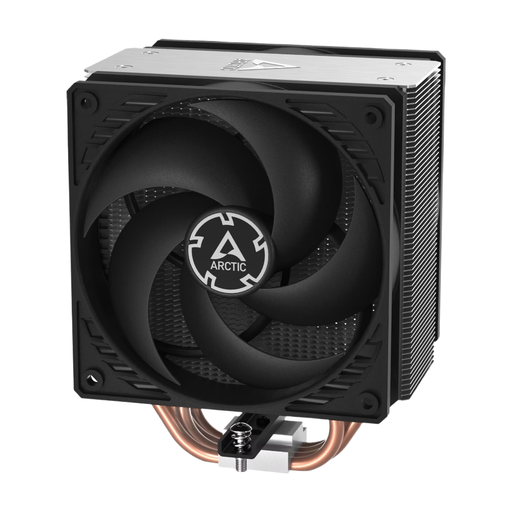
Why this product fits the profile: This single-tower air cooler combines four heatpipes with two 120 mm P-fans in a push-pull configuration. It is aimed at users who prefer a low-maintenance solution for Intel and AMD systems.
Air cooling requires no pump and no closed liquid loop. However, 159 mm of case height and the mounting brackets must be checked before purchase.
Two 120 mm fans, four heatpipes, 200–1800 RPM and MX-6 thermal paste according to the product description.
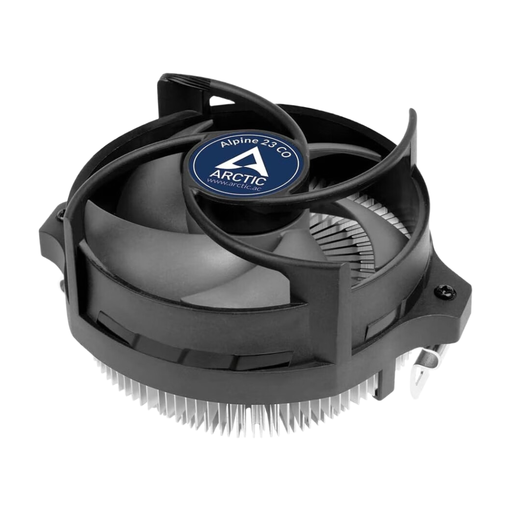
Why this product fits the profile: This compact AMD air cooler is designed for AM4 and AM5 and built for continuous operation. It therefore suits small cases and systems that run regularly or permanently.
The compact design reduces space issues. At the same time, the stated recommendation of up to 65 W should be noted; for heavily overclocked processors, a different cooler class is more appropriate.
AM4/AM5 support, 90 mm fan, 4-pin PWM header and pre-applied MX-2 thermal paste according to product data.
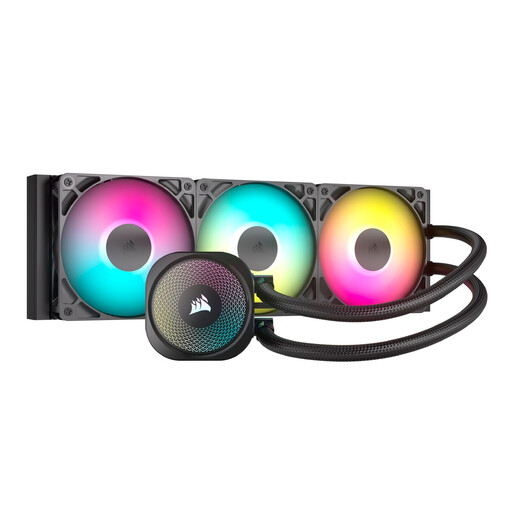
Why this product fits the profile: This 360 mm AIO features three RS120 ARGB fans, PWM control and support for LGA1851, LGA1700, AM5 and AM4. It is suitable for cases that can accommodate a radiator of this size.
The product data lists radiator size, number of fans, socket support and direct motherboard connection. Before purchase, you still need to check the case clearance for front or top mounting.
360 mm radiator, three 120 mm ARGB fans, PWM control and 5 V 3-pin ARGB header according to manufacturer specifications.
We have compiled a complete, regularly updated list of products that fully meet these strict selection criteria and the safety regulations in force in the EU.
Before installation, the PC should be completely switched off and disconnected from the mains. With air cooling, the contact surface, thermal paste and even mounting pressure are important. With an AIO liquid cooler, hoses must not be kinked. ARGB connectors should only be plugged into compatible 5 V 3-pin headers.
After installation, it is advisable to check the system in the BIOS or via motherboard software:
That depends on the processor, case and usage. For moderate gaming systems, a single-tower air cooler with a 120 mm fan can be sufficient. Under sustained high load or with high-performance processors, a 240 mm AIO or 360 mm AIO may be appropriate, provided the case supports the installation.
The lifespan depends on the pump, seals, operating conditions and product quality. An AIO is a closed-loop system and should not be opened. If you notice unusual noises or visible liquid, switch off the PC immediately and disconnect it from the mains.
A PWM fan requires relatively little electrical power during normal operation. An AIO liquid cooler also supplies the pump. The exact consumption depends on the model, fan speed and operating time. For an energy-efficient PC, low fan speeds and a suitable fan curve are advisable.