
Lieferung heute & morgen

Qualitätsgarantie

Willkommens-Angebote freischalten: KOSTENLOSE Lieferung | Bis zu 80 % RABATT | Kostenlose 30-Tage-JoyPlus-Testphase
App herunterladen
A CPU cooler needs to match more than just your processor’s performance. The socket, case, radiator position, memory and the level of noise you’re happy with all matter too. If you focus only on the number of fans, ARGB lighting or a high fan speed, it’s easy to overlook important compatibility details.
These are three of the most common buying mistakes:
Before you buy, check the exact processor socket. An Intel LGA1851 cooler needs different or compatible mounting hardware from a model designed for older Intel platforms. For AMD, AMD AM5 coolers and AMD AM4 coolers are particularly popular.
Check for:
Some ARCTIC models use a contact frame for Intel LGA1851 and LGA1700. According to the product details, this is designed to help distribute pressure evenly. Follow the relevant instructions carefully when installing it.
An air cooler consists of a heatsink tower, heat pipes and a fan. It doesn’t need a pump connection or a sealed liquid loop, which makes installation simpler and reduces the number of potential sources of trouble. Check the cooler’s height, clearance around your RAM modules and airflow inside the case.
A CPU liquid cooler, also known as an AIO liquid cooler, transfers heat to a radiator via a pump and tubes. Before you buy, check that the radiator’s length, width and thickness are compatible with your case:
The stated radiator size doesn’t always reflect the total space needed for installation. You’ll also need to allow for the fans, tube routing and motherboard components.
A 4-pin PWM connector is useful for automatic fan speed control. ARGB lighting usually uses a 3-pin 5V connector. Don’t confuse it with a 12V RGB connector, as this could damage the lighting components.
So, don’t choose an ARGB CPU cooler on looks alone. Check:
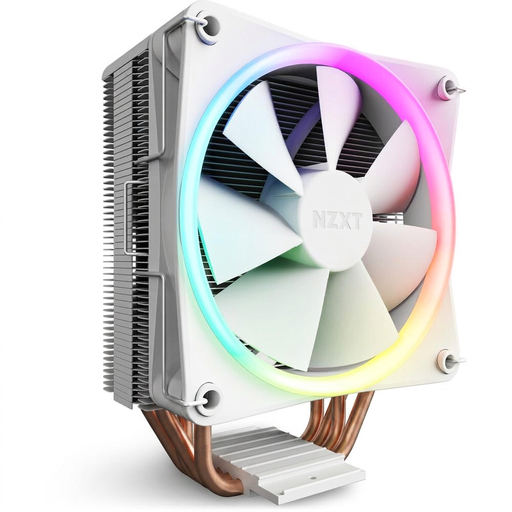
Why it suits this type of user: This compact air cooler is a straightforward option if you’d rather not have a pump and radiator. According to the product details, it has four copper heat pipes, a 120mm fan and RGB lighting.
There’s no need to allow space for a radiator or liquid loop. Even so, check the cooler’s stated height against your case.
Air cooling, a 120mm fan and support for Intel and AMD sockets, according to the product description.
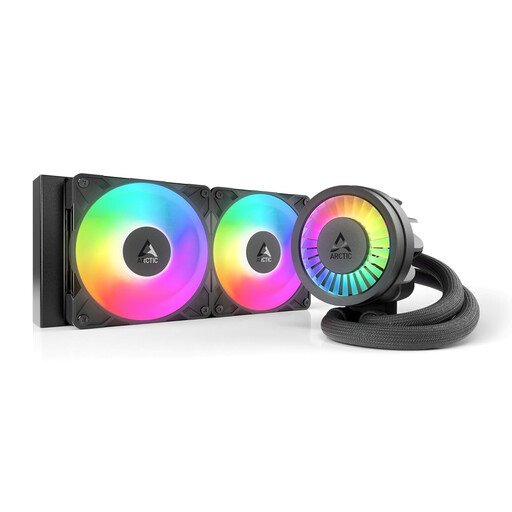
Why it suits this type of user: This 240mm AIO has two 120mm fans, offering a compact liquid cooling option for cases with compatible 240mm mounting points.
The radiator size is clearly stated. Before buying, check that your case supports it and has a 5V ARGB connector.
240mm radiator, PWM-controlled pump, integrated VRM fan and support for LGA1851, LGA1700, AM5 and AM4, according to the product details.
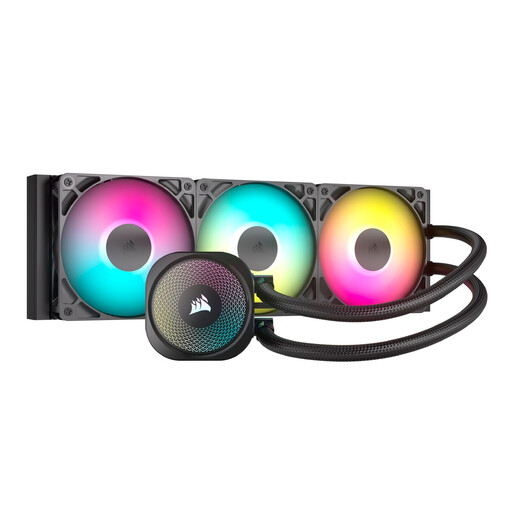
Why it suits this type of user: This 360mm AIO is designed for gaming PCs, content creation systems and workstations with enough room for the radiator.
The three included RS120 ARGB fans and direct motherboard connection are clearly specified. You’ll still need a suitable 360mm mounting point.
Three 120mm fans, PWM control, ARGB control via the motherboard, and compatibility with LGA1851, LGA1700, AM5 and AM4.
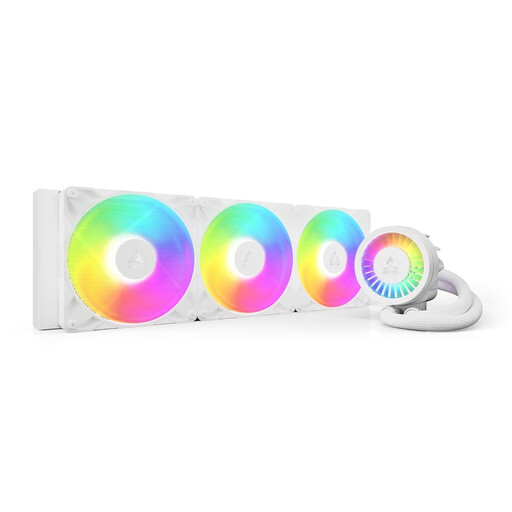
Why it suits this type of user: Designed for larger cases and sustained heavy CPU loads, this model has a 420mm radiator with three 140mm fans. Check the dimensions carefully before buying.
The less common radiator size is clearly stated. This makes it easier to check case compatibility before buying, rather than choosing based on fan count alone.
420mm radiator, three 140mm P14 Pro fans, PWM pump, VRM fan and ARGB Gen2 lighting, according to the product description.
We’ve put together a complete, regularly updated list of products that meet these strict selection criteria and the safety regulations in force in the EU.
Depending on your processor and case, a gaming PC could use a tower air cooler or a 240mm, 280mm or 360mm AIO. The key considerations are socket compatibility, cooler height or radiator clearance, and how much noise you’re willing to accept.
Lifespan depends on factors such as the pump, fans, hours of use, dust levels and whether it’s installed correctly. Don’t open a sealed loop. If the pump makes unusual noises, temperatures rise or you see any liquid, it’s worth having the system checked.
An AIO needs extra power for its pump and fans. Actual power consumption depends on the fan speed, control settings and model. An air cooler doesn’t need a pump connection; usually, only its fan is powered through the CPU_FAN header.