
Lieferung heute & morgen

Qualitätsgarantie

Willkommens-Angebote freischalten: KOSTENLOSE Lieferung | Bis zu 80 % RABATT | Kostenlose 30-Tage-JoyPlus-Testphase
App herunterladen
The right CPU cooler has a direct impact on temperature, noise levels and the long-term stability of a desktop PC. For gaming, video editing or sustained high workloads, it’s not enough to simply look for terms like “High Performance”, RGB or the largest possible radiator surface area. What really matters is socket compatibility, available clearance, airflow and the actual features on offer.
“Compatible with Intel and AMD” doesn’t automatically mean every processor is supported. An Intel CPU cooler, for example, may only be designed for LGA1700 or LGA1851. With an AMD CPU cooler, AM4 and AM5 are common, but not every model includes them.
Before you buy, you should therefore match the exact socket of your motherboard against the manufacturer’s specifications. The mounting hardware also matters: a suitable backplate or bracket must be included in the box or be available for your chosen platform.
A 360 mm AIO requires considerably more space than a 120 mm CPU cooler. As well as the length of the radiator, you need to check the mounting position, the thickness of the radiator and fans, and any potential conflicts with memory modules and motherboard heatsinks.
With air coolers, the maximum cooler height is the key factor. A tower cooler that is 159 mm tall may already be too large for a compact case. For Mini-ITX and µATX systems, compact top-blower models are often more practical.
ARGB or RGB lighting changes the look, but not automatically the heat dissipation. Pay attention to the connectors: 5 V 3-pin ARGB must not be confused with a 12 V 4-pin RGB connector. A wrong connection can damage the lighting.
Also, an AIO liquid cooler is not completely maintenance-free. The pump, hoses, fans and radiator all need space and should be checked regularly for dust, unusual noises or visible signs of liquid.
An air cooler CPU usually consists of heatpipes, fins and one or more fans. Models with a single-tower or push-pull design are relatively straightforward to install. The processor cooler requires no pump and no hoses, meaning there are fewer moving parts.
An AIO liquid cooler combines a cold plate, pump, hoses and radiator in a sealed system. A 240 mm AIO typically uses two 120 mm fans, while a 360 mm AIO uses three. The radiator size can be important for powerful processors under sustained heavy loads, but it does require a compatible PC case.
Check the following before you buy:
A compact 92 mm cooler can be a sensible choice for a small PC. For a powerful gaming rig under sustained heavy load, however, a larger tower or a 240 mm or 360 mm AIO may be more suitable. The choice should match the thermal output of your processor and the intended use.
PWM fans with a 4-pin connector can adjust their speed according to the CPU temperature. A larger 120 mm fan often moves enough air at a lower speed, which can make it an attractive option for a quiet CPU cooler. However, the stated maximum speed or a single decibel value doesn’t allow a full comparison, because test conditions and fan curves vary.
Also pay attention to the thermal paste, the mounting method, and the ability to adjust the fan curve in the BIOS or via motherboard software.
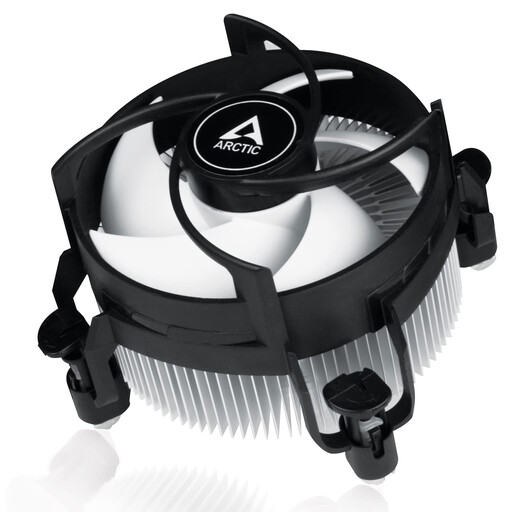
Why this product fits the profile: The compact design with a 92 mm PWM fan and a stated height of 77 mm is designed for small cases and Intel systems with LGA1700 or LGA1851.
The clearly stated socket support reduces the risk of buying the wrong model. Pre-applied thermal paste and push pins simplify installation.
Top-blower design, 4-pin PWM connector and a stated maximum speed of 2,000 rpm.
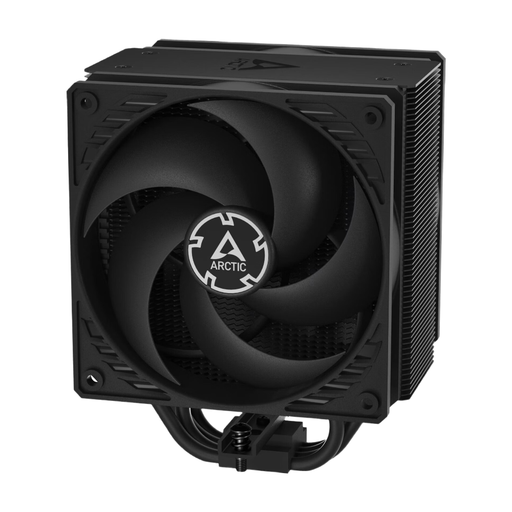
Why this product fits the profile: The single-tower cooler works with two pressure-optimised 120 mm P-fans and is aimed at users who prefer low-maintenance air cooling for Intel and AMD platforms.
The stated cooler height of 15.88 cm should be checked against your case before purchase. The 3-pin connector and speed range of 200 to 1,800 rpm are clearly listed.
Two 120 mm fans, copper heatpipes and aluminium fins in a push-pull configuration.
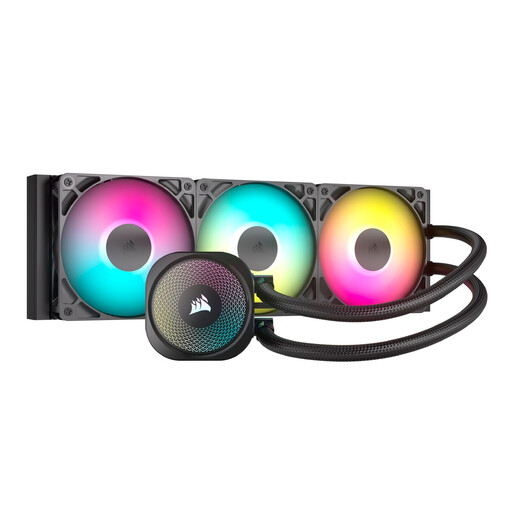
Why this product fits the profile: The 360 mm AIO with three RS120 ARGB fans is ideal for users who want to combine sustained heavy loads, radiator surface area and customisable lighting.
The radiator size, supported sockets and 5 V 3-pin ARGB connector are all specified. Before installation, make sure your case is compatible with 360 mm.
Three PWM-controlled 120 mm fans, support for AM4, AM5, LGA1700 and LGA1851, plus ARGB connection directly to the motherboard.
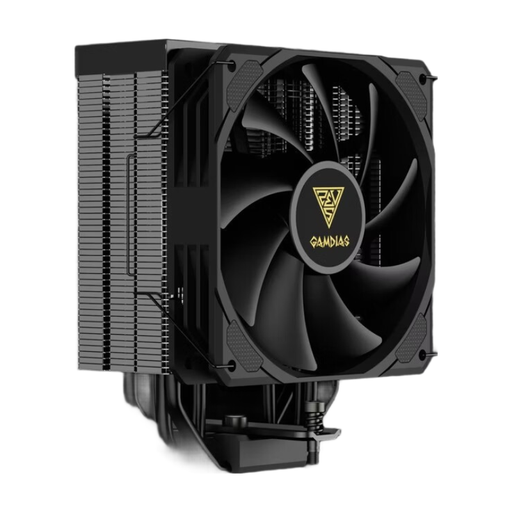
Why this product fits the profile: The single-tower air cooler is aimed at users looking for a 120 mm CPU cooler with broad socket support and 4-pin PWM control.
The sockets AM4, AM5, LGA1150, LGA1200, LGA1700, LGA2011 and LGA2066 are specifically listed. You should still check case clearance and RAM compatibility.
120 mm fan, up to 1,800 rpm and a stated maximum noise level of 32 dB.
We’ve put together a full, regularly updated list of products that fully meet these strict selection criteria and the safety regulations in force in the EU.
Make a note of your processor’s socket, for example AM4, AM5, LGA1700 or LGA1851. Then compare the manufacturer’s specification for the cooler with your motherboard. In addition, the cooler height, radiator format, fan positions and RAM clearance must all be compatible with your case.
Both types can last a long time when installed correctly and cleaned of dust regularly. An air cooler has no pump and no sealed liquid loop. With an AIO, you should also check the pump, hoses and connections for unusual noises or signs of leakage. If you see any liquid, switch off the PC immediately.
Power consumption depends on the fan, pump and lighting. A single PWM fan usually requires less additional power than an AIO with a pump, multiple fans and ARGB lighting. In terms of running costs, the difference in typical desktop use is usually smaller than the power consumption of the processor and graphics card. What really matters is that the cooler is a good match for your CPU and your case.