
Lieferung heute & morgen

Qualitätsgarantie

Willkommens-Angebote freischalten: KOSTENLOSE Lieferung | Bis zu 80 % RABATT | Kostenlose 30-Tage-JoyPlus-Testphase
App herunterladen
A CPU cooler needs to do more than just fit your processor. The socket, case height, radiator space, connection type and desired noise level all determine whether installation will go smoothly. With self-built gaming PCs in particular, purchases often go wrong not because of a single technical specification, but because of overlooked details.
The phrase "compatible with AMD and Intel" isn't always enough. What really matters is whether the specific mounting kit supports the socket you're using. For current systems, AMD AM4 and AM5 as well as Intel LGA1700 and LGA1851 are particularly relevant. A cooler may be fundamentally suitable for Intel, yet still not be compatible with every platform or every bundle's contents.
With an AMD AM4 AM5 cooler, you should also check whether the original backplate or the existing AMD retention module is required. With Intel models, a special mounting frame may be necessary.
A larger cooler isn't automatically suitable for every case. A tower cooler around 159 mm tall won't fit inside a compact Mini-ITX case. With liquid cooling, on the other hand, you need to consider radiator length, radiator thickness and fan positioning.
A 240 mm AIO, for example, requires space for two 120 mm fans. A 360 mm AIO needs three 120 mm fans, while a 420 mm AIO requires three 140 mm fans. Additionally, the motherboard, RAM or graphics card can restrict installation at the top or front of the case.
Manufacturers often state noise values at specific fan speeds or under defined conditions. A maximum decibel value is therefore a point of comparison, but not a guarantee of the noise level inside your own PC. For a quiet CPU cooler, what matters alongside the maximum value is a wide PWM control range, the fan bearing type and a suitable fan curve.
First, check the CPU socket and the processor's power consumption. An AMD Ryzen 5 7600X, for example, is sold as an AM5 processor with 105 W TDP and, as a tray model, requires a separately purchased cooler. The AMD Ryzen 5 8400F for AM5 is also supplied without a CPU cooler and without thermal paste.
TDP is a useful guide, but it doesn't tell the full story about actual heat output. Processors with automatic boost functionality or manual overclocking can place higher demands on cooling, depending on the motherboard, BIOS settings and workload.
With an air cooler, the key factors are:
A compact top-blower with a 92 mm fan can be suitable for small cases. A single-tower cooler with two 120 mm fans, by contrast, offers a larger cooling surface but needs more space.
An AIO liquid cooler consists of a cold plate, pump, hoses, radiator and fans. Before buying, you need to check the radiator mounting points and airflow of your case. The connections are also important: PWM connectors go to suitable fan or pump headers, while 5 V 3-pin ARGB must not be confused with a 12 V 4-pin RGB connector.
ARGB is particularly interesting for users who want controllable lighting. However, lighting does not improve cooling performance and should not be seen as a substitute for the right dimensions or a suitable fan control system.
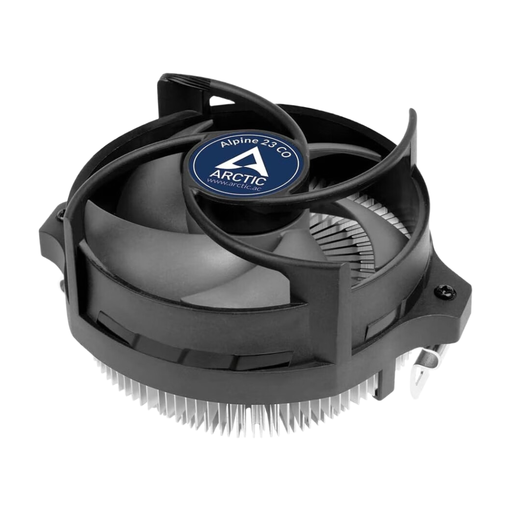
Why this product suits the profile: This compact air cooler is designed for AMD AM4, AM5 and AM3(+) and uses the existing AMD retention module.
The socket compatibility is clearly stated. The pre-applied MX-2 thermal paste reduces the need for additional purchases.
90 mm fan, 4-pin PWM connector and a stated height of 65 mm.
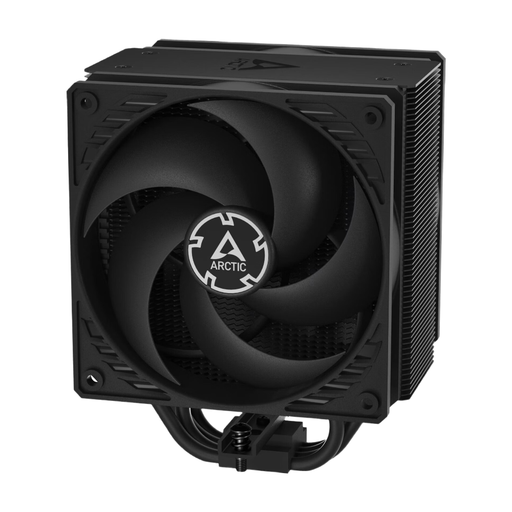
Why this product suits the profile: This single-tower air cooler combines two 120 mm P-fans with copper heat pipes and is designed for various Intel and AMD systems.
The stated height of 159 mm makes it easy to check case compatibility before purchase.
Push-pull configuration, 120 mm fans and a control range from 200 to 1,800 RPM.
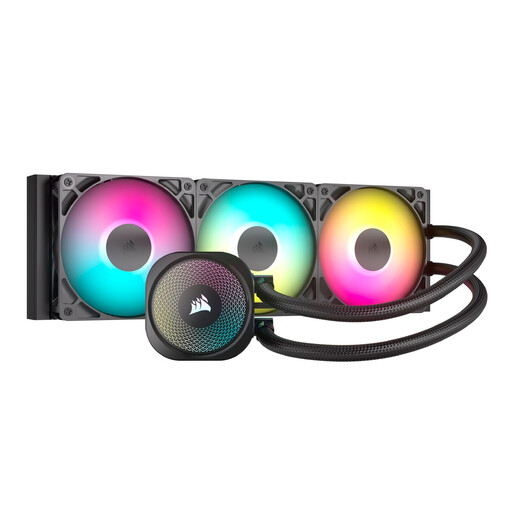
Why this product suits the profile: This 360 mm AIO is aimed at users with a compatible case and an interest in PWM control and ARGB lighting.
Compatibility covers Intel LGA1851/LGA1700 as well as AMD AM5/AM4. The 5 V 3-pin ARGB connector is clearly distinct from the 12 V RGB standard.
360 mm radiator, three RS120 ARGB fans and PWM control.
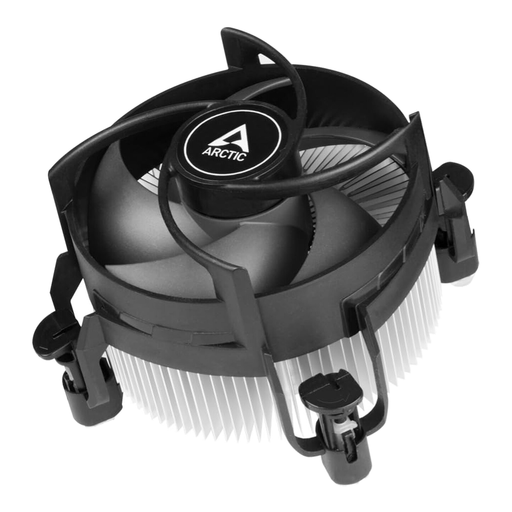
Why this product suits the profile: This compact top-blower with a 92 mm PWM fan is designed for Intel LGA1700 and LGA1851 and for continuous operation.
Socket and form factor are clearly specified. The pre-applied thermal paste and push pins simplify installation.
Dual ball bearing design, 4-pin PWM connector and stated maximum noise levels around 26 dB.
We've put together a full, regularly updated list of products that fully meet these strict selection criteria and the safety regulations in force within the EU.
Before installation, make sure the PC and power supply are completely switched off and disconnected from the mains. When replacing a cooler, clean the contact surface of the processor and apply thermal paste according to the manufacturer's instructions. With a CPU that doesn't include a cooler, such as the tray processors mentioned above, you'll need to budget for a separate cooler and thermal paste.
After installation:
That depends on the mounting kit and the specific product specifications. Models such as the ARCTIC Alpine 23 CO and Corsair NAUTILUS 240 RS ARGB support AM4 and AM5 according to their product data. Before buying, you should also check your motherboard, case and processor power.
A 240 mm AIO can be suitable for many gaming systems. Whether it's enough, however, depends on the processor, power limits, case ventilation and usage profile. For sustained high workloads, larger radiator surfaces such as 360 mm or 420 mm may be worth considering, provided your case supports them.
An air cooler has no pump and can be used for a long time with regular dust cleaning. With an AIO liquid cooler, the pump, hoses and seals are additional components. So check warranty information, installation instructions and the condition of the system regularly.