
Lieferung heute & morgen

Qualitätsgarantie

Willkommens-Angebote freischalten: KOSTENLOSE Lieferung | Bis zu 80 % RABATT | Kostenlose 30-Tage-JoyPlus-Testphase
App herunterladen
Choosing the right CPU cooler is a crucial step when building or upgrading a PC. Modern processors from Intel and AMD generate a significant amount of heat under load, which must be dissipated efficiently to ensure system stability and consistent performance. Inadequate cooling can lead to thermal throttling, where the CPU reduces its clock speed, impairing performance. This article provides objective guidance on the most important selection criteria and presents a selection of cooling concepts for various use cases, from quiet office systems to high-performance gaming PCs.
Before making a decision, several technical parameters should be considered. These ensure that the chosen cooler is not only powerful but also physically fits into your system and meets your requirements for noise levels and aesthetics.
The most fundamental decision concerns the type of cooling. Both technologies have specific advantages and disadvantages.
Compatibility is a non-negotiable criterion. Check two essential aspects before purchasing:
For many users, quiet operation is just as important as raw cooling performance. A quiet CPU cooler features high-quality fans with a wide speed range (PWM control) and an optimized bearing design. The noise level is specified in decibels (dBA), with lower values indicating quieter operation. For users who value their system's appearance, many models offer additional features. An RGB CPU cooler allows for customizable lighting that can be synchronized with other components, adding a personal touch to your PC.
Here is a selection of models that cover different requirements for performance, noise, and features.
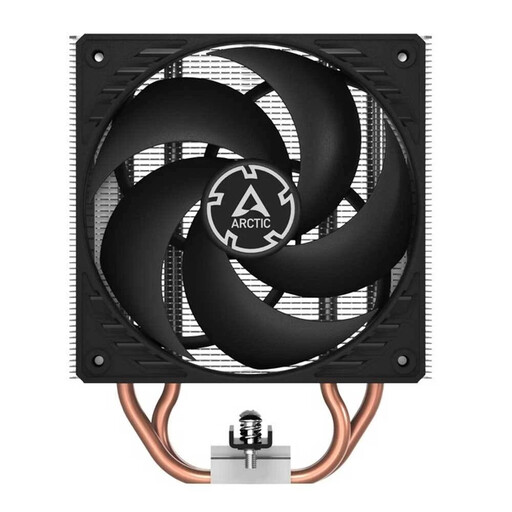
Why This Model Stands Out
The ARCTIC Freezer 36 is a classic tower-style CPU air cooler designed for a balanced ratio of cooling performance, low noise, and an attractive price-to-performance value. With its broad socket compatibility and simple mounting system, it is a straightforward and reliable choice for a wide variety of PC systems.
Pros
Who It's For Users looking for a reliable and cost-effective cooling solution for mid-range CPUs who value easy installation and quiet operation.
View details for the ARCTIC Freezer 36
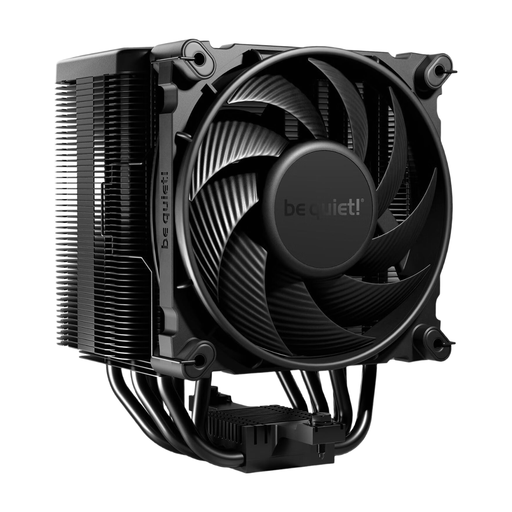
Why This Model Stands Out
The be quiet! Dark Rock 5 is a high-performance air cooler consistently designed for extremely quiet operation without compromising on cooling performance. Its asymmetrical design and heatsink cutouts ensure high compatibility with RAM modules and motherboard VRM heatsinks.
Pros
Who It's For PC enthusiasts and gamers who need a powerful yet very quiet air cooling solution for high-end CPUs and prefer a subtle, premium design.
View details for the be quiet! Dark Rock 5
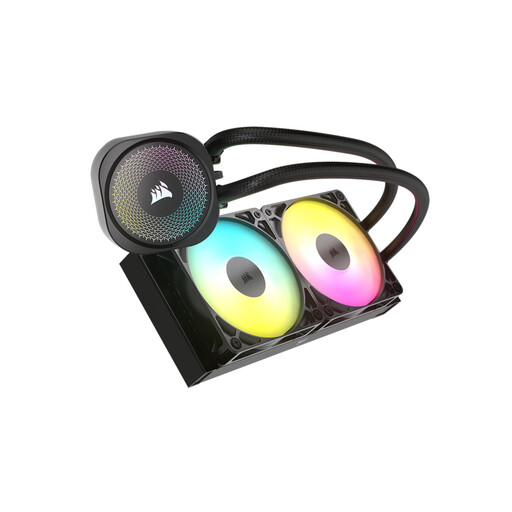
Why This Model Stands Out
The CORSAIR NAUTILUS 240 RS ARGB is an AIO cooler that combines efficient cooling performance with appealing aesthetics. The two 120mm ARGB fans and simplified wiring via daisy-chain connectors make it an attractive option for builds with a side window. The lighting is controlled directly through compatible motherboards.
Pros
Who It's For PC builders and gamers looking for a powerful liquid cooler with customizable RGB lighting and clean cable management for mid-range to high-end systems.
View details for the CORSAIR NAUTILUS 240 RS
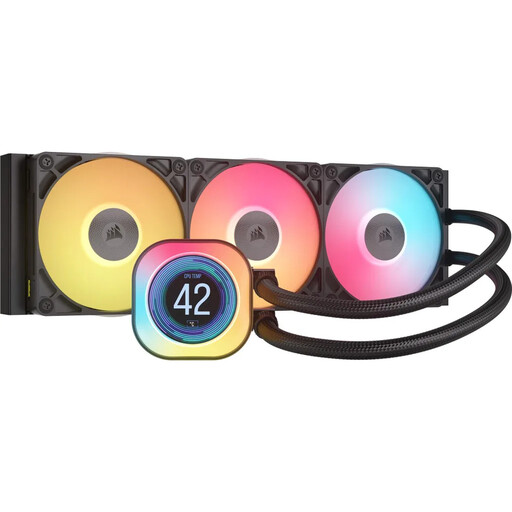
Why This Model Stands Out
The iCUE LINK TITAN 360 RX LCD represents the high end of AIO cooling. With a 360mm radiator and three fans, it offers tremendous cooling capacity for the most demanding processors. The integrated IPS LCD on the pump head allows for displaying system information or personalized graphics, making the cooler the visual centerpiece of the system.
Pros
Who It's For Enthusiasts and power users who require maximum cooling performance for overclocked high-end CPUs and want advanced customization options through an LCD display and an integrated software ecosystem.
View details for the iCUE LINK TITAN 360 RX LCD
The selection presented here covers common use cases. If your requirements are more specific or you simply want to compare more models, you can find a wider range of cooling solutions in our main category.
Discover our entire range of PC CPU Coolers and find the ideal solution for your system.
1. Which CPU cooler fits my motherboard? Compatibility depends on the CPU socket. Check your motherboard's specifications to determine the socket type (e.g., AMD AM5 or Intel LGA 1700). Then, compare this information with the list of supported sockets in the cooler's product data. All models presented here are compatible with common modern sockets.
2. Is a CPU liquid cooler louder than an air cooler? Not necessarily. The noise level of an AIO liquid cooler is determined by the pump and the radiator fans. Modern pumps are often very quiet. At low to medium loads, the fans of a liquid cooler can spin slower than those of a comparable air cooler, resulting in quieter operation. Under full load, however, the noise level can vary depending on the model and fan speed. A high-quality, quiet CPU air cooler can be quieter than a budget AIO.
3. How often should you change the thermal paste on a CPU cooler? Changing the thermal paste is generally only necessary when the CPU cooler is removed, for example, during a CPU upgrade or a thorough system cleaning. High-quality thermal pastes maintain their thermal conductivity for several years. A preventative replacement every 3 to 5 years can be beneficial but is not strictly necessary if temperatures are stable.