
Lieferung heute & morgen

Qualitätsgarantie

Willkommens-Angebote freischalten: KOSTENLOSE Lieferung | Bis zu 80 % RABATT | Kostenlose 30-Tage-JoyPlus-Testphase
App herunterladen
A CPU water cooler can be a good choice for gaming PCs, content creator systems and high-performance custom builds. However, not every all-in-one water cooler will automatically make your PC quieter or better balanced. Buyers often end up with the wrong product because they compare specifications only at a glance.
A 360 mm AIO or 420 mm AIO needs enough space inside your case. It’s not just the radiator’s stated dimensions that matter. You’ll also need to check:
The 420 mm radiator used in the ARCTIC Liquid Freezer III Pro 420, for example, measures 458 × 138 × 38 mm according to the product specifications. With the fans fitted, its overall height is around 68 mm. Your case must be able to accommodate these dimensions.
Noise figures only make sense when considered alongside fan speed, pump settings and airflow. A quiet CPU cooler may run quietly at low loads, but become noticeably louder when the CPU is under heavy load. So check for:
A low maximum noise figure on its own isn’t a reliable way to compare different models.
“Compatible with Intel and AMD” isn’t enough to make a buying decision. Check the specific socket used by your processor and motherboard. Relevant sockets currently include LGA1851 CPU coolers, LGA1700 CPU coolers, AM5 CPU coolers and AM4 CPU coolers. Some Intel systems may also include a dedicated contact or mounting frame, which the manufacturer says is designed to distribute pressure evenly.
A 240 mm AIO typically uses two 120 mm fans. It fits in many mid-tower cases, making it a practical option for more compact gaming PCs. A 360 mm AIO uses three 120 mm fans, providing more surface area for heat dissipation, but needs more room for mounting.
A 420 mm AIO usually uses three 140 mm fans. The ARCTIC Liquid Freezer III Pro 420, for example, uses three 140 mm fans with a stated airflow of 110 CFM. Its larger size may suit processors that are under heavy load for long periods, but makes case compatibility even more important.
Compare the product’s compatibility list with the specifications for your motherboard. Depending on the version, the models featured here support Intel LGA1851 and LGA1700 as well as AMD AM5 and AM4.
The mounting system matters too. A pre-fitted universal bracket can make installation easier. If you’re using a separate Intel contact frame, tighten the screws evenly and in the specified order. Always disconnect your PC from the mains before installation.
An ARGB water cooler usually needs a 5 V 3-pin ARGB connector. Don’t confuse it with a 12 V 4-pin RGB connector. The fans are generally controlled through 4-pin PWM connectors.
Also check that your motherboard has enough connectors, or whether you’ll need a splitter or daisy-chain connection. Models without ARGB lighting can be a good choice for simpler builds with fewer cables.
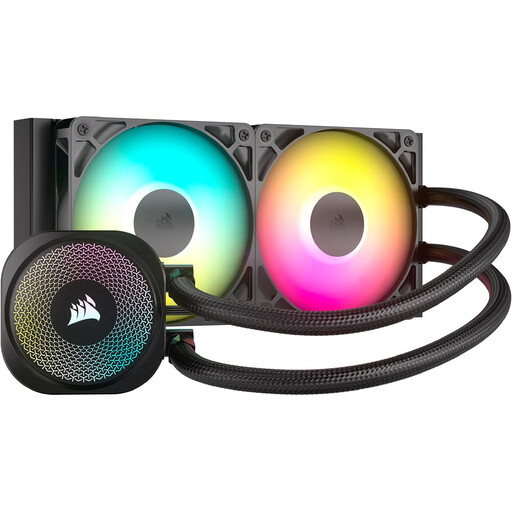
Why it suits this type of user: Its 240 mm form factor fits many cases and combines PWM control with addressable lighting. It supports Intel LGA1851 and LGA1700, as well as AMD AM5 and AM4.
Its compact radiator dimensions of 277 × 120 × 27 mm make it easier to plan your build. The 5 V 3-pin ARGB connector helps reduce the risk of connecting the lighting incorrectly, as long as you use the right motherboard header.
240 mm radiator, two RS120 ARGB fans, PWM control and a direct motherboard connection without an additional controller.
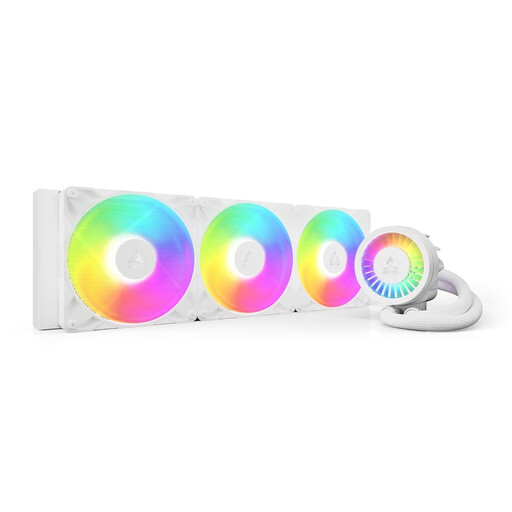
Why it suits this type of user: This 420 mm AIO is designed for users with a compatible case and processors that are under heavy load for long periods. It supports Intel LGA1851 and LGA1700, as well as AMD AM5 and AM4.
The product specifications clearly list the dimensions of the radiator, fans and pump. This lets you check before buying whether your case can accommodate the 458 mm radiator alongside the 140 mm fans.
Three 140 mm P14 PRO fans, a PWM-controlled pump, an integrated VRM fan and built-in cable management.
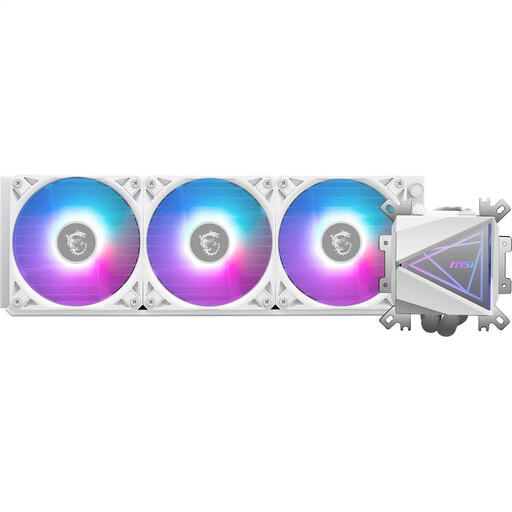
Why it suits this type of user: This 360 mm AIO is a good option for those who regularly game, render or run other CPU-intensive tasks for long periods, and prefer a white ARGB finish.
The specifications list a noise level of 32.8 dBA, PWM speed control and a pre-fitted UNI bracket. This makes it easy to check the noise, connections and mounting before you buy.
360 mm split-flow radiator, three 120 mm ARGB PWM fans and a copper cold plate with an enlarged surface area.
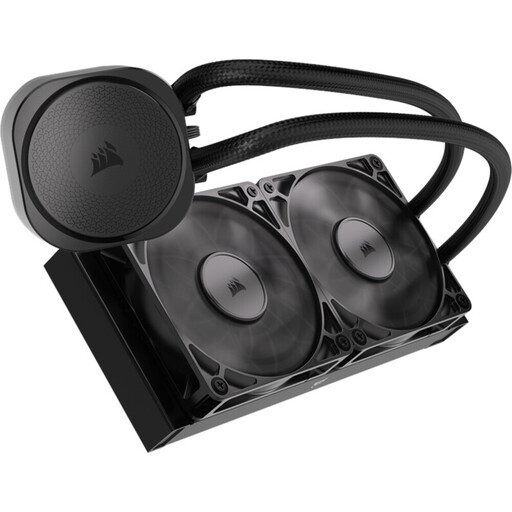
Why it suits this type of user: The non-RGB version is aimed at PC builders who prefer a clean look and direct motherboard control.
With no lighting, you won’t need any unnecessary RGB connectors. The 240 mm radiator and two PWM fans are easy to factor into your case planning using the stated dimensions and socket support.
Copper cold plate with microchannels, aluminium radiator, PWM fans running at 300–2100 rpm, and support for LGA1851, LGA1700, AM5 and AM4.
Ideally, mount the radiator at a designated top or front position and make sure the airflow is clearly directed. The pump must not be run without an adequate coolant supply. Avoid kinking or sharply twisting the tubes.
Pump and fan speeds are the main factors affecting power consumption. An aggressive fan curve can improve cooling, but it also creates more noise and uses more power. A balanced PWM profile in the BIOS helps keep speeds down when the PC is idle.
We’ve put together a complete, regularly updated list of products that meet these strict selection criteria and fully comply with the safety regulations in force in the EU.
Its lifespan depends on the pump, fans, operating time, ambient temperature and dust levels. Don’t open a sealed AIO. Check the fans and pump regularly for unusual noises, and look for any visible moisture around the connections.
That depends on the processor, its power limits, case ventilation and your preferred noise level. A 240 mm AIO can be a good fit for many systems where mounting space is limited. A larger radiator can provide more cooling headroom under sustained heavy loads, provided it’s compatible with your case.
Check the motherboard’s voltage and connector type. A 5 V 3-pin ARGB connector must not be connected to a 12 V 4-pin RGB connector. Switch off your PC and disconnect it from the mains before installation.