Joybuy tablets for viewing larger magazine pages
This selection from Joybuy features tablets with larger screens for reading digital magazines. Also check that the title or reading app you want works on the specific version.
 No image available
Samsung Galaxy Tab A11+ X230, 11-inch, Wi-Fi, 6 GB RAM and 128 GB, Grey
The 11-inch format may suit you if you want to see more of a digital magazine page at once.
11 inches; Wi-Fi; 6 GB RAM; 128 GB storage.
View at Joybuy
 No image available
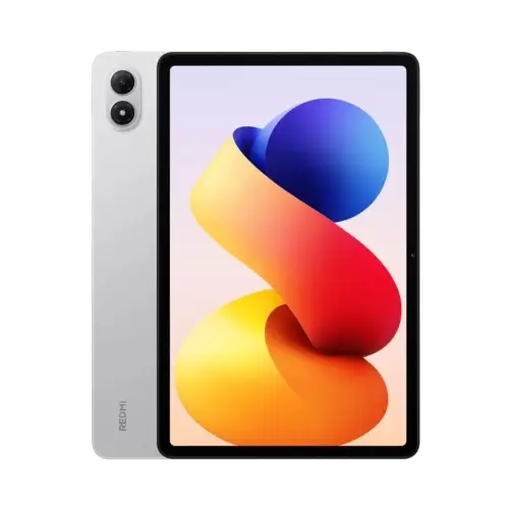
REDMI Pad 2 Pro, Wi-Fi, 8 GB RAM and 256 GB, Silver
The larger screen may suit you if you prefer more room to view magazine pages.
Wi-Fi; 8 GB RAM; 256 GB storage.
View at Joybuy
 No image available
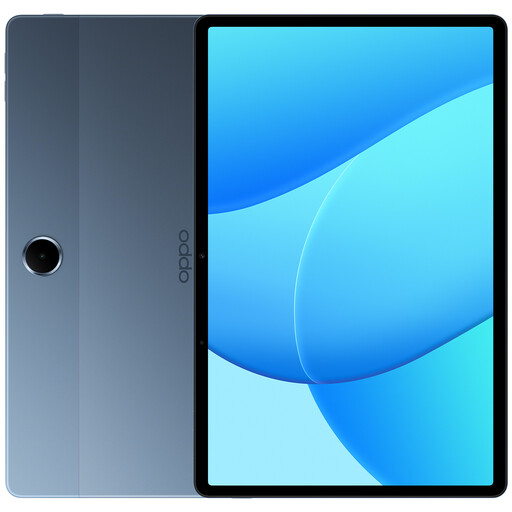
OPPO Pad SE, model OPD2419 EUN, Wi-Fi, 4 GB RAM and 128 GB, Twilight Blue
The 11-inch format is worth considering if you’re looking for more room to view digital magazine pages.
Wi-Fi; 4 GB RAM; 128 GB storage.
View at Joybuy
 No image available
Apple iPad Air 11-inch, M4, 2026, Wi-Fi, 128 GB, Blue
The 11-inch version may suit you if you want to read on iPadOS and enjoy a larger screen.
Wi-Fi; 128 GB storage.
View at Joybuy
 No image available
Teclast P50, 11-inch, 90 Hz, Android 15, 8 GB RAM and 128 GB, Dual SIM 4G LTE and 5G Wi-Fi
The 11-inch screen may suit you if you prefer a larger view of your digital magazines.
11 inches; 90 Hz; Android 15; 8 GB RAM; 128 GB storage; Dual SIM 4G LTE and 5G Wi-Fi.
View at Joybuy
Frequently asked questions
How do I set up a tablet for digital craft magazines?
First, check whether the publisher offers a PDF or e-paper file, or an app. Download a sample or an issue you already own, then test full-page view, zoom and offline access. BurdaStyle offers downloadable sewing and knitting e-papers; the Readly app description mentions an offline mode, but that doesn’t mean every magazine is available there.
Can I use any magazine app on a Fire tablet?
No. An app being available on Google Play doesn’t mean it will work on a Fire tablet. Fire tablets don’t support Google Play, so check the specific app and issue on the model you want.
What should I bear in mind when charging beside the bed?
Apple advises that you don’t charge iPads under a blanket, pillow or your body, and that you allow air to circulate around the device and power adapter. Also follow the safety instructions for your specific tablet.
Is a larger tablet always more comfortable for reading in bed?
No. A larger screen doesn’t automatically make reading more comfortable. It can help when viewing full pages, but if you hold the device yourself, its weight, case and your usual reading position matter too.
What extra costs should I budget for?
As well as the tablet, factor in the cost of the individual issues or subscription you want, along with any accessories you actually need. Check what comes with the specific version: Xiaomi, for example, states that the REDMI Pad 2 doesn’t include a power adapter.


