Magazine fans who read outdoors
You often read illustrated issues in bright daylight and want to weigh up reflections against clear colour reproduction.


For illustrated craft magazines in bright daylight, a colour tablet is usually the best starting point if you need magazine apps and colourful instructions. As well as checking the stated brightness, compare reflections and view a complete magazine page in the kind of light you usually read in. A matte screen could be an alternative if glare is a problem. Colour e-paper may be worth considering if you read PDFs you can transfer to the device. Larger screens can show more of the page at once, but are less portable.
You often read illustrated issues in bright daylight and want to weigh up reflections against clear colour reproduction.
You want to make out text, patterns or step-by-step pictures without constantly zooming in, so you’re comparing screen size with portability.
Before you buy, you need to check whether your issue is only available in a particular app or comes as a file you can transfer.
First, check how you access your magazines. Then compare how easy it is to read a sample page against the screen size and weight of the specific device.
A good fit if: you need magazine apps, vivid colours and the option to zoom in on step-by-step pictures.
The trade-off: A high brightness rating won’t automatically eliminate reflections, so check which glass option the model has.
A good fit if: reflections bother you, but you still want to use a colour tablet to read magazine pages.
The trade-off: Check that the specific screen option works with your magazine app.
A good fit if: your issues are available as PDFs you can transfer and you’re considering a reader with annotation features.
The trade-off: Being able to import PDFs doesn’t mean a magazine app or every protected issue will work.
| What matters | What to check when buying | Who is it important to? |
|---|---|---|
| Readability in daylight | Screen finish, SDR rather than HDR brightness alone, and how your own magazine page looks in similar light. | When I read outdoors, I want to make out text and pictures despite reflections; around 33% of consumers put daylight readability first. |
| Colour and seeing the whole page | A sample page in portrait orientation, along with the size, resolution and weight of the exact model. | I want a clear view of both step-by-step pictures and a full magazine page; around 27% of consumers prioritise colour and seeing the whole page. |
| Access to magazines | Check with the publisher which format the issue comes in, which app you need, whether your device is supported and whether PDFs can be transferred. | If my subscription is tied to a particular app, I want to know in advance whether I can open my issues; around 27% of consumers put magazine compatibility first. |
| Portability and heat | Check the weight of the specific model and the manufacturer’s advice on using or charging it in hot conditions. | If I carry or hold my device often, a comfortable size matters more to me than having the biggest possible page; around 13% of consumers prioritise portability. |
Apple distinguishes between up to 1,000 nits of SDR brightness on the iPad Pro M5 and a higher peak brightness for HDR content. These figures describe different viewing conditions.
Compare brightness figures measured on the same basis, and also check how reflections look on a magazine page.
A PDF you can transfer and an issue that’s only available through a magazine app are two different ways of accessing content.
Ask the publisher which format the issue comes in and whether you can read it on the device you have in mind.
An issue you’ve already paid for may remain inaccessible if it requires an app that isn’t available.
Apple offers nano-texture glass on this model only with the 1 TB or 2 TB versions.
Compare the full model specification, including storage and glass option.
The iPad Pro M5 is worth considering if you want to compare a colour tablet with a clearly specified anti-reflective option.
The Galaxy Tab S11 Ultra is a large-screen colour tablet to consider if you’re looking for plenty of display space and stylus features.
The MatePad 11,5 S 2026 is a colour tablet option with a PaperMatte screen version promoted by the manufacturer.
The Paper Pro is designed for readers who want to read and annotate files they can transfer to a colour e-paper device.
The Yoga Tab Plus ZAEG0031DE is a large-screen LCD option. Check what each brightness figure measures before comparing them.
This selection includes colour tablets for digital magazines and a compact colour e-paper device. For each model, check whether your issues are available as an app or as files you can transfer.
 No image available
An option for reading colourful magazine pages and app-based issues on an 11-inch iPad.
This version is specified with an IPS screen at 2360 × 1640 pixels, P3 colour, an anti-reflective coating and 500 nits of brightness. The Wi-Fi model described weighs 464 g.
 No image available
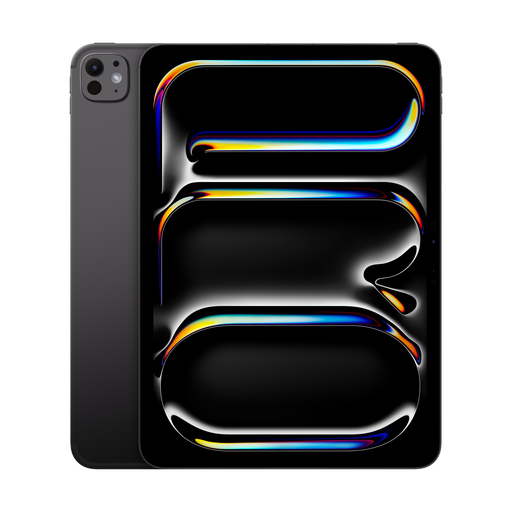
A colour tablet option for readers who want to weigh up nano-texture glass and the anti-reflective coating on an 11-inch model.
The screen is specified at 2420 × 1668 pixels, 264 ppi and P3 colour. The Wi-Fi model described weighs approximately 444 g.
 No image available
The 13.4-inch screen may appeal to readers who want to see how a full digital magazine page looks.
The product title specifies 120 Hz and Android 16. The product description advises against exposing the device to sunlight for long periods; bear this in mind when using it outdoors.
 No image available
An 11-inch option for digital magazine pages; check beforehand that the device supports the magazine app you need.
The product title specifies an IPS screen, 90 Hz and 128 GB of storage. The product description advises against exposing the device to sunlight for long periods.
 No image available
A compact colour e-paper option if you mainly want to read digitally and check app access.
The Kaleido 3 screen is specified at 300 ppi for black-and-white content and 150 ppi for colour content. At 6.13 inches, there’s less screen space for a full magazine page.
Not on their own. For the iPad Pro M5, Apple distinguishes between a maximum of 1,000 nits of SDR brightness and 1,600 nits of peak brightness for HDR content. For magazine pages, also check reflections and the glass option on the specific version you’re considering.
reMarkable documents PDF import. Check with your publisher whether you’ll actually receive an issue you can transfer; PDF import doesn’t mean an issue that’s only available through a magazine app will work.
Apple specifies an operating ambient temperature of 0 to 35 °C for iPads and recommends keeping the device out of direct sunlight and hot environments while charging. This manufacturer guidance applies to iPads, not all tablets in general.
For a qualifying online consumer purchase from a business, you generally have 14 days from delivery to cancel your order; exceptions and rules on return postage apply. The European Union’s Your Europe website distinguishes this right to cancel from your statutory legal guarantee rights: goods in the EU generally have a minimum two-year legal guarantee. This is not the same as an additional manufacturer’s warranty.