
Lieferung heute & morgen

Qualitätsgarantie

Willkommens-Angebote freischalten: KOSTENLOSE Lieferung | Bis zu 80 % RABATT | Kostenlose 30-Tage-JoyPlus-Testphase
App herunterladen
A large-format FDM 3D printer with multicolour functionality can cover a wide range of applications – from model making and replacement parts to prototypes. At the same time, exaggerated product claims often lead to disappointing purchases. With the Creality K2 Plus Combo 3D Printer, you should therefore look beyond the headline figures of “600 mm/s” and “16 colours” and also consider build volume, filament compatibility, space requirements and running costs.
The term 600 mm/s 3D printer refers to a stated maximum value that depends on the model, filament, layer height and acceleration. The Creality K2 Plus Combo is advertised at speeds of up to 600 mm/s, while the product specifications list a print speed of 300 mm/s. In practice, this means that the actual duration of a print job still depends heavily on the geometry and the quality settings selected.
A 3D printer with multicolour printing requires a suitable material-changing system in addition to the printer itself. The K2 Plus Combo uses CFS multicolour technology, designed to support up to 16 colours. However, colour changes can require additional filament changes, purge material and longer printing times. If you mainly print single-colour technical components, you may not use this function regularly.
A 350 × 350 × 350 mm build volume allows you to create larger models without splitting them into sections. However, with dimensions of approximately 495 × 515 × 640 mm, the printer itself requires more space than the build volume alone might suggest. When you factor in the filament feed system, cables and sufficient clearance for ventilation, you should plan for a stable, heat-resistant location.
The Creality K2 Plus has a 350 × 350 × 350 mm build volume. Its listed features include a flexible build plate, dual Z-axis and enclosed housing. Anti-tip protection and automatic levelling help with setup, but they do not replace regular cleaning of the build plate or mechanical checks.
Weight is also an important consideration for schools, small businesses and model makers: the net weight is stated as approximately 32 kg. The printer should therefore remain permanently in a suitable location and should not be moved frequently.
According to the product specifications, the K2 Plus Combo supports, among others:
The stated maximum nozzle temperature is 350 °C, while the heated bed reaches up to 120 °C. The chamber temperature is specified as up to 60 °C. These figures do not mean that every filament can be processed reliably without additional adjustments. Dry storage, suitable print profiles and a clean nozzle remain important.
The K2 Plus Combo is equipped with an AI camera and a toolhead camera. These can help monitor prints and identify certain types of errors. However, a camera cannot prevent every failed print and should not be viewed as a substitute for proper preparation.
Automatic bed levelling reduces the amount of manual setup required. Nevertheless, you should still check the build plate, nozzle and filament before printing. Even with an automated system, residue or an incorrectly fitted plate can affect adhesion.
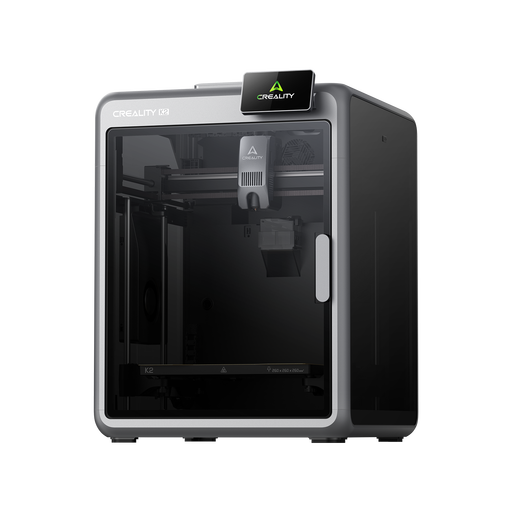
Why this product suits the profile: The more compact 260 × 260 × 260 mm build volume is suitable for users who want to start with an enclosed FDM system and automatic levelling.
The clearly stated build size prevents this more compact model from being confused with the K2 Plus. Buyers can realistically assess the available footprint and printing area.
Up to 600 mm/s, AI camera, automatic levelling, enclosed housing and support for PLA, PETG, ABS and PLA-CF.
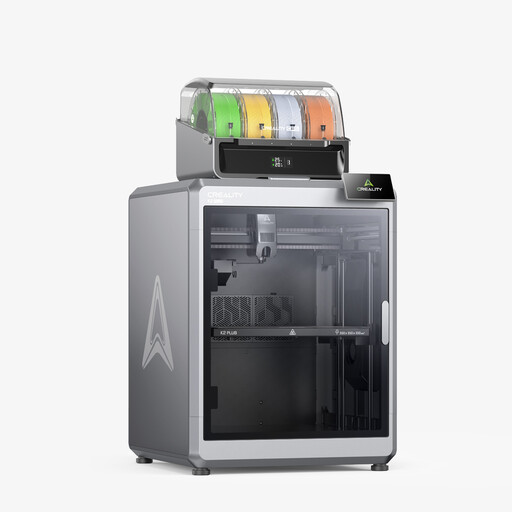
Why this product suits the profile: The larger build volume and integrated multicolour option are suitable for model makers, designers and users who want to create larger or colour-differentiated objects.
The build volume, temperature ranges and supported filaments are clearly specified. This makes it easier to check whether the printer is suitable for planned technical or large-format models.
350 × 350 × 350 mm build volume, up to 600 mm/s, CFS multicolour printing with up to 16 colours, dual AI cameras and automatic anti-tip levelling.
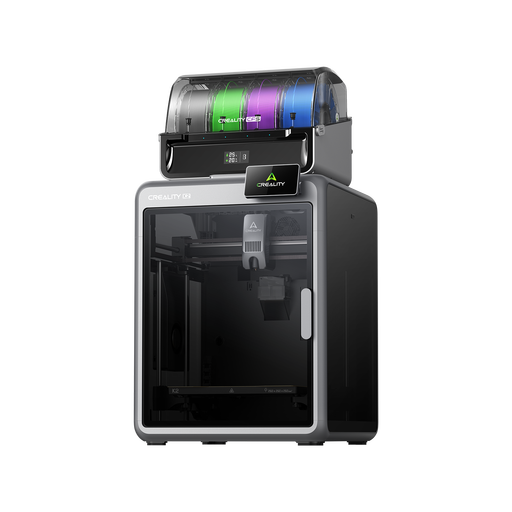
Why this product suits the profile: The combination of the K2 printer and a CFS system is aimed at users who want to use multicolour printing regularly in a more compact format.
The Combo version makes it clear that the CFS system is included. At the same time, its 260 × 260 × 260 mm build volume clearly distinguishes it from the K2 Plus.
Up to 16 colours with up to four CFS units, AI camera, automatic levelling, enclosed housing and a maximum speed of 600 mm/s.
We have put together a complete, regularly updated list of products that fully meet these strict selection criteria and the safety regulations applicable in the EU.
With a fast multicolour printer, costs come from more than just filament. Colour changes can use additional purge material. Nozzles, build plates and, where applicable, wear parts should also be included in your calculations. Fibre-reinforced filaments can increase nozzle wear, so you should follow the manufacturer's recommendations regarding nozzle design.
For safe operation in Germany, follow these practical basic rules:
Yes, its stated 350 × 350 × 350 mm build volume provides more space than the K2 variants with their 260 × 260 × 260 mm build volume. Before buying, however, you should consider the available footprint, weight and access to the printer.
The product specifications state that CFS multicolour printing supports up to 16 colours. A compatible CFS system is required for this. Actual printing time and material consumption increase depending on the number of colour changes and the model design.
No. Automatic bed levelling reduces the number of setup steps, but it does not replace cleaning and visual checks. A clean build plate, correctly stored filament and suitable print profiles remain essential for consistent results.