
Lieferung heute & morgen

Qualitätsgarantie

Willkommens-Angebote freischalten: KOSTENLOSE Lieferung | Bis zu 80 % RABATT | Kostenlose 30-Tage-JoyPlus-Testphase
App herunterladen
A 12-inch LCD writing tablet for children can replace paper, pens and drawing mats on many occasions: practising letters, jotting down quick notes, keeping children occupied on long car journeys or as a creative gift idea. However, models can vary considerably in how easy they are to use, their safety features and how well they stand up to everyday use.
Before buying, parents, grandparents and carers should look out for three common pitfalls:
A 12-inch tablet offers plenty of room for drawings, numbers, letters and simple learning games. Some available models have a writing area of 230 × 165 mm. This gives you a clearer idea of the usable space than the screen size in inches alone.
The overall dimensions also matter if you plan to take it out and about. One example measures 285 × 190 × 5 mm. At around 5 mm thick, it’s easy to slip into a rucksack, school bag or travel bag. Before you buy, check that it will fit in the bag you have in mind and that small hands can hold it comfortably.
A drawing tablet with an erase function should clear the whole screen at the touch of a button. That makes it useful for repeated writing practice, quick sketches and paper-free drawing.
An LCD drawing tablet with a lock function offers extra protection for finished pictures and important notes. The slider switch prevents the erase button from being pressed by accident while you’re out or during transport. However, the lock doesn’t save your work: once you erase a drawing in the usual way, you generally can’t get it back.
A suitable stylus should be included. A built-in stylus holder makes it less likely to go missing between uses. You only need to press lightly to write on the surface. Avoid sharp objects, as they could damage the writing area.
For products with a button cell, only adults should open the battery compartment. Keep new and used batteries out of children’s reach. For children aged three and over, also check the specific age recommendation on the packaging and product page. Small parts may present a choking hazard.
A soft, dry cloth is all you need to clean the tablet. Avoid liquids, harsh cleaning products, high temperatures and direct sunlight. An LCD writing tablet isn’t automatically a full-featured tablet: it usually won’t have apps, colour options or the ability to save work like a digital display.
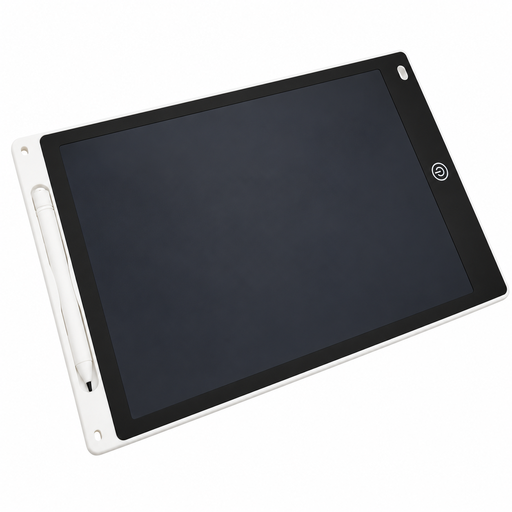
Why this product suits this profile: This tablet combines a 12-inch writing area with a stylus, one-touch erasing and a built-in stylus holder. It’s suitable for drawing, early writing practice and keeping children occupied at home or on the go. Before buying, check that the stated age recommendation is appropriate for your child.
The product details give the specific writing area of 230 × 165 mm and confirm that the screen can be completely cleared at the touch of a button. That makes the key measurements and how it works clear.
12-inch writing area, included stylus, built-in stylus holder and stated lock function.
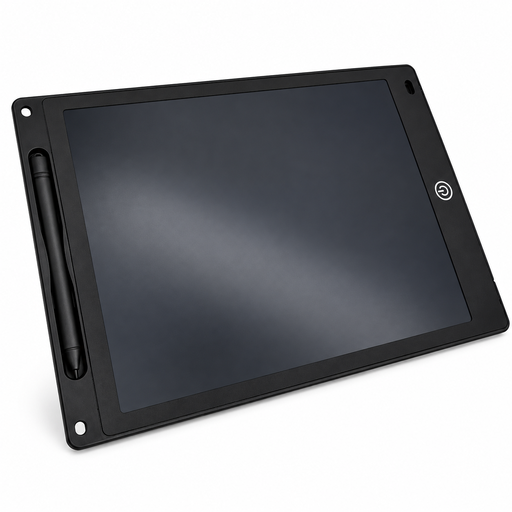
Why this product suits this profile: This model is for families who value clearly stated technical details. At 5 mm thin, it’s designed for drawing, writing, number practice and taking along at home, to school or in the car.
The product description specifies both the 5 mm thickness and the lock function. This makes it easier to check whether it’s portable and protected against accidental erasing.
230 × 165 mm writing area, 5 mm-thin casing, stylus, erase button and lock switch.
Why this product suits this profile: This tablet is described as suitable for both children and adults, so it can be used for regular notes, learning activities and drawing by people of different ages. It’s at home on a desk or on the go.
The product details specifically mention erase and lock functions, as well as the possible need for a button cell. Before ordering, check whether the battery is included.
Suitable for children and adults, 12-inch area, built-in stylus holder and reusable LCD writing surface.
We’ve put together a complete, regularly updated list of products that meet these strict selection criteria and fully comply with the safety regulations in force in the EU.
It depends on the model and the age information on the packaging or product page. Some tablets are described as suitable from age three, while others are intended for children aged five and over. Given the button cell and small parts, it’s sensible for an adult to supervise use. Keep batteries out of children’s reach.
There’s no single answer, as battery life depends on the model, the battery and how often the tablet is erased. Before buying, check the battery type, what’s included and the instructions for replacing it. Only adults should open the battery compartment.
It’s a handy option for sketches, letter practice, quick notes and keeping children occupied on the go. However, it generally won’t save content permanently or offer the features of a computer or tablet. Paper, coloured pencils and other creative materials are still useful for colourful craft projects, pictures you want to keep and more detailed drawings.