When choosing a projector for crime dramas, first pick a screen size that’s easy to make out from your usual seat. Then check whether the projector can produce an image of that width from its actual position. Viewing distance and projection distance are two different measurements. ProjectorCentral also points out that projection calculators may be based on manufacturers’ specifications. For dark scenes, consider the room lighting and how the image looks together, rather than relying on a contrast figure alone.
Who is this guide for?
Crime drama fans who sit a long way from the screen
If you sit a long way from the screen, judge the image size and readability from your own seat. Don’t confuse your viewing distance with the distance between the projector and the screen. ProjectorCentral offers guidance on planning a projection set-up, but you should check the specific positioning at the intended location.
Viewers who watch dark scenes
If you want to make out shadows, faces and clues in night-time scenes, take the room’s lighting into account too. Manufacturers’ contrast specifications don’t replace judging the image in your own viewing conditions.
TV series fans watching in the living room
If you watch with ambient light or often move your projector, consider the lighting, optics and controls together. XGIMI describes the HORIZON S Max as having an integrated stand and automatic set-up assistance.
What matters when buying?
First, measure the distance from your seat to the screen. Then separately measure the available distance between the projector and the screen.
| Buying priority |
What to check |
Who it matters most to |
| Image size and readability |
Measure the viewing distance and possible image width; check how easy subtitles are to read from your usual seat. |
If my sofa is a long way from the screen, I want to be able to make out faces and subtitles from there. Around 36% of consumers are likely to put image size and readability at the top of their list. |
| Dark crime drama scenes |
Assess dark scenes in comparable lighting conditions; keep ambient light under control where possible. |
In night-time scenes, I want to spot clues in the shadows without relying on a contrast figure alone. Around 29% of consumers are likely to prioritise visibility in dark scenes. |
| Positioning and projection distance |
Measure the distance between the projector and the screen separately, then check it against the throw ratio for the exact model. |
If the shelf or ceiling position is fixed, I want to know in advance whether the lens can produce the image width I want from there. Around 21% of consumers are likely to put suitable positioning at the top of their list. |
| Living room lighting and ease of use |
Check your typical room lighting, along with the streaming, HDMI and audio connections you need. |
In the living room, I want to start a series easily in my usual ambient light and connect my existing streaming devices or audio equipment. Around 14% of consumers are likely to prioritise lighting and ease of use. |
Common buying mistakes
-
Confusing viewing distance with projection distance
Viewing distance helps you judge image size, while the distance between the projector and the screen determines positioning and the image width you can achieve. If you measure only one distance, you could choose a position that won’t produce the image you want.
Measure both distances separately, then check the projector-to-screen distance against the zoom range or throw ratio of the specific model. Confirm the result before planning a permanent installation.
-
Assuming a high contrast figure guarantees visible detail
Manufacturers’ contrast and image-processing specifications alone don’t show how clearly you’ll be able to make out details in dark scenes under the lighting conditions in your room.
Where possible, assess dark scenes in similar viewing conditions and check what measurement method and picture mode the stated figure refers to.
-
Considering only the upfront cost of lamp-based models
Epson and BenQ quote lamp life figures that vary by model and operating mode. These manufacturers’ specifications don’t automatically reflect the actual lifespan in your set-up.
With a lamp-based model, you may need to replace the lamp later. Its stated life depends on the model and operating mode.
Compare the specifications for the exact model, check that replacement lamps are available and review the relevant warranty terms.
Relevant brands at a glance
Epson
The EH-TW7000 is an example of a model for a planned, fixed home cinema set-up, with optical zoom and lens shift.
- Epson lists two HDMI ports and a lamp life of 5,000 hours in Eco mode for this model.
- The contrast and lamp life figures are manufacturers’ specifications, not an independent assessment of dark scenes in your own room.
BenQ
The W2710 has published optics specifications that can help when planning a fixed position.
- BenQ lists a throw ratio of 1,13–1,47, 1.3x zoom, vertical lens shift and HDR picture modes.
- Lamp life depends on the operating mode. BenQ’s claims about dark image detail are manufacturers’ specifications, not an independent comparison of models.
soundcore NEBULA
According to Anker, the X1 combines optical zoom with Google TV built in, making it an option for buyers who want to stream directly through their projector.
- Anker lists a throw ratio of 0,9:1–1,5:1 and a triple-laser light source for the X1.
- The advertised contrast performance is a manufacturer’s specification. Image width, positioning distance and the audio connections you need must suit your room and existing equipment.
XGIMI
The HORIZON S Max is an example of a model with an integrated stand and automatic set-up assistance.
- XGIMI lists autofocus and automatic screen alignment.
- Automatic alignment doesn’t replace checking the projection distance. The manufacturer’s claims about brightness and image detail don’t prove that it’s suitable for every room.
Joybuy products for TV series and films
The Joybuy products below are projectors for watching TV series and films. If you sit a long way from the screen, pay particular attention to your desired image width, the actual projection distance and the lighting in the room.
 No image available
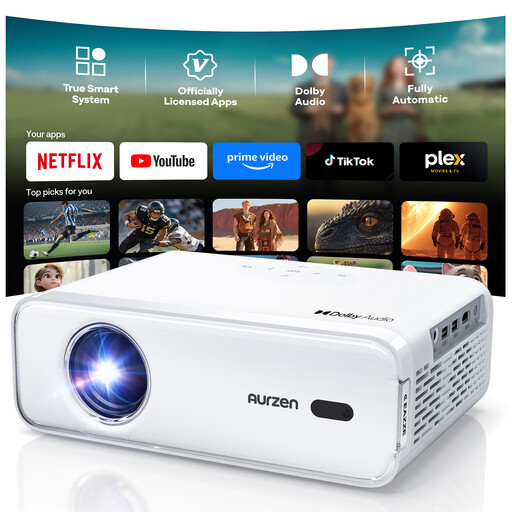
Aurzen Smart Projector, native 1080P
Native 1080P resolution and built-in streaming apps are listed for watching TV series.
The description also lists autofocus, keystone correction, HDR10 and dual-band Wi-Fi.
Netflix, Prime Video and YouTube are also listed, along with two 8-W speakers and Bluetooth 5.1.
View at Joybuy
 No image available
XGIMI Vibe One Match Night Collection
The description lists FHD 1080P and Google TV for watching series and films; the bundle includes a projection screen with a stand.
It also lists 250 ISO lumens, JBL audio and a built-in battery.
According to the product information, the included screen measures 70 inches.
View at Joybuy
 No image available
Projector with built-in apps and Play Store
Built-in apps and Play Store are listed, so you can start watching a series without a separate streaming player being specified.
The product information lists a projection size of 50–200 inches and 50–100% digital zoom.
Other features include automatic image correction, Wi-Fi 6, Bluetooth and 180° rotation.
View at Joybuy
 No image available
XBJ Portable Projector, native 1080P
The product information lists native 1080P resolution and built-in streaming apps for watching films and TV series.
Specifications include 700 ANSI lumens, HDR10, autofocus and automatic keystone correction.
The title lists a stand that rotates through 280° and a projection size of up to 300 inches. Don’t look directly into the lens while the projector is operating, and keep the ventilation openings clear.
View at Joybuy
 No image available
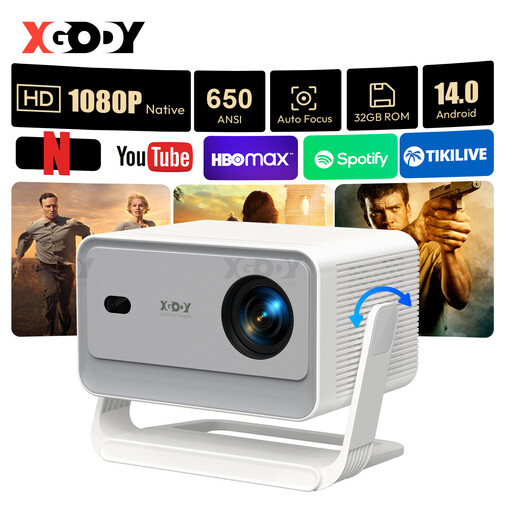
XGODY Gimbal A6 Pro, native 1080P
The product description lists native 1080P resolution and Android 14.0 for watching TV series.
Specifications include 650 ANSI lumens, autofocus, automatic keystone correction, Wi-Fi 6 and Bluetooth 5.4.
According to the description, the gimbal stand is adjustable through 135°. Don’t look directly into the lens while the projector is operating, and keep the ventilation openings clear.
View at Joybuy
Frequently asked questions
Are viewing distance and projection distance the same?
No. Measure the distance from your seat to the screen to assess image size, and separately measure the distance between the projector and the screen for positioning. ProjectorCentral notes that projection calculators may be based partly on manufacturers’ data. Confirm the result before arranging a permanent installation.
How do I connect a streaming player or soundbar?
Check the connections on the specific projector and your existing devices. Epson lists two HDMI inputs on the EH-TW7000; BenQ lists HDMI inputs and eARC on the W2710. This doesn’t guarantee compatibility with every app or audio system.
What ongoing costs and rights should I consider?
For a lamp-based model, consider the operating mode and the possibility of replacing the lamp later. Epson and BenQ publish model-specific lamp life figures. The Verbraucherzentrale distinguishes the statutory guarantee against the seller from a voluntary manufacturer’s warranty. Online purchases generally come with a right to cancel, usually within 14 days of receiving the goods.
What should I look for in an electrical projector sold in Germany?
Products made available on the European single market must meet the relevant EU requirements. As part of its market surveillance, the Bundesnetzagentur lists CE marking, product traceability, manufacturer information, and the required German-language warnings and instructions among the things it checks. The exact requirements depend on the product and the regulations that apply.
How should I dispose of an old projector?
Dispose of an old projector separately as waste electrical equipment. According to the Umweltbundesamt, local collection points generally accept electrical waste free of charge.


