Crime novel readers without a reliable connection
If you might lose your connection while travelling, check that your chosen book source lets you download the title you want. Check the app, operating system and book before you set off.


If you mainly read continuous text on the bus and hold your device yourself, a compact tablet is a sensible starting point. A larger screen may be worth the extra space and weight if you want to read larger pages or use additional apps. Before buying, check that your book source works with the operating system, and download your crime novel before setting off. Manufacturer battery-life estimates are not a guarantee of reading time.
If you might lose your connection while travelling, check that your chosen book source lets you download the title you want. Check the app, operating system and book before you set off.
The size and weight should suit your seating position and the space available. A smaller screen may be more practical to hold for longer, but it’s also important that your preferred font size is comfortable to read.
If you want to use other apps as well as read crime novels, or view larger document pages, consider a bigger screen. Weigh the extra space and weight against how you plan to use it.
A good fit if: You read for long periods while holding the device, and your book app is available for Android. The Samsung Galaxy Tab A11 and Lenovo Tab One both have 8.7-inch screens.
Consider: A smaller screen may show less text at a time when using a large font. You’ll also need to check that the app and title are available.
A good fit if: You also want to use larger pages or iPadOS apps, and can prop up the device. The iPad (A16) has a nominal 11-inch screen.
Consider: Apple says the Wi-Fi model weighs 477 g and takes up more space than the 8.7-inch tablets mentioned above.
A good fit if: The books and apps you need are available in the relevant app store, and you’re looking for a compact tablet.
Consider: Fire tablets don’t support Google Play, so check in advance that your chosen reading app is available.
A good fit if: You mainly read e-books and don’t need other tablet apps. Certain tolino and PocketBook devices are listed as compatible with Onleihe 3.
Consider: According to Onleihe Help, protected Onleihe e-books can’t be opened on Kindle e-readers. Check that your chosen book source is supported.
| Priority | What to check before buying | Who is this important to? |
|---|---|---|
| Book source and offline reading | Check that the app and operating system are compatible; download the title you want before travelling and test it without a connection. | If I want to keep reading when I lose my connection, I need my book source and title on the device beforehand. Around 36% of consumers would make access to books without a connection their top priority. |
| Handling and font size | Compare the size and weight of the exact model; check that your preferred font size is easy to read. | If I often hold my tablet on the bus, its weight and display need to suit the way I sit. For around 29% of consumers, ease of use is the main consideration. |
| Apps and other uses | Check that the book app and any other apps you need are available for the relevant operating system; assess e-book text and fixed PDF pages separately. | If I use other apps or read larger pages as well as novels, I need a device that suits these uses. Around 21% of consumers would choose this versatility as their top priority. |
| Battery life | Check the conditions behind the manufacturer’s figures; try your own app and brightness settings before a longer journey. | If I’m travelling for a long time and can’t be sure of finding somewhere to charge, I want to estimate battery life based on how I use the device. For around 14% of consumers, battery life is their main buying priority. |
Fire tablets don’t support Google Play, so a particular book app won’t necessarily be available.
Before you buy, search for the specific app in the app store on the device you’re considering.
Lenovo’s claim of up to 12.5 hours for the Tab One is based on YouTube streaming. The Fire HD 8 (2024) claim of up to 13 hours applies to mixed entertainment use. Neither figure promises the same battery life when using your reading app at your chosen brightness.
Try your own usage settings before a longer journey, and check whether you’ll be able to charge while travelling.
Lenovo lists the 8.7-inch Tab One at around 320 g; Apple lists the 11-inch iPad (A16) Wi-Fi model at 477 g. Screen size alone doesn’t tell you which device will be more comfortable to hold.
Think about your usual posture, the space on your seat and the font size you use when reading.
Onleihe Help says Kindle e-readers can’t be used to read its protected e-books. Tablets offer different ways to access them, but you still need to check whether the specific app is available.
Check your book source, device type and library support before choosing a device.
Samsung’s Galaxy Tab A11 is part of its compact Android tablet range. Samsung Germany lists a Wi-Fi version with an 8.7-inch screen and 64 GB of storage.
The Lenovo Tab One, model ZAF00255SE, is a compact Android tablet with an 8.7-inch screen and 64 GB of storage.
The iPad (A16) has a nominal 11-inch screen and may suit readers who also want to use larger pages or iPadOS apps.
This selection includes devices for reading on E Ink or tablet screens. Check that each model suits your book source and preferred way of reading.
 No image available
This E Ink device may be worth considering if you’re specifically looking for a tablet with reading and writing features.
10.65-inch E Ink screen; according to the description, it has no front light and is therefore not self-illuminating.
 No image available
This compact Android tablet may suit you if you’re looking for a smaller device and your book app works with it.
8.8-inch screen; Android 14; 12 GB + 256 GB. According to the product title, a mains adapter is not included.
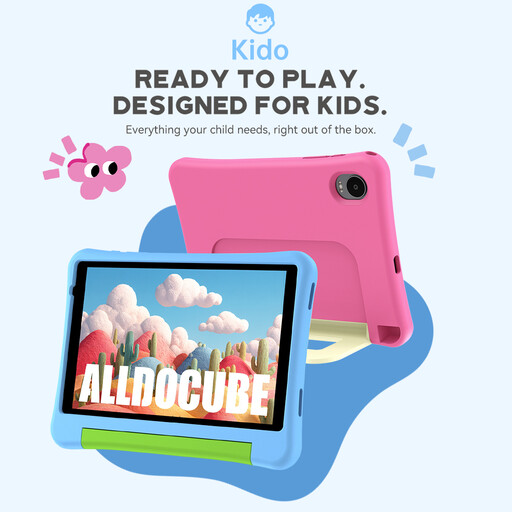 No image available
This model is described as a children’s tablet. It may suit you if you’re specifically looking for this type of device and your book app is available for it.
8-inch screen; Android 15; 3 GB + 32 GB. According to the product title, a mains adapter is not included.
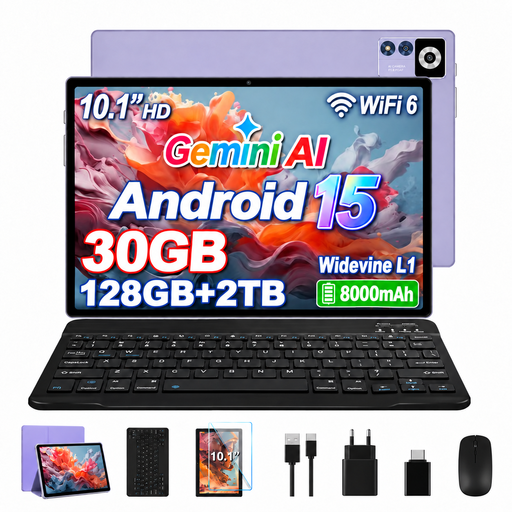 No image available
This larger screen may suit you if you want to read larger pages as well as continuous text, and the size works for your seat.
10.1-inch screen with a resolution of 1,280 × 800 pixels; Android 15; 128 GB storage; 8 GB RAM + 22 GB virtual RAM.
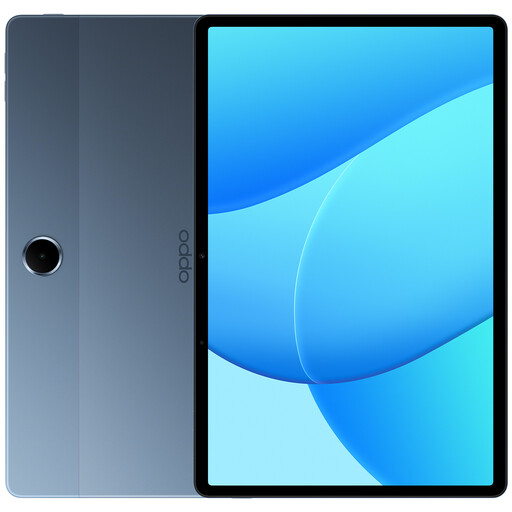 No image available
This 11-inch model may suit you if you want a larger display or to use other apps, and can prop up the device while reading.
11-inch screen; 128 GB storage; 4 GB; model OPD2419 EUN. According to the description, a charger is not included.
Yes. Onleihe 3 lists tablets as supported devices for e-books. Onleihe Help says the Onleihe 3 app requires at least Android 10 or iOS 15.1. You’ll need a valid library card and login details to sign in. Also check that your library and the title you want are supported.
Sign in to your book app, download the crime novel you want and test it without a connection. Onleihe Help explains how to sign in to the app and open borrowed titles; this doesn’t mean that every book service guarantees offline access.
No, they’re different types of device. Onleihe Help explains that its protected e-books can’t be read on Kindle e-readers. You’ll also need to check that the app you need is available for a Fire tablet, as it doesn’t support Google Play.
For a typical online purchase of goods, EU consumer information says you generally have 14 days from delivery to cancel, although exceptions and return costs may apply. If goods are faulty, the legal guarantee from a business seller is generally at least two years from receipt. This is different from any additional manufacturer’s warranty.