Crocheters with a dedicated computer setup
If you regularly want to film your hands and crochet project at your desk, a USB camera could be a good fit. Check that your computer and recording software work with the camera’s connection.


If you mainly film your hands and crochet project at your computer, an adjustable document camera is a sensible place to start. A tilting webcam may be more practical for conversations with the occasional view of your work. If you want to record without a computer running, a compact camera could be an option. Whichever you choose, make sure the working distance, framing and stable overhead view suit your desk.
If you regularly want to film your hands and crochet project at your desk, a USB camera could be a good fit. Check that your computer and recording software work with the camera’s connection.
If you switch between speaking to the camera and showing your stitches, an adjustable view is important. Check that you can set up a suitable view of the desk at your particular workspace.
If you want to make videos without a computer running to record them, a camera that records independently could be an option. You’ll also need to plan for a stable position above your crochet project.
A good fit if: You mainly film your hands and stitches, and have a suitable computer where you record.
Consider: The USB output, cable routing, footprint and camera height all need to suit your desk.
A good fit if: You also have video calls and only show your crochet project occasionally.
Consider: A tilting desk mode does not guarantee a straight-down view. You’ll need to check the position and focus on your yarn at your own workspace.
A good fit if: You want to film without a computer permanently connected to record.
Consider: You’ll need to plan separately for a stable overhead position and a suitable recording setup.
| What you need | What to check before buying | Who is this important to? |
|---|---|---|
| Overhead view and framing | Work surface and planned camera height; IPEVO gives the V4K PRO’s maximum capture area as 34,2 × 25,5 cm. | If I want to show both hands and the area I’m working on at the same time, I need suitable framing and a clear work surface. Around 36% of consumers say an overhead view is their top priority. |
| Stitches in focus at working distance | Distance between the lens and crochet project; IPEVO gives the V4K PRO’s autofocus range as starting at 10 cm. | If I want individual stitches to be clear while I’m working, focus at my actual working distance matters more than a resolution figure alone. Around 29% of consumers prioritise stitch detail. |
| Recording on a computer | Available connections, recording software and cable routing; IPEVO lists USB-A/UVC for the V4K PRO. | If I want to switch between conversation, commentary and a desk view, the camera and computer need to fit my workflow. Around 21% of consumers say a computer-based workflow is their top priority. |
| Recording without a computer | Check the storage media and power supply, as well as a suitable, stable mount. | If I want to film without a computer running to record, an independent setup matters more to me than a fixed USB setup. Around 14% of consumers prioritise recording independently. |
Resolution describes a video mode, not the focus or the size of the stitches in the finished image.
Compare the working distance and framing, then assess a short test recording with your planned setup.
Logitech describes a Show Mode on the MX Brio that tilts towards the desk; Canon lists a built-in table stand for the PowerShot V10. Neither confirms that you’ll get a stable, straight-down view of your crochet project.
Plan where the camera will sit above your clear work surface and check how it mounts before you buy.
The IPEVO V4K PRO uses USB-A/UVC, while the VZ-R also offers HDMI. The connections on these two models are therefore not interchangeable.
Before ordering, make a note of the camera output, available connection and recording device.
Document cameras for your desk, for example to film your hands and crochet project.
PC webcams for video calls and occasionally showing work on your desk.
An alternative webcam if a separate mount is an option for your workspace.
A compact camera for a standalone video setup.
A compact camera with an integrated zoom lens for adjustable framing.
This Joybuy selection includes compact cameras that record independently and a webcam for a computer-based workflow.
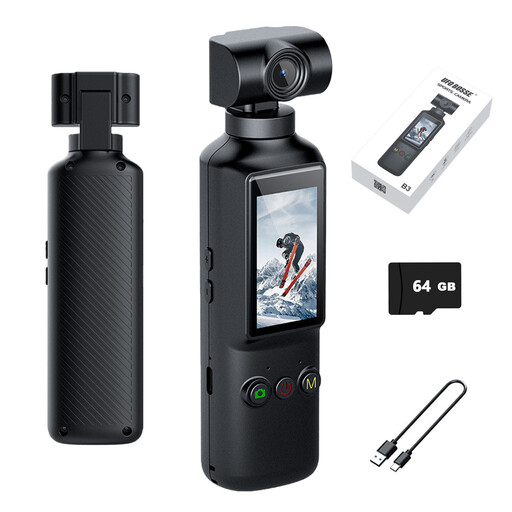 No image available
The product title mentions a rotating lens for adjustable framing; check whether it lets you set up the view you want of your hands and crochet project.
The product title lists 4K video recording at 30 frames per second, a 5,1-cm display, Wi-Fi, a 1000-mAh battery and USB-C.
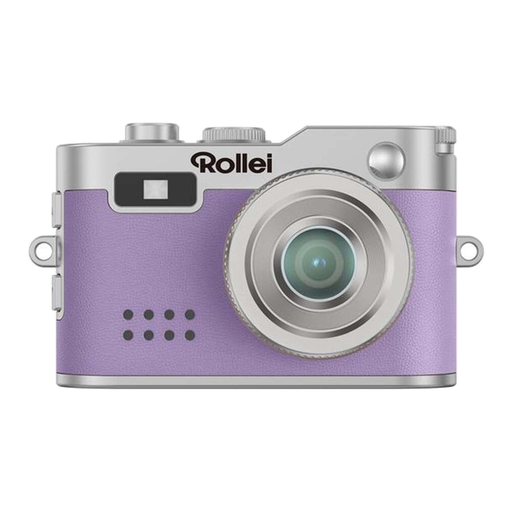 No image available
The name identifies it as a mini digital camera. Before buying, check that the framing and focus work at your crochet station, and find out which connections and mount your setup needs.
 No image available
It could work as a webcam for a computer-based workflow. Check whether you can achieve the overhead view you want and focus on the stitches at your workspace.
The product name describes it as a 4K webcam.
No. Also check the working distance and framing, and make a test recording of your hands and stitches. Manufacturers list resolution and focus specifications for individual models, but these don’t guarantee that details will be clear with your setup.
It depends on the model. IPEVO lists USB-A/UVC for the V4K PRO, but USB and HDMI for the VZ-R. Check the connections on the specific camera model and the device you want to connect it to.
First, set up the camera in the position you intend to use and at your usual working distance. IPEVO gives the V4K PRO’s autofocus range as starting at 10 cm. Then check with your hands and yarn in the frame that the area you’re working on stays clear as you move.
For a qualifying distance purchase, European Union consumer information generally explains that you have a 14-day right to cancel from the date of delivery, subject to applicable conditions and exceptions. If goods are faulty, you have a statutory right to a remedy from the seller for at least two years from receipt; this is separate from any voluntary manufacturer’s warranty.
The German Federal Network Agency lists checks including correct CE marking, manufacturer details and any required German-language instructions. If your recording captures other people or areas outside your private surroundings, or if you publish recordings, check the applicable rights separately. Information from the Bavarian Data Protection Authority on private video surveillance does not give blanket permission to publish recordings.