Crocheters filming at a table by a window
You film your hands and stitches from above and want to see the side facing away from the window more clearly.


If the window already lights your crochet well, an adjustable light aimed specifically at the darker side is often enough. For a larger work area, a setup with a diffuser gives you more flexibility, but takes up space. Before buying, check that the mounting and power supply will work with your table and fit within the camera frame.
You film your hands and stitches from above and want to see the side facing away from the window more clearly.
You want to keep the same framing while monitoring brightness and yarn colours during filming.
You have little room for stands and need to arrange the light, camera and your hands so nothing gets in the way of filming.
Best for: Brightening a limited area of your table alongside the window, with the option to adjust the colour temperature.
Consider: You’ll need room to position the panel and mount outside the frame. NEEWER Germany notes that the tripod included with the NL660 varies by version.
Best for: Lighting a larger work area, if you have room for a light modifier and stand.
Consider: Aputure lists separate measurements for the amaran 60x S light and reflector; these don’t describe its output with a softbox.
Best for: When the window is already providing the main light and you only want to brighten a small area.
Consider: A monitor mount won’t automatically position the light above your crochet. Elgato says the amount of light from the Key Light Neo depends on its USB power supply.
Best for: If you mainly film on your smartphone and want a suitable mount as part of the setup.
Consider: Being suitable for selfies doesn’t guarantee the right side-lighting for your work. Ulanzi recommends checking for reflections in the actual camera frame.
| What matters | What to check when buying | Who it matters most to |
|---|---|---|
| Seeing stitches and hands clearly | Check that the light brightens your work area enough and consider whether a diffuser would suit your setup. | If I want to show my hands and individual stitches from above, the light shouldn’t create harsh, distracting shadows. Around 36% of consumers particularly look for clearly visible stitches and hands when buying. |
| Showing yarn colours consistently | Compare the adjustable colour temperature and check the colours in a test recording using the actual window light. | When I film with both window and artificial light, I want the yarn colours in the finished video to look as consistent as possible. Around 29% of consumers prioritise keeping yarn colours consistent as daylight changes. |
| Clear overhead view and mounting | Check the mount, table edge and height, as well as the framing with the light and camera in their intended positions. | If I have little room on the table, the light and camera need to be positioned so my hands and crochet remain clearly visible. Space-saving mounting is a priority for around 21% of consumers. |
| Recording and power supply | Test the light with your planned camera and dimmer settings; check the power source and cable route for the intended recording time. | When I film longer tutorials, I want to check the power supply and picture for interruptions or distracting bands. Around 14% of consumers prioritise uninterrupted recording and a suitable power supply. |
The published figures for the amaran 60x S distinguish between the bare light and the reflector. They don’t automatically describe the light with a softbox.
Only compare figures measured at the same distance and with the same light modifier, and check which accessories your setup requires.
The tripod included with the NEEWER NL660 depends on the version; NEEWER Germany says NP-F batteries aren’t included.
Before buying, check the contents of the exact version on offer and factor in any mounts or batteries you’ll need.
Elgato lists different light outputs for the Key Light Neo depending on its power supply.
Check that the planned power source suits your table setup, and make sure the mount and cable route will work.
The NL660 is a bi-colour panel for separately positioning table and video lighting.
The 60x S is a bi-colour COB light for a setup where the light modifier and stand need to be checked separately.
The P260C Pro is a bi-colour panel with an integrated diffuser for video recording.
The Key Light Neo is a compact USB light with a monitor mount, suited to situations where the window already provides plenty of light.
Smartphone ring lights and mounts may suit a particularly compact smartphone setup.
This selection includes desk, ring and video lights for filming crafts, including models with smartphone mounts and a COB video light.
 No image available
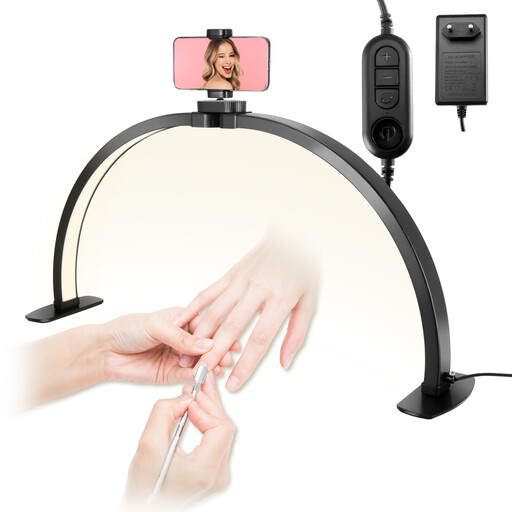
For smartphone filming of crafts at a table; the phone holder described can be positioned for horizontal or vertical recording.
The product name lists three colour temperatures from 3000–6000 K; the description specifies ten brightness levels.
 No image available
For smartphone filming at a table, including from an overhead position, as stated in the product description.
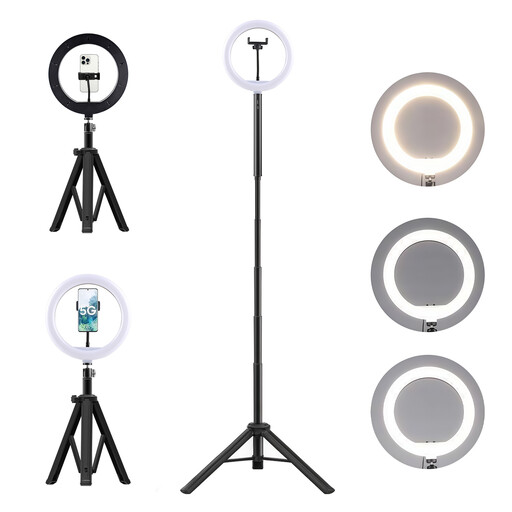
Described as having an adjustable phone holder, 360° head, ten brightness levels and three colour temperature modes; the product name specifies a 10,000-mAh power bank and a stand.
 No image available
For a separately planned video lighting setup using a compatible light modifier.
The product name specifies 200 W, COB, bi-colour 2700–7000 K and a Bowens mount. Check which light modifier and stand your setup requires, and whether they’re included.
 No image available
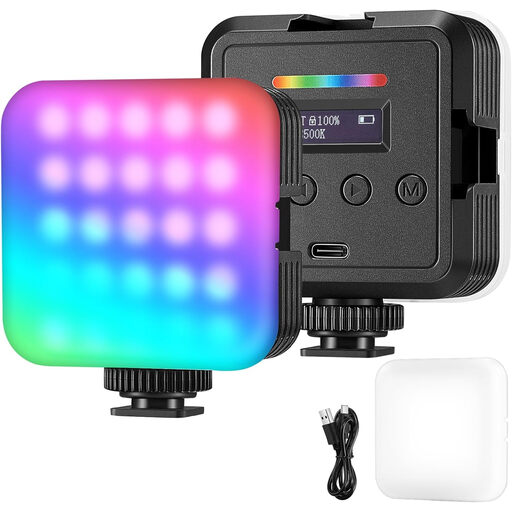
Described as a portable light for video, photography and streaming with a camera or smartphone.
The description lists RGB, white and warm light modes, as well as adjustable brightness and colour temperature.
 No image available
For smartphone or camera recording with an adjustable setup; the description lists a mount for a phone or camera.
The product name specifies a 10-inch ring light, 63-inch stand, three colour modes and ten brightness levels.
Start by aiming it at the side of your crochet that gets less light from the window, then check for shadows and a clear view of the stitches in a test recording. A diffuser may help if the direct light looks too harsh in your setup.
No. CRI figures for a particular model don’t replace white balance or a test recording in the actual window and artificial light. Adobe explains that white balance affects how white objects appear in video.
Test the light with your planned dimmer and camera settings. Canon lists 1/50 s or 1/100 s as possible shutter speeds for certain flicker problems; this isn’t a guarantee for every light or camera.
Check the manufacturer’s information and product labelling for the specific device. CE marking is only required when the relevant EU harmonisation legislation applies to that product group; it isn’t a quality rating for the video image. The Federal Network Agency describes checking product labelling and manufacturer information as part of market surveillance.
If you buy as a consumer in the EU, you generally have a statutory guarantee claim against the seller for at least two years from receiving the goods, as Your Europe explains. This is separate from any voluntary manufacturer’s warranty.