
Lieferung heute & morgen

Qualitätsgarantie

Willkommens-Angebote freischalten: KOSTENLOSE Lieferung | Bis zu 80 % RABATT | Kostenlose 30-Tage-JoyPlus-Testphase
App herunterladen
The search for the right Curved Gaming Monitor can quickly become overwhelming. Manufacturers advertise with impressive numbers and technical jargon, but not every specification delivers on its promise in practice. Many gamers and home office users invest in features they either can't use or that don't provide the expected value. This guide will help you understand the crucial features and avoid common purchasing pitfalls.
Before we dive into the important technical specs, let's shed light on the marketing traps that often lead to disappointment.
To make an informed decision, focus on these three crucial technical features.
Pixel density is crucial for a sharp image. The combination of size and resolution determines how detailed your games and applications will look.
These two factors determine how fluid and vibrant the image is perceived.
Instead of making a one-size-fits-all recommendation, we have selected models tailored to specific user profiles and their requirements.
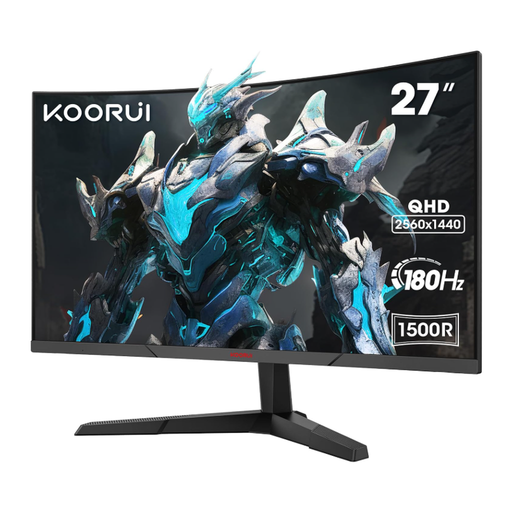
Why This Fits Their Persona: Ideal for users who want to make the leap from Full HD to a higher resolution without breaking the bank. The combination of 27 inches, WQHD resolution, and 180 Hz offers an excellent price-to-performance ratio for PC gaming and everyday tasks.
It avoids the pitfall of sticking with Full HD on a 27-inch monitor. The WQHD resolution ensures a sharp image, while the high 180 Hz refresh rate guarantees a smooth gaming experience, not just a marketing gimmick.
Offers future-proof features with WQHD resolution and 180 Hz in a price-sensitive segment. The VA panel ensures good contrast.
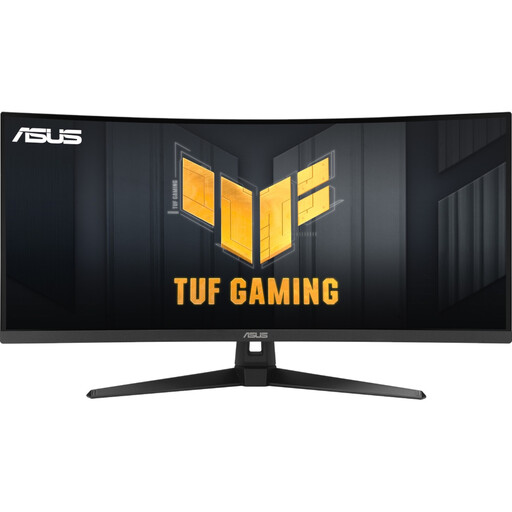
Why This Fits Their Persona: Perfect for gamers and productivity users seeking a wider field of view for maximum immersion or more screen real estate. The 21:9 aspect ratio is ideal for RPGs, racing sims, and working with multiple documents side-by-side.
This monitor avoids the "HDR-Ready" trap with its VESA DisplayHDR 400 certification, which guarantees a minimum standard for brightness and contrast. The 1500R curvature is well-balanced for the 34-inch diagonal, providing immersion without distortion.
The UWQHD format (3440x1440) offers a noticeably wider field of view. The combination of 180 Hz and a high-contrast VA panel makes it a versatile device for gaming and multimedia.
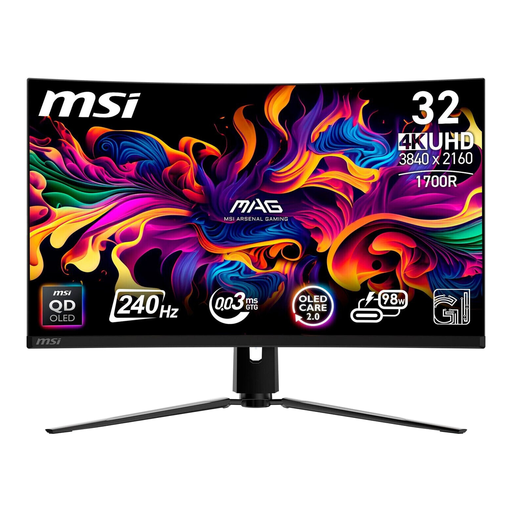
Why This Fits Their Persona: For users who refuse to compromise on image quality. Ideal for high-end PC gaming, 4K console gaming on the PS5, and color-critical work that demands perfect blacks and the highest color accuracy.
As a QD-OLED, it bypasses the typical weaknesses of LCD panels, such as insufficient contrast or slow response times. The DisplayHDR True Black 400 certification guarantees true HDR, not just a compatibility claim.
The QD-OLED technology delivers per-pixel illumination for infinite contrast and an extremely low response time of 0.03 ms (GtG). The combination of 4K resolution and 240 Hz is a market leader.
We have compiled a complete, up-to-date list of products that fully meet these strict selection criteria.
Is a curved monitor suitable for home office work? Yes, ultrawide curved monitors in particular are very well-suited for home office use. The curve helps keep the edges of the screen within your peripheral vision, which can reduce eye strain. The wide format allows you to place multiple application windows side-by-side, which can boost productivity. However, for pure text processing or spreadsheet work, some users still prefer flat screens.
Which curvature radius (e.g., 1500R, 1800R) is right for me? The curvature radius is specified in millimeters and describes the radius of the circle the monitor would form. A smaller value (e.g., 1000R) means a more pronounced curve.
Do I need a special graphics card to take full advantage of a 180Hz WQHD monitor? To fully utilize a WQHD (2560x1440) monitor at 180 Hz, you'll need a modern mid-range to high-end graphics card. Models like an NVIDIA GeForce RTX 4060 / 4070 or an AMD Radeon RX 7700 XT / 7800 XT are good starting points for achieving high frame rates at this resolution in many current games. For less graphically demanding esports titles, older or less powerful cards may suffice. Make sure to connect the monitor via a DisplayPort cable, as HDMI can limit the refresh rate at this resolution.