
Lieferung heute & morgen

Qualitätsgarantie

Willkommens-Angebote freischalten: KOSTENLOSE Lieferung | Bis zu 80 % RABATT | Kostenlose 30-Tage-JoyPlus-Testphase
App herunterladen
The search for a high-quality Custom Mechanical Keyboard with an ISO-DE layout can quickly become overwhelming. The market is flooded with models promising impressive features. But often, hidden behind the marketing are costly flaws that only become apparent after purchase. The wrong key layout, incompatible components, or low-quality materials can quickly sour the excitement of a new device.
This guide will help you identify the crucial features and avoid common pitfalls. We focus on the objective parameters that distinguish a great keyboard from an unsuitable one, ensuring your investment pays off in the long run.
Before we dive into the technical details, you should be aware of these three common issues that often lead to disappointment when choosing a mechanical keyboard:
To avoid the pitfalls mentioned above, you should pay close attention to the following technical specifications. They form the foundation of a satisfying and durable product.
The keyboard layout is the most important criterion for users in German-speaking regions.
Always check before buying that the product is explicitly labelled as ISO-DE or "German layout".
A hot-swap keyboard with an ISO-DE layout allows you to exchange the mechanical switches at any time to customise the typing feel and sound. The compatibility of the PCB (Printed Circuit Board) is crucial here:
A keyboard with 5-pin hot-swap sockets offers you the most freedom in choosing your future switches.
The internal and external qualities are what truly define the user experience.
Based on the criteria above, we have identified a few models that are well-suited for different user profiles.
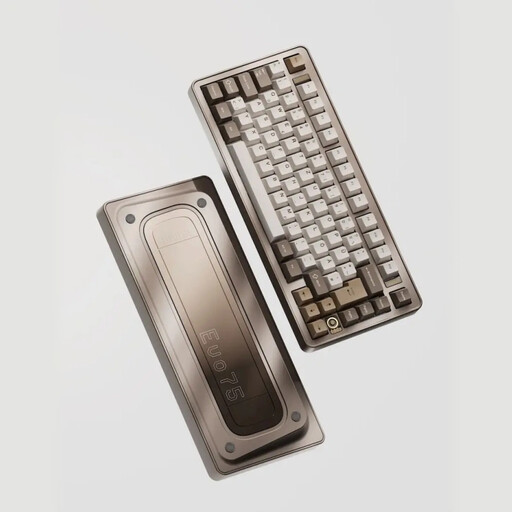
Why This Fits Their Persona: Ideal for users who refuse to compromise on material, function, and aesthetics. The combination of wireless freedom, a compact 75% format, and high-quality components makes it a future-proof choice for demanding gaming and work setups.
Avoids all three main pitfalls: It offers a true ISO-DE layout, a solid aluminium case, and is maximally customisable thanks to VIA compatibility and 5-pin hot-swap sockets.
The leaf-spring mount provides an exceptionally flexible and cushioned typing feel. Tri-mode connectivity (Bluetooth, 2.4GHz, wired) offers maximum flexibility.
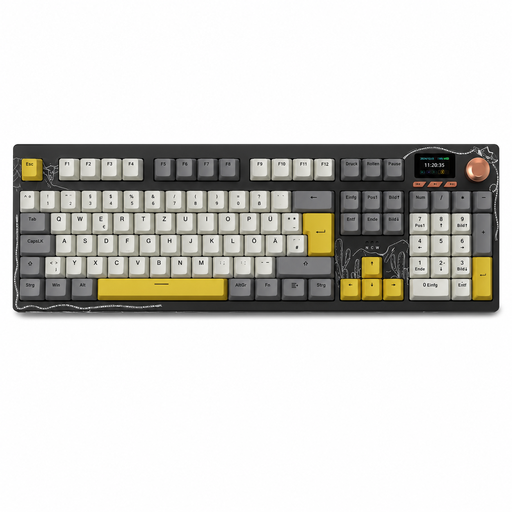
Why This Fits Their Persona: Perfect for programmers, designers, or office professionals who rely on a numeric keypad and a full key layout. Its wireless flexibility and hot-swap function offer comfort and customisability for long workdays.
Bypasses the layout trap with a full 104-key QWERTZ layout. The hot-swap capability also allows for future adjustments to the typing feel without having to buy a completely new keyboard.
The integrated TFT colour screen and multi-function rotary knob provide quick access to status information and volume control. The gasket-mount structure ensures a dampened typing sound.
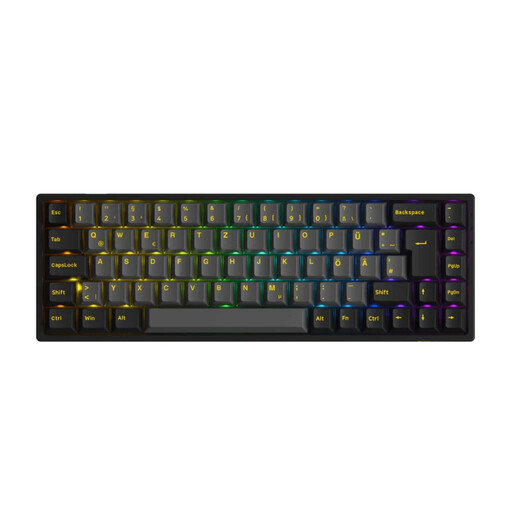
Why This Fits Their Persona: For users who prefer a clean desk setup but don't want to sacrifice ergonomics or the German layout. The 65% format is a great compromise, as it retains arrow keys while being significantly more compact than a 75% or TKL keyboard.
Offers a clean ISO-DE layout in a very compact form factor, which is often hard to find. The 5-pin hot-swap support ensures full compatibility with a wide range of switches.
The 65% layout saves maximum desk space without sacrificing the essential arrow keys. The PBT double-shot keycaps are extremely durable and resistant to wear.
To complete your custom setup, high-quality components like cables are also crucial.
We have compiled a complete, up-to-date list of products that meet these strict selection criteria.
H2: What is the difference between VIA and proprietary manufacturer software? VIA is open-source firmware that allows you to change keyboard settings like keymaps and macros in real-time through a simple user interface, without needing any installation. Manufacturer-specific software is often tied to an operating system, can be more resource-intensive, and sometimes offers fewer features or a less intuitive experience. A VIA keyboard therefore typically offers more flexibility and better long-term community support.
H2: How long does the battery of a wireless mechanical keyboard last? Battery life heavily depends on the battery's capacity (measured in mAh), usage intensity, and the use of RGB lighting. Models with large batteries (e.g., 8000 mAh) can last for several weeks or even months with moderate use and the lighting turned off. With RGB lighting enabled, the runtime is significantly reduced but often still amounts to many dozens of hours.
H2: Is a hot-swap keyboard suitable for beginners? Yes, absolutely. A hot-swap keyboard with an ISO-DE layout is ideal for beginners. It significantly lowers the barrier to customisation, as no technical knowledge of soldering is required. With the included tools (switch and keycap pullers), switches can be changed easily and safely. This allows you to try out different switch types and tailor the keyboard's typing feel to your own preferences without risking damage to the device.