Route planners with lots of waypoints
If you want to see the map and waypoint list at the same time while editing a route, consider screen size, resolution and scaling together. Komoot describes working with a map, sidebar and waypoints.


A 27-inch QHD monitor is a good starting point for viewing a map and waypoint list; consider 4K if you want a sharper picture and can set the scaling to keep text easy to read. If you regularly use other windows alongside your route, an ultrawide monitor may be worth considering, provided you have enough desk space. If space is limited, a compact QHD model is another option to explore. Komoot describes route planning with a map and sidebar; for any specific model, you should also check notebook compatibility, charging power and adjustability.
If you want to see the map and waypoint list at the same time while editing a route, consider screen size, resolution and scaling together. Komoot describes working with a map, sidebar and waypoints.
If you want to keep notes or other references open alongside your route, a wider display could be a good fit. Dell and LG offer models in different screen formats and resolutions; remember to measure the space available on your desk, too.
If desk space is limited, a compact QHD monitor could be a good option. Dell lists the P2425DE as a 23.8-inch QHD model; also check that labels are easy to read at your preferred scaling.
First decide whether you mainly need to view a map and waypoints, use additional windows or keep your setup compact. Then check the resolution, scaling and connections.
| What you need | What to check before buying | Who it matters most to |
|---|---|---|
| See the map and waypoints at the same time | Screen size and native resolution; how it looks at your browser zoom setting | If you want to keep the map and waypoint list in view while planning, a setup that displays both clearly matters. Around 36% of consumers prioritise this overview. |
| View your route and other windows side by side | Screen and stand width; resolution and preferred window layout | If you regularly keep notes or references open alongside your route, extra horizontal space is useful. Around 29% of consumers prioritise having windows open side by side. |
| Readability and desk space | Available desk space; scaling and stand adjustment options | If you have a small desk, you’ll want a suitable format without compromising readability through unsuitable scaling. Around 21% of consumers put desk space and readability first. |
| Connect your notebook via USB-C | Video output over USB-C; charging power required, if applicable | If you want to connect your notebook with one cable and charge it at the same time, the monitor, cable and notebook must all be compatible. Around 14% of consumers prioritise a single-cable connection. |
A higher native resolution doesn’t, on its own, tell you whether labels will be comfortable to read in your planning view. Browser zoom and operating system scaling also play a part.
Open your route planner and check the map and waypoint list at a text size you can read comfortably.
Video output and charging power must be compatible with your notebook and cable. AOC lists DP Alt Mode and Power Delivery up to 90 W for the Q27P3CW; this doesn’t confirm compatibility with every notebook.
Before buying, compare your notebook’s video output, the cable and the charging power it needs with the specifications of the specific monitor.
Depending on your notebook, you may also need a suitable cable, a power supply or a separate docking solution.
A wide display needs plenty of room on your desk, including space for its stand.
Measure the space available and sketch out how you plan to arrange the map and any additional windows.
The U2724D and P2425DE offer 27-inch QHD and a more compact QHD format with a USB-C hub, respectively.
The DesignVue PD2705U is a 27-inch 4K model for a sharper picture.
LG offers ultrawide models for workspaces where you want room for other windows alongside the map.
The Q27P3CW is a 27-inch QHD option with USB-C connectivity and hub features.
The 27E1N5600AE/00 is a QHD option with USB-C for compatible devices.
This selection includes 27-inch 4K monitors for a sharper map display, as well as ultrawide models for viewing a map alongside additional windows. Check you have enough desk space for a wide display, and make sure any USB-C model is compatible with your notebook.
 No image available
The wide format could be a good fit if you want to arrange other windows on screen alongside your route map.
40 inches, 5120 × 2160 pixels, 21:9, IPS, USB-C with 65 W Power Delivery and a height-adjustable stand.
The stated width with the stand is 944,1 mm; measure the space available before you buy.
 No image available
The 27-inch 4K format is an option if you want a sharper map display; adjust the scaling to keep labels easy to read.
3840 × 2160 pixels, IPS, USB-C with 90 W Power Delivery and a height-adjustable stand.
 No image available
A 27-inch 4K model could suit you if you want to show fine map details and find the text scaling comfortable.
3840 × 2160 pixels, USB-C with 65 W Power Delivery and a height-adjustable stand.
 No image available
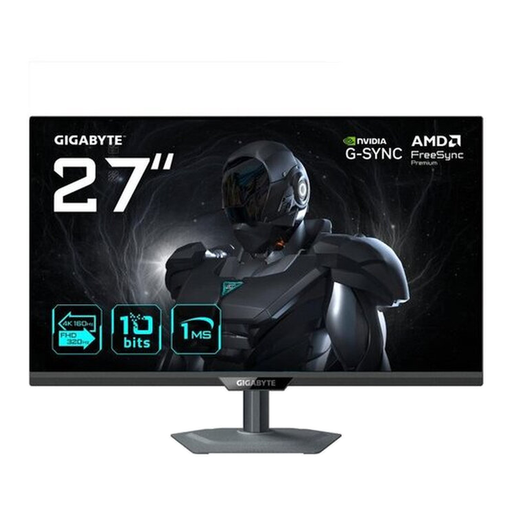
This 27-inch resolution is one option for map views with fine detail; check that text is easy to read at your preferred scaling.
3840 × 2160 pixels and IPS panel.
 No image available
The ultrawide format could suit you if you regularly want to view your route alongside other windows and have enough desk space.
3440 × 1440 pixels, 21:9, USB hub and a height-adjustable stand.
The 34-inch format needs plenty of desk space.
Open your route planner, show the map and waypoint list, then adjust your browser zoom and operating system scaling until the labels are easy to read. Komoot describes working with a map, sidebar and movable waypoints; this doesn’t mean there’s one monitor size that suits everyone.
This only works if your notebook, monitor and cable support the video output you need; to charge your notebook, the power supplied must also be sufficient. AOC lists DP Alt Mode and Power Delivery up to 90 W for the Q27P3CW, but this doesn’t automatically confirm it’s suitable for your notebook.
Check the energy label and product information for the specific model. The European Commission describes an efficiency scale from A to G for electronic displays.
When buying as a consumer, you should distinguish between your statutory rights and any voluntary guarantee. Verbraucherzentrale explains that online purchases usually come with a 14-day right to cancel; when the period starts and any exceptions depend on the specific contract. Its articles on this topic are dated 13 August and 28 September 2026.
Take electrical waste to a separate collection point rather than putting it in your household bin. The German Environment Agency lists recycling centres and retailer take-back options; whether a large old device will be collected when you buy a replacement online depends on the applicable terms.