For detailed route planning
If you often add and move waypoints, look for pointer movement you can adjust to suit precise clicks and drags. In Komoot's route planner, you can move waypoints.


If you often click waypoints and drag route lines, choose a mouse with adjustable pointer movement that feels comfortable and a shape that suits your hand. A vertical mouse may be worth considering for longer sessions; if desk space is limited, a trackball is another option, provided you find its ball control comfortable. Extra wheels and buttons are only useful if they genuinely make your route planner easier to use.
If you often add and move waypoints, look for pointer movement you can adjust to suit precise clicks and drags. In Komoot's route planner, you can move waypoints.
If you spend a long time planning rides at your desk, consider your hand size and dominant hand, and check that the buttons and wheel are easy to reach. The DGUV recommends choosing input devices to suit your individual needs.
If you have little room to move a mouse, consider a trackball. You control the pointer with a ball instead of moving the whole device across the desk. If possible, try one out to see whether it feels comfortable when dragging waypoints.
A good fit if: you edit map points using a familiar mouse and have enough room to move it around.
Consider: Extra wheels and buttons are only useful if they make the actions you want to perform in your route planner easier.
A good fit if: you find the more upright shape comfortable for longer sessions and the model suits your hand size and dominant hand.
Consider: The unfamiliar shape may take some getting used to. The design alone does not guarantee freedom from pain or more precise route planning.
A good fit if: you have little room to move a mouse or prefer to control the pointer with a ball.
Consider: Make sure you find the ball control and scroll ring comfortable, especially when selecting small waypoints and dragging your route.
| Priority | What to check when buying | Who it's most important for |
|---|---|---|
| Controlling waypoints | Adjust the pointer speed to suit your screen; make sure you can click and drag with confidence. | If I add and move lots of points on a map, having easy-to-control pointer movement matters more to me than a high maximum setting. This is a priority for around 36% of consumers who value precise map control most. |
| Comfort during extended use | Check the mouse suits your hand size and dominant hand; make sure the buttons and wheel are within easy reach. | For longer sessions, I want a shape that suits my hand and the hand I prefer to use. Around 29% of consumers prioritise hand comfort. |
| Using a mouse in a small space | Compare trackball designs and how the ball works; if you choose a wired model, check that you have a spare USB port. | If there's hardly any room on my desk to move a mouse, a stationary trackball is an option for me. Around 14% of consumers prioritise saving space. |
| Connectivity and day-to-day use | Check that Bluetooth or the USB receiver works with your computer; check the power requirements and what's included with the model. | For hassle-free use, I want a connection that works for me and power requirements that suit my routine. Around 21% of consumers prioritise ease of use. |
A high DPI or polling rate does not prove that waypoints will be easier to select or move.
Choose pointer movement you can adjust and control comfortably for your screen resolution.
Models and versions can suit different hand sizes or dominant hands. Logitech says the Lift is designed for small to medium-sized hands; the M650 L and M650 L Left are different versions.
Check the full model name and make sure the buttons and wheel are easy for you to reach.
A trackball controls the pointer differently from a mouse you move across the desk. A manufacturer's claims about the ball do not prove that you'll find it easier to drag small points on a map.
If possible, try out the map actions you use most often. The wired Kensington Orbit also requires a USB port.
The range includes mice with extra controls, vertical designs and versions for different hand sizes or dominant hands.
The Orbit trackball with scroll ring is an alternative if you'd like to try controlling the cursor with a ball.
According to the manufacturer, the MW 8C ERGO combines a larger right-handed design with Bluetooth and a USB receiver.
The M5 is a vertical mouse with several connectivity options; the sensor and switch versions vary.
This selection includes mice for planning routes at your desk, where adjustable pointer movement or extra controls may be useful factors to consider.
 No image available
Adjustable DPI settings may be useful if you want to fine-tune pointer movement when adding and dragging waypoints.
DPI settings: 800 to 1600. Connection: 2.4 GHz with USB receiver.
 No image available
Adjustable pointer speed and several connection options may suit you if you want to tailor the mouse to your computer and the way you work with maps.
DPI settings: 800 to 4000. Connection: Bluetooth or 2.4 GHz; switch between up to three devices. Power: 1 AA battery.
 No image available
If you want to use extra buttons or different scroll-wheel modes in your mapping software, check how they can be configured and whether they'll benefit the way you work.
19 programmable buttons. Connection: Bluetooth or 2.4 GHz wireless. According to the product name, the scroll wheel offers free-spin and tactile modes; DPI is adjusted via software.
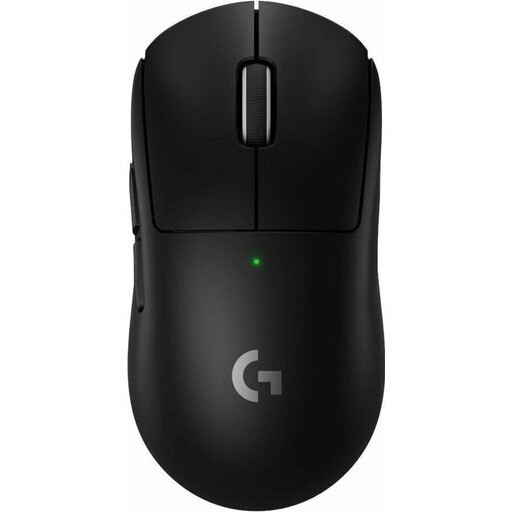 No image available
Adjustable DPI settings may help if you want to fine-tune pointer movement to suit your screen resolution.
Five programmable buttons. DPI settings are adjustable; USB-C charging is listed for this model.
 No image available
Adjustable pointer sensitivity and extra controls may be useful if you want to tailor the mouse to your route-planning needs.
Bluetooth connectivity and an ergonomic design for right-handed users. Logitech says the sensitivity can be adjusted in Logi Options+; the scroll wheel has switchable modes and the buttons can be customised.
No, not just for this task: you can move waypoints in Komoot's route planner by clicking and dragging. First, check that you can move the pointer with control and use the main buttons comfortably. A high maximum DPI setting alone does not prove that a mouse will help with route planning.
Check that Bluetooth or the USB receiver works with your computer, and confirm what's included with the specific version. If the mouse has programmable buttons, check in your application that they perform the actions you want.
The seller is responsible for statutory warranty claims relating to a fault. The Verbraucherzentrale states that, for consumer purchases, the period is generally two years from delivery; this is separate from any voluntary manufacturer's warranty.
ASR A6 applies to workplaces and teleworking locations within its defined scope. According to the Federal Institute for Occupational Safety and Health, it does not apply generally to screen use outside such workplaces and teleworking locations. The Federal Environment Agency advises against putting electrical equipment in household waste.
For an online consumer contract, the Verbraucherzentrale says you generally have 14 days from receiving the goods to cancel; you must notify the retailer of your decision. Check the information for your specific purchase, and distinguish cancellation from warranty claims relating to a fault.