What to look for when buying
Start by checking the picture from the furthest seat you would normally use. Then consider the light in the room, motion handling, screen size and TV source.
RTINGS generally describes IPS LCDs as having more stable viewing angles than VA LCDs, but the specific model is what matters when choosing a TV. The Verbraucherzentrale recommends measuring your usual viewing distance. When comparing similar screen sizes, the EU energy label can help you put the stated energy consumption into context.
| Priority |
What to check when buying |
Who it matters most to |
| Picture from the side |
From the furthest seat you would normally use, check faces, landscapes and on-screen race data; refer to a viewing-angle test for the exact model. |
When I sit with several people on a wide sofa, I want the picture to remain clear from the seat at the end too. Around 31 % of consumers say viewing angle is their top priority. |
| Motion handling |
Check the native refresh rate and signal path; watch a sports broadcast with motion smoothing switched on and off. |
I want to follow the peloton and camera pans clearly. Around 25 % of consumers prioritise motion handling. |
| Viewing in daylight |
Assess reflections and brightness in relation to the actual position of your windows; don’t assume the panel technology alone will determine how it looks in your room. |
When I watch during the day, I want the picture to remain clear despite the light from the windows. Around 19 % of consumers have this as their top priority. |
| Size and viewing distance |
Measure your usual viewing distances and available space; compare screen size and stated energy consumption. |
I want to find the right screen size for my viewing distance and available space. Around 13 % of consumers prioritise getting this balance right. |
| Reception and ongoing costs |
Check which channel or streaming service is showing the race, how you’ll receive it, and whether you need an aerial or internet access. |
When I want to watch a particular race, I want to know which reception method I’ll need and factor in any extra costs. Around 12 % of consumers have this as their main priority. |
Joybuy products
The Joybuy models below include large screen sizes, as well as OLED and Mini LED options. For side seats, what matters most is how the specific model looks from where you’ll be sitting.
 No image available
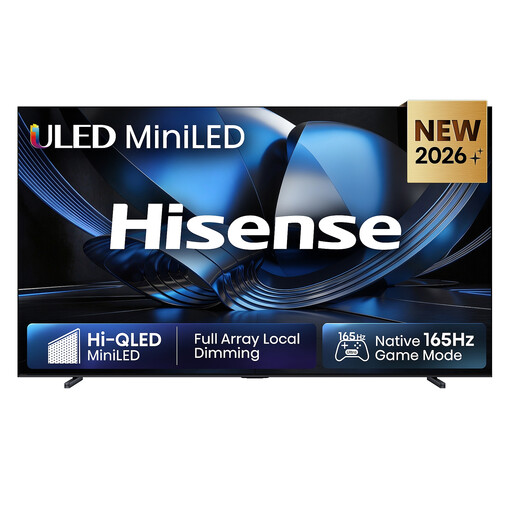
Hisense 100U7DSE, 100-inch ULED Mini LED 4K Smart TV
The stated 100-inch screen size is worth considering for a large seating area; check that it suits your viewing distance and available space.
Specifications include ULED Mini LED, 4K, 165 Hz, Dolby Atmos and VIDAA Smart OS.
View at Joybuy
 No image available
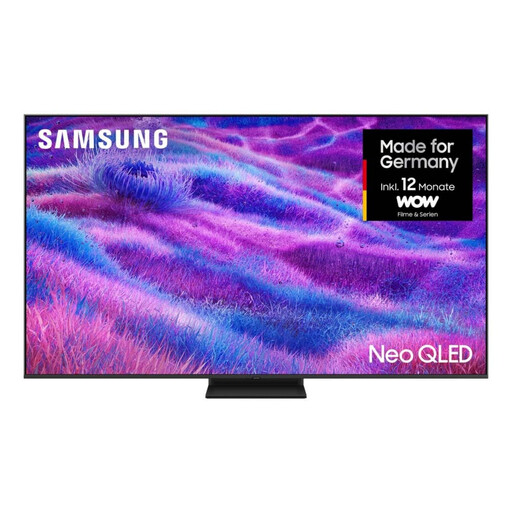
Samsung Neo QLED 4K QN80F, 75-inch Mini LED Smart TV
The 75-inch screen may be a good fit for watching together; check that the size works with your viewing distance.
The model is listed as having 4K, Mini LED and 120 Hz. Motion Xcelerator 144Hz is a separate specification; judge the picture using your own signal source.
View at Joybuy
 No image available
TCL 75T8D, 75-inch QLED TV with QD Mini LED
The 75-inch screen and stated 4K resolution are worth considering for a larger shared viewing area; compare them with your viewing distance.
Specifications include QD Mini LED, 144 Hz, VRR, Dolby Vision, HDR10+, Dolby Atmos and Google TV.
View at Joybuy
 No image available
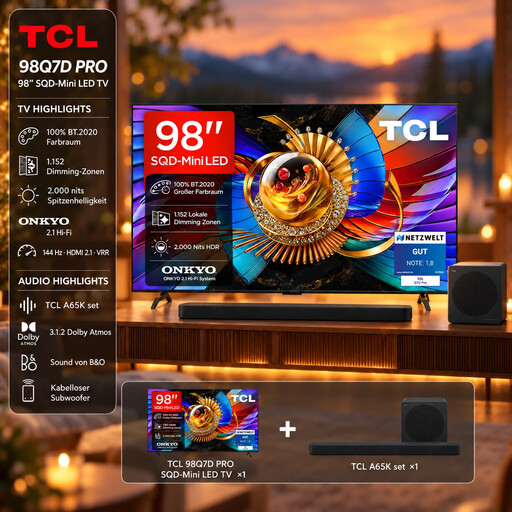
TCL 98Q7D PRO, 98-inch, with A65K soundbar set
The 98-inch screen is worth considering for a large seating area; check your viewing distance and available space before choosing.
According to the product name, the set includes a 4K SQD Mini LED TV and an A65K soundbar. Specifications include 1.152 local dimming zones, up to 2.000 nits HDR, anti-reflection, 144 Hz, Dolby Vision IQ, Dolby Atmos and Google TV.
View at Joybuy
 No image available
LG OLED83C67LA, 83-inch OLED Evo AI 4K Smart TV
The product specifications list wide viewing angles; it’s still worth checking how the picture looks on the actual TV from your furthest seat.
Specifications include OLED, 4K, 120 Hz and VRR up to 165 Hz. Reception options listed are DVB-T2, DVB-C and DVB-S2.
View at Joybuy
Frequently asked questions
Are 144 or 165 Hz enough for smooth cycling coverage?
No, the figure alone is not enough to judge this. Check the refresh rate, incoming signal and motion settings separately; a gaming or VRR specification does not prove that a sports broadcast contains the same number of distinct frames.
How do I check a TV for people sitting at the edge of the sofa?
If possible, view the specific TV from the furthest seat you would normally use, and measure your usual viewing distances. RTINGS tests horizontal viewing angles because the picture can look different from the side than it does head-on.
What should I bear in mind when using an OLED for long periods and cleaning it?
LG describes image-retention prevention features on its own OLED TVs; follow the instructions for the specific model when displaying static images for long periods. For cleaning, LG recommends switching off the TV, unplugging it and gently wiping the screen with a microfibre cloth.
Does watching a cycling race via an aerial cost extra?
It depends on the channel showing the race. The official DVB-T2 HD information portal states that public service channels can be received on compatible devices without ongoing extra costs; paid packages may be needed for private HD channels. Check reception where you live and which channel is showing the race before you buy.
How do I compare screen size and energy consumption?
First, measure your usual viewing distance and the space available. Then compare suitable screen sizes and the energy consumption shown on the EU energy label; the Verbraucherzentrale recommends working out your usual viewing distance before buying.


