What should you look for when buying one?
| What you need |
What to look for |
Who is this particularly important to? |
| The right traffic news station |
Find out which station you want and how it is broadcast, then check DAB+ availability at your location. |
If I want to hear updates for my region, the station must actually be available there. Around 36% of consumers prioritise finding the right local station. |
| Reception at your desk |
Check the indoor reception forecast for your postcode and whether you can position the aerial where you plan to use the radio. |
At a fixed workspace, I need to know whether the radio will get reception in the room and whether I can position the aerial appropriately. Indoor reception is the main buying concern for around 29% of consumers. |
| Quick station selection |
Check that the buttons and display are easy to reach, and that you can access frequently played stations directly. |
If I’m only tuning in briefly for updates, I want to select a station without having to search for it. Quick station selection is a priority for around 21% of consumers. |
| Listening quietly |
If needed, look for a dedicated headphone socket or an explicitly confirmed Bluetooth transmit function. |
In a shared study, I want to listen to traffic updates without disturbing anyone else. Private listening is the main concern for around 14% of consumers. |
These percentages represent buying priorities for radios used to listen to traffic updates while working from home in Germany; they are not survey results. The sources support the needs and checks mentioned, but not the percentage figures.
Joybuy products for listening to the radio while working from home
This selection includes portable and desktop DAB+/FM radios, as well as models with additional internet radio features. Whatever the specifications, check that you can receive the station you want at your workspace.
 No image available
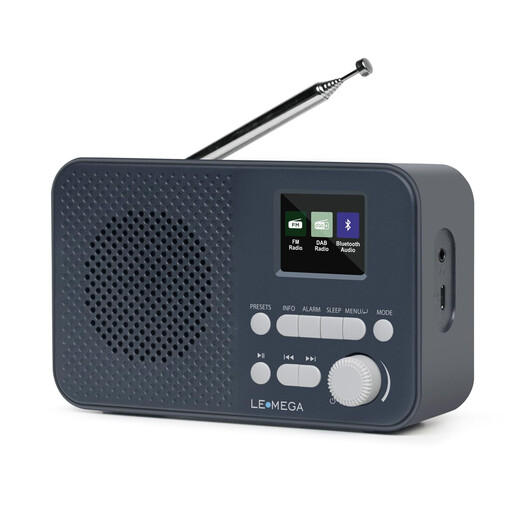
LEMEGA DAB Go DAB+/FM radio, 2200 mAh, 40 presets
An option if you want DAB+ and FM, with presets for stations you listen to regularly.
The title lists Bluetooth, a headphone socket, a rechargeable 2200 mAh battery and USB-C charging.
View at Joybuy
 No image available
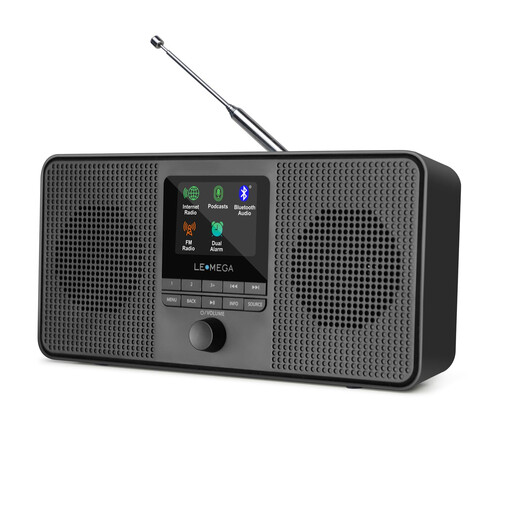
LEMEGA IR4S internet radio, DAB/FM, stereo
An option if you want to listen to internet radio and podcasts as well as DAB and FM.
The product title lists Bluetooth and stereo sound. Internet radio requires a suitable internet connection.
View at Joybuy
 No image available
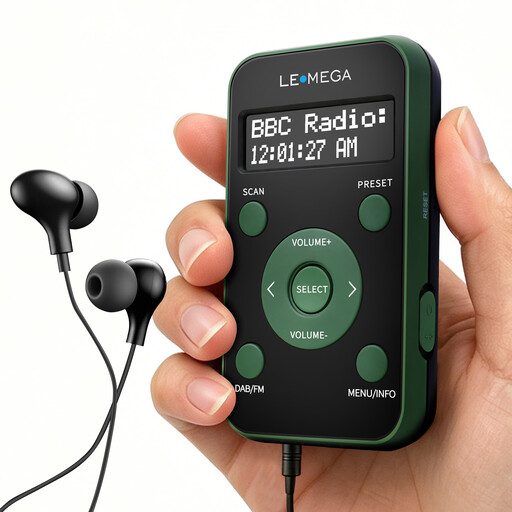
LEMEGA PR1 pocket DAB/DAB+/FM radio, 20 presets, green/black
This compact radio may suit you if you want DAB+/FM and quick access to saved stations.
The title lists a rechargeable battery, an LCD display and earphones. According to the product description, the earphone cable acts as the aerial.
View at Joybuy
 No image available
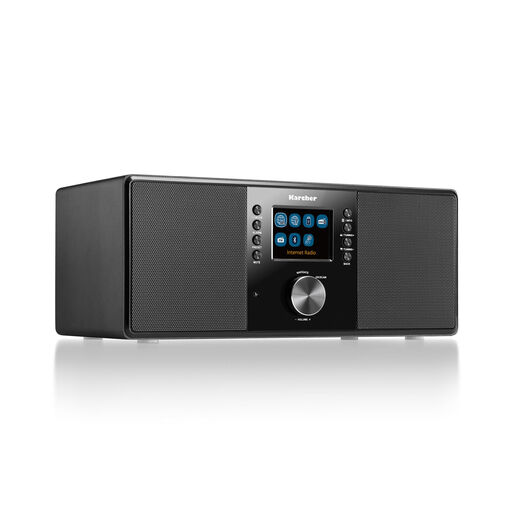
Karcher DAB 7000i internet radio with Wi-Fi, DAB+ and FM
An option if you want to combine DAB+/FM reception with internet radio.
The title lists Wi-Fi, Bluetooth, a 2.4-inch colour display, USB, AUX-in, line-out, a headphone socket, an alarm clock and a remote control.
View at Joybuy
 No image available
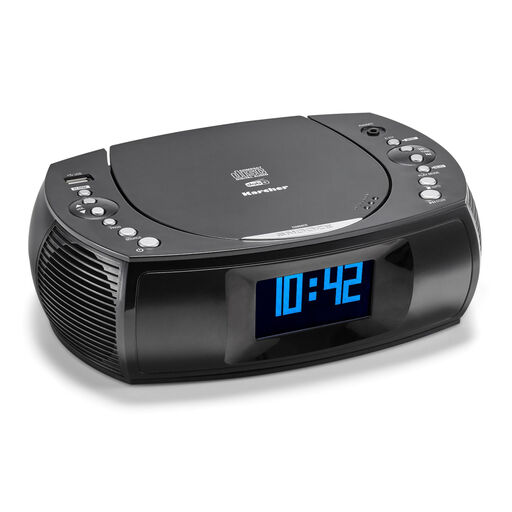
Karcher UR 1309D clock radio with CD player, DAB+ and FM
This clock radio may suit you if you want to combine DAB+/FM with clock and alarm functions.
The title lists a headphone socket, USB charging, a dimmable display, two alarm times, a snooze function and a sleep timer.
View at Joybuy
Frequently asked questions
Does a DAB+ radio need internet for traffic updates?
No. As Bayerischer Rundfunk explains, you don’t need an internet connection to receive DAB+. An internet radio, on the other hand, uses an internet connection. Check whether you can receive the station you want separately.
How do I set up reception in my home office?
First, check the indoor reception forecast for your location. Put the radio where you plan to use it and adjust the aerial. If reception is difficult, a model with a separate aerial input may give you more options for positioning the aerial.
Can every DAB+ radio receive my local traffic news station?
No. The station must be broadcast on DAB+ in your region and receivable at your specific workspace. Use the programme map and reception forecast from DAB+ / Digitalradio Deutschland e. V., then check reception where you plan to use the radio.
Can I use Bluetooth headphones with a radio that has Bluetooth RX?
Not on the basis of Bluetooth RX alone. According to the manufacturer, it refers to receiving audio from a smartphone on the Hama DR2002BT. For headphones, check whether the specific model has a Bluetooth transmit function or a headphone socket.
Do I need to pay an additional broadcasting fee for a radio in my home office?
Not simply because you have another reception device in a private home that is already registered. The Beitragsservice explains that self-employed or freelance work carried out in that home doesn’t incur an additional fee for business premises; however, it must be registered. Different conditions apply to business premises with separate access.


