What should you look for when buying?
For DAB+ morning news in Germany, your radio must be able to play DAB+. Then choose a model to suit where you’ll listen, your alarm routine and how you want to listen.
DAB+ clock radio for your bedside
A good fit if: You regularly wake up to the news and alarm times, station selection and display settings are part of your morning routine.
Bear in mind: An alarm function doesn’t tell you whether speech will still be clear at a low volume.
Simple DAB+ table radio
A good fit if: You’re already awake and mainly want to select a news station quickly.
Bear in mind: Not every radio has an alarm function, and DAB+ reception also depends on your location.
Portable DAB+ radio
A good fit if: You want to take your radio between the bedroom and living room.
Bear in mind: Reception and alarm operation may depend on the radio’s location and power supply. According to Joybuy, the alarm function on the Sharp DR-P420 requires USB power.
| What matters |
What to check before buying |
Who is it especially important to? |
| Speech clarity |
Check the voice reproduction of the specific model and its lowest volume setting at your intended listening distance. |
If you want to listen to the news quietly but still understand what’s being said, suitable sound reproduction matters more than a simple power rating. Around 33% of consumers prioritise speech clarity. |
| Alarm routine |
Check the radio alarm mode, station selection and display dimming on the exact model variant. |
If you want the news station to wake you, the alarm and station should fit your morning routine. Around 27% of consumers prioritise a reliable news alarm routine. |
| Reception where you listen |
Confirm DAB+ compatibility and test your chosen station where you plan to use the radio. |
If you want to listen to a particular station by your bed or in another fixed location, reception right there is essential. Around 20% of consumers give the greatest importance to reception and placement. |
| Listening without disturbing others |
Check for a headphone output and the type of connection; don’t assume Bluetooth automatically means headphone output. |
If others are still asleep, you’ll want to be able to listen to the news through compatible headphones. Around 20% of consumers prioritise listening privately without disturbing others. |
DAB+ radios at Joybuy
This selection includes portable radios for listening in different places, table radios and bedside models with an alarm function. Whatever features are listed, check the lowest volume setting and reception where you’ll actually be listening.
 No product image available
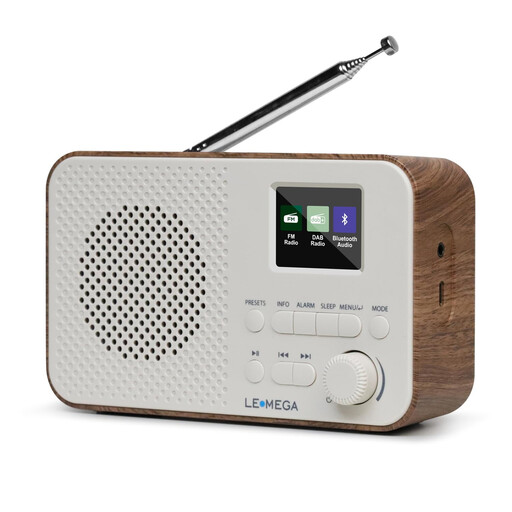
LEMEGA DAB Go DAB+/FM radio, walnut
A good choice for listening on the move if you’re looking for a rechargeable radio with a headphone socket.
DAB+/FM, 2200mAh battery, USB-C charging port, LCD display, Bluetooth and 40 station presets.
View at Joybuy
 No product image available
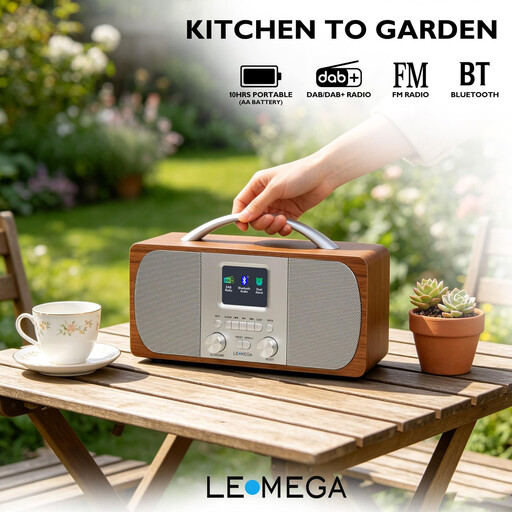
LEMEGA DR6 stereo radio, walnut
A good choice for a fixed listening spot if you’re looking for a radio with station presets and an alarm function.
40 station presets, Bluetooth, FM, mains and battery power. Four AA batteries are required for battery power; they are not included.
View at Joybuy
 No product image available
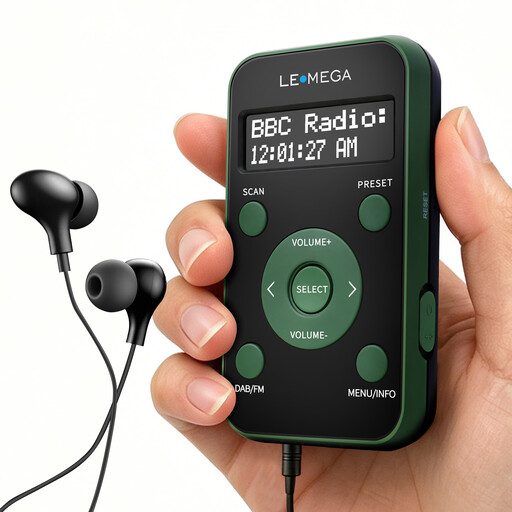
LEMEGA PR1 pocket DAB/DAB+ and FM radio
A good choice for listening on the move or in private if you’re looking for a compact radio with a battery and headphone support.
DAB/DAB+, FM, 20 station presets, LCD display and supplied earphones. The earphones also act as the aerial.
View at Joybuy
 No product image available
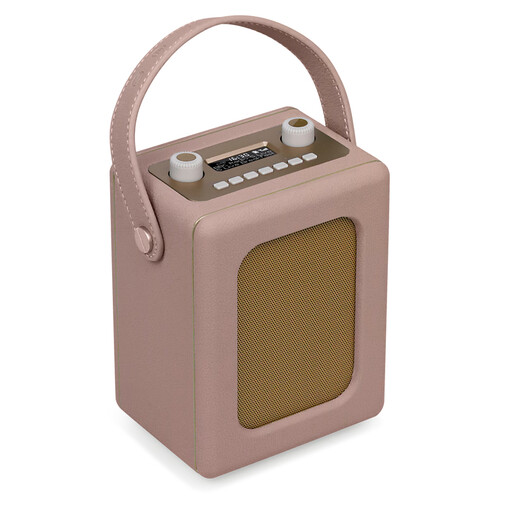
LEMEGA Class Classic DAB+ retro radio, blush pink
A good bedside radio with an alarm function if you also want a clock display and a headphone socket.
60 station presets, two alarms, snooze function, Bluetooth and a 20-hour battery life. Four AA batteries are required for battery power; they are not included.
View at Joybuy
 No product image available
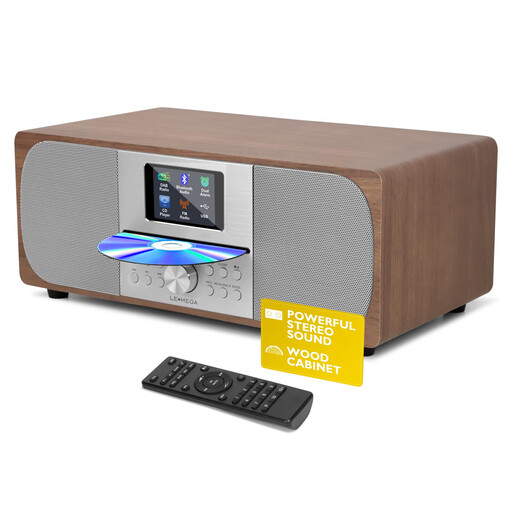
LEMEGA MSY6 DAB+ radio system with CD player
A good choice if you want DAB+ radio and CD playback in one system with a headphone socket.
DAB+, FM, Bluetooth, CD player, 40 station presets and headphone socket.
View at Joybuy
Frequently asked questions
How can I check whether I can receive my news station by my bed?
First, use the location-based DAB+ reception forecast from DAB+ Mehr Radio, then test the radio where you plan to use it. Try it with the aerial extended and, if necessary, repositioned; the forecast is no substitute for testing reception in your home.
Can I connect Bluetooth headphones directly to any Bluetooth DAB+ radio?
No. Bluetooth doesn’t automatically mean that a radio can send audio to headphones. Roberts says its Bluetooth radios receive signals from devices such as smartphones; to send audio to Bluetooth headphones, you would need an additional transmitter connected to a suitable output. Check the Bluetooth function and connections on your specific model.
Does a radio need to support DAB+ for DAB+ morning news?
Yes. To listen to DAB+ programmes, your radio must be able to play DAB+; the label “DAB” alone doesn’t confirm this. The Verbraucherzentrale also explains that older radios without DAB+ compatibility may display these programmes but be unable to decode them.
Can I carry on using my existing FM radio?
Yes, you can continue to use a working FM radio. The Verbraucherzentrale distinguishes this from requirements for certain devices newly made available on the market. Section 75(4) of the TKG applies, with exceptions, to certain devices intended primarily for receiving audio broadcasting and capable of displaying programme names.
What if a radio I bought online doesn’t suit my needs?
According to the Verbraucherzentrale, online orders generally come with a 14-day cancellation period from delivery. Check the seller’s details and returns policy. Your statutory rights if the product is faulty are separate from any voluntary guarantee.


