What to look for when buying
First, check whether the station you want is available where you plan to put the radio. Then compare speech clarity and ease of use. Additional reception options matter only if you intend to use them.
The percentages refer to consumers choosing a DAB+ radio for regional traffic updates in a shared space, and their main purchase priority.
| Priority |
What to check before buying |
Who this matters most to |
| Regional programme and reception |
Check the programme line-up and indoor reception forecast for your location; test the radio where you plan to use it, with the aerial fully extended. |
I want to hear the exact regional traffic station before setting off, and need reception where the radio will be placed; around 42% of consumers prioritise the programme and reception. |
| Clear speech |
Listen to speech at the volume you expect to use and consider the radio’s position and where people will be sitting. |
If several people need to understand the announcements, I focus on speech rather than music quality alone; around 25% of consumers prioritise speech clarity. |
| Quick access to stations |
Check the direct-access buttons, legibility of the labels and display on the specific model. |
When different people use the radio, I want to select the right station without searching through the menu again; around 17% of consumers prioritise quick access to stations. |
| Considerate listening and flexible placement |
Check for a headphone socket and the power options you need; don’t assume Bluetooth reception means audio can be sent to headphones. |
If not everyone wants to listen, or the radio needs to be moved, I need a suitable way to listen and position it; around 16% of consumers prioritise considerate or flexible use. |
Joybuy products
This selection includes portable DAB+/FM radios and hybrid models with additional internet features. Check regional station reception and the intended location separately, regardless of the radio’s features.
 No image available
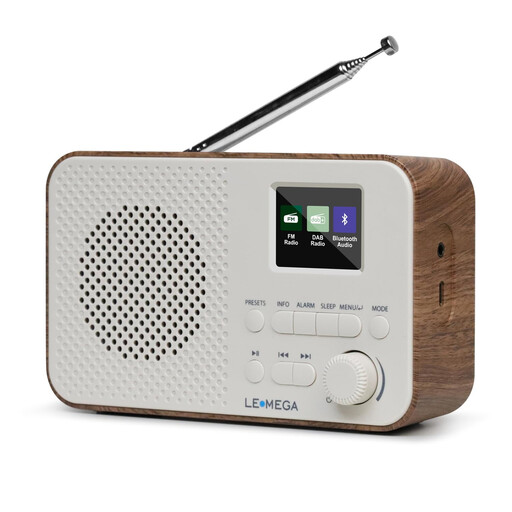
LEMEGA DAB Go DAB+/FM radio
This portable DAB+/FM model is well suited to use in different locations; check indoor reception where you plan to use it.
The product title lists a rechargeable 2200-mAh battery, USB-C charging, a headphone socket and 40 station presets.
View at Joybuy
 No image available
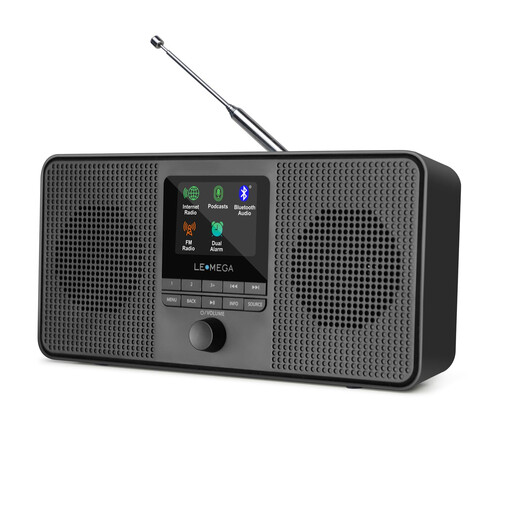
LEMEGA IR4S DAB+/FM internet radio, Black
If you want to listen to online stations or podcasts as well as DAB+, this model offers several reception and audio features.
The product title lists DAB+, FM, internet radio, podcasts, Bluetooth and stereo sound.
View at Joybuy
 No image available
LEMEGA DR6 stereo DAB radio, Walnut
If you want to move the radio between locations, the product title specifies mains and battery power.
The title lists DAB+, FM, Bluetooth and 40 station presets.
View at Joybuy
 No image available
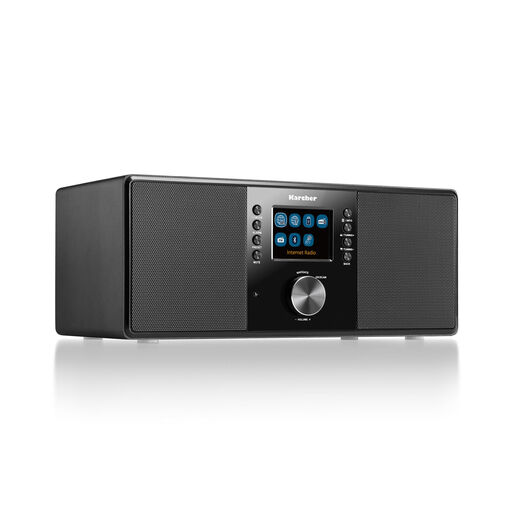
Karcher DAB 7000i internet radio, Black
If you want to combine DAB+ with internet radio, remember to factor in the network connection you’ll need.
The product title lists DAB+, FM, Wi-Fi, Bluetooth, a remote control, headphone socket and 2.4-inch colour display.
View at Joybuy
 No image available
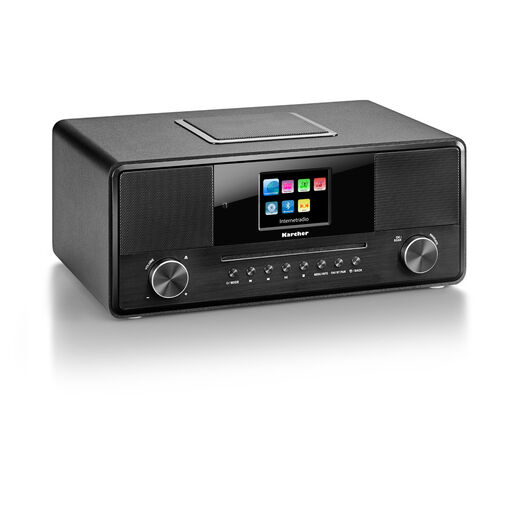
Karcher DAB 9000CDi internet radio with CD player
This model may suit you if you want to play CDs as well as listen to radio programmes. For DAB+, reception at your location remains key.
The product title lists DAB+, FM, internet radio, CD player, Wi-Fi, Bluetooth, a headphone socket and a remote control.
View at Joybuy
Frequently asked questions
Can any DAB+ radio automatically provide the right local traffic updates?
No. First choose the regional programme you want and check that it’s available, along with the indoor reception forecast for your location. ARD lists BR Verkehr as a DAB+ programme from Bayerischer Rundfunk; this doesn’t guarantee reception across Germany.
What can I try if a station is missing after I set up the radio?
Extend the aerial and run a station scan where you plan to use the radio. Moving it nearer a window may help. If the programme line-up has changed, you may need to scan again. Resetting the radio may erase saved presets.
Do I need Wi-Fi or a radio subscription for DAB+?
You don’t need an internet connection for terrestrial DAB+ reception. Internet radio uses a different reception method. Any requirements for public playback or business premises should be considered separately.
Can I simply play a radio for everyone in a shared lounge?
It depends on how the room is actually used. Copyright law distinguishes between public performance and playback within a group of people who are personally connected. For public playback of music from its repertoire, GEMA lists lounges among the uses covered by Tariff R. A private shared room and a room that is open to the public or used for business therefore can’t automatically be treated in the same way.
Does having a radio in a shared workplace lounge mean an additional broadcasting fee?
Not just because of the individual radio; the rules for business premises apply. The Beitragsservice describes business premises as a fixed unit of premises not used exclusively for private purposes, and also lists situations where no fee is payable. Whether the rules apply to a particular room depends on how it is actually used and organised.


