First, check whether the station broadcasting your folk programme is available on DAB+ where you live, and whether reception works where you plan to put the radio. The DAB+ Mehr Radio reception forecast and advice from TechniSat can help you check coverage, but they cannot guarantee reception in every part of your home. If several people will be listening in your open-plan home, compare the speakers, placement and controls. A hybrid radio is an option if the programme is also available on FM or as an internet stream.
Which radio is right for you?
Listeners with a particular programme in mind
If you’re buying a radio mainly for a particular folk programme, first check which station broadcasts it and whether DAB+ reception is available where you plan to put the radio. DAB+ Mehr Radio and TechniSat offer guidance on checking reception at your location.
People listening together
If people will be listening in different parts of your open-plan home, sound quality in those listening areas and practical placement are important things to consider. A speaker specification for a particular model is no substitute for comparing sound in your own room.
Listeners who want things simple
If you want to tune in to the same station regularly, look for an easy-to-follow station scan and favourites that are easy to access. The Bavarian Broadcasting Corporation and Hessian Broadcasting Corporation, among others, offer guidance on scanning for stations.
What should you look for when buying?
Compact DAB+ radio
A good fit if: you usually listen close to the radio and want to keep the space it takes up to a minimum.
The trade-off: Compact dimensions don’t tell you how the music will sound in different listening areas. Check the speakers, power supply and aerial on the specific model.
Mains-powered stereo DAB+ radio
A good fit if: listening together in the living area is a priority, and there’s space and a socket where reception is suitable.
The trade-off: A speaker system or a stated power output doesn’t guarantee good sound where you’ll be listening.
DAB+, FM and internet radio
A good fit if: the folk programme is also available on FM or as an internet stream, and you want to use those ways of listening.
The trade-off: Internet radio needs an internet connection. Having extra reception options doesn’t mean the programme will necessarily be available on them.
| What matters |
What to check before buying |
Who is it important to? |
| Reception for the programme |
Find out which station broadcasts it and how; check the indoor coverage forecast, then test the aerial and run a station scan where you plan to put the radio. |
If I’m buying a radio for a particular folk programme, I want to know whether its station broadcasts on DAB+ where I live and whether reception works where I’ll put it. Around 36% of consumers say programme reception is their top priority. |
| Sound in the listening areas |
Compare speaker configurations and the space needed; if possible, assess the sound where you usually listen. |
If people will be listening in different parts of an open-plan home, sound in those areas matters to me; a wattage rating alone doesn’t tell me that. Around 29% of consumers put sound in their usual listening areas first. |
| Easy to use |
Check for a full DAB+ scan, a favourites list and controls on the radio or a remote control. |
If I want to listen to the same station regularly, I want to be able to find it quickly and tune in again with ease. Around 21% of consumers prioritise being able to find their station again without fiddly controls. |
| Other ways to listen |
Check whether the programme is actually available on FM or as an internet stream. Internet radio requires an internet connection. |
If the station isn’t available on DAB+ where I live, I want to know whether FM or an internet stream is a suitable alternative. Around 14% of consumers give other ways to listen top priority. |
Common buying mistakes
-
Assuming the DAB+ logo means you’ll receive the programme you want
A DAB+ radio can only play stations that are broadcast on DAB+ where you live and can be received where you put the radio. Reception conditions can vary from one part of your home to another.
First, find out which station broadcasts the programme and how, then check the indoor coverage forecast. After that, test the aerial and run a station scan where you plan to put the radio.
-
Choosing based only on wattage or features
A power rating or extra streaming features don’t tell you how the radio will sound where you listen. A wide range of features is only useful if you actually want to use them.
Compare the speakers, placement and controls, and assess the sound yourself if you can.
-
Assuming older product information means a product is still available
An old product listing doesn’t guarantee that an item is available to buy. TechniSat lists the MULTYRADIO 600 CD IR as permanently unavailable.
Before buying a particular model, check its full model name and the manufacturer’s latest product information.
Brands to consider
TechniSat
For the DIGITRADIO 602, the manufacturer lists DAB+, FM and internet radio, as well as a 2.1 speaker system.
- For the DIGITRADIO 602, TechniSat lists a replaceable telescopic aerial, a socket for an external aerial and a remote control.
- These specifications don’t guarantee reception where you plan to put the radio or tell you how it will sound in your home.
Kenwood
The CR-ST700SCD is a mains-powered system with DAB+, FM and internet radio for people who want to use a range of music sources.
- For the CR-ST700SCD-B variant, Kenwood lists a 2.1 system, CD player, headphone socket and remote control.
- When considering a particular offer, check the full model variant and its specifications. Manufacturer information isn’t an independent sound test.
Albrecht
The DR 1000 combines DAB+, FM and internet radio with a range of other audio features.
- The manufacturer lists a 2.1 system, CD player and app control for this model.
- If you mainly want to listen to a folk programme, consider whether you really need the extra features. Manufacturer information doesn’t tell you how the radio will sound in your room.
sonoro
The MEISTERSTÜCK (Gen.2) is an all-in-one music system with a range of playback and connection options.
- sonoro lists Bluetooth, AirPlay, Google Cast and several connections.
- According to the manufacturer, the room correction app can only be used with a compatible iOS device. You don’t need to rely on the extra features for straightforward radio listening.
Joybuy products
The selection includes compact DAB+ radios for flexible listening, as well as mains-powered stereo and hybrid radios for the living area.
 No image available
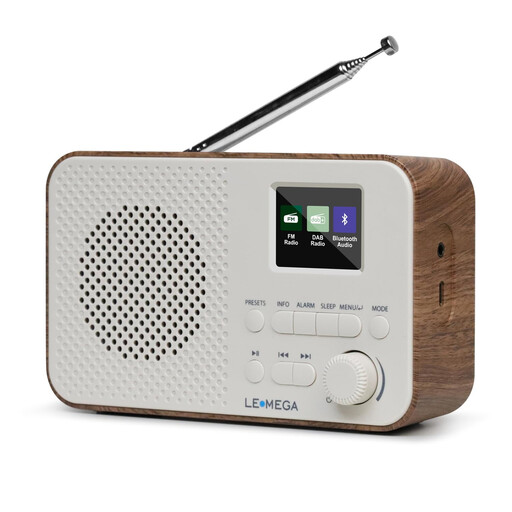
LEMEGA DAB Go, walnut
For flexible listening on DAB+ and FM when you’re looking for a compact radio.
DAB+/FM, Bluetooth and 40 preset stations. The product description lists a 2.5-inch speaker, stereo output and mains or battery power; the 2200 mAh battery charges via USB-C. Headphone socket included.
View at Joybuy
 No image available
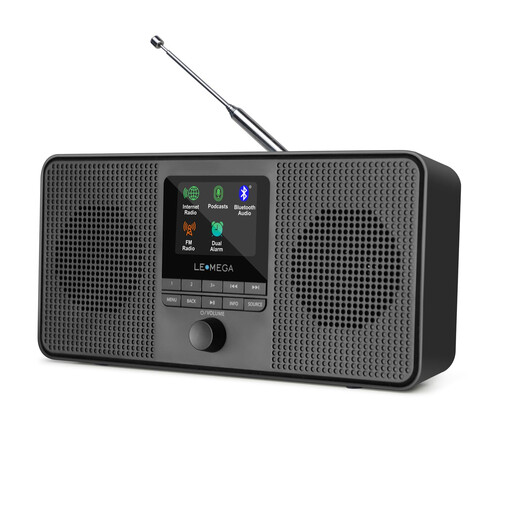
LEMEGA IR4S, black
For listeners who want internet radio and Bluetooth as well as DAB+ and FM.
DAB+, FM, Wi-Fi and Bluetooth. The description lists two 2.5-inch speakers and 20 FM presets; it can be powered by mains or AA batteries.
View at Joybuy
 No image available
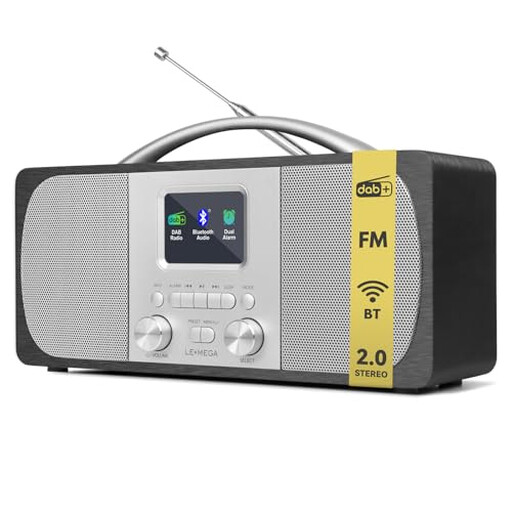
LEMEGA DR6, black
For the living area, if DAB+ reception, stereo output and a station scan are important to you.
DAB/DAB+, FM, Bluetooth and 40 presets. The description lists an automatic station scan and a 2.0 stereo system with two speakers. Mains or battery power is specified.
View at Joybuy
 No image available
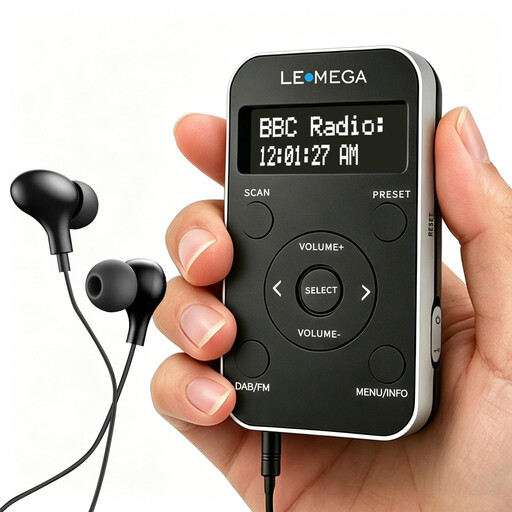
LEMEGA PR1, black/silver
For listening mainly nearby when you’re after a pocket radio with DAB+ and FM.
DAB/DAB+, FM, rechargeable battery, 20 presets and LCD display. Earphones are listed in the product name.
View at Joybuy
 No image available
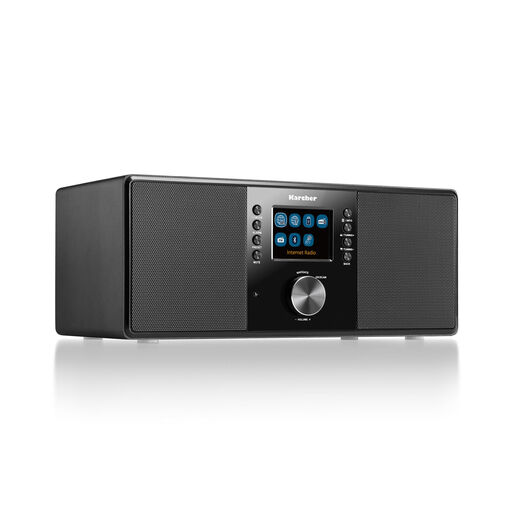
Karcher DAB 7000i, black
For the living area if you want DAB+, FM and internet radio, along with a remote control.
DAB+, FM, Wi-Fi and Bluetooth. Features a 2.4-inch colour display, USB, AUX input, line output, headphone socket and remote control. The description lists two stereo speakers with 14 W RMS.
View at Joybuy
Frequently asked questions
How do I find the folk programme after setting up the radio?
First, find out which station broadcasts the programme and check whether it’s available on DAB+ where you live. Extend the aerial and run a full scan in DAB+ mode. If your model supports it, you can then save the station as a favourite.
What can I do if reception is poor at home?
Try moving the radio closer to a window, keep it away from sources of electronic interference and adjust the aerial. A postcode forecast gives an indication of possible reception, but it can’t guarantee reception everywhere in your home.
Do I need the internet for DAB+?
You don’t need an internet connection for DAB+ reception via an aerial. Internet radio, on the other hand, requires an internet connection. So check which ways of listening the folk programme you want is actually available on.
What are my rights if my new radio is faulty?
For new goods, you may generally have statutory warranty rights against the seller for up to two years from delivery, as explained by the Verbraucherzentrale. A voluntary guarantee is separate; different conditions and time limits apply to the right to cancel.


